The client sent a PDF and wants a Word file back: how to handle it
A client sends PDF translation work and expects an editable DOCX back. Here is how to sort the file, quote the prep, and deliver without layout surprises.
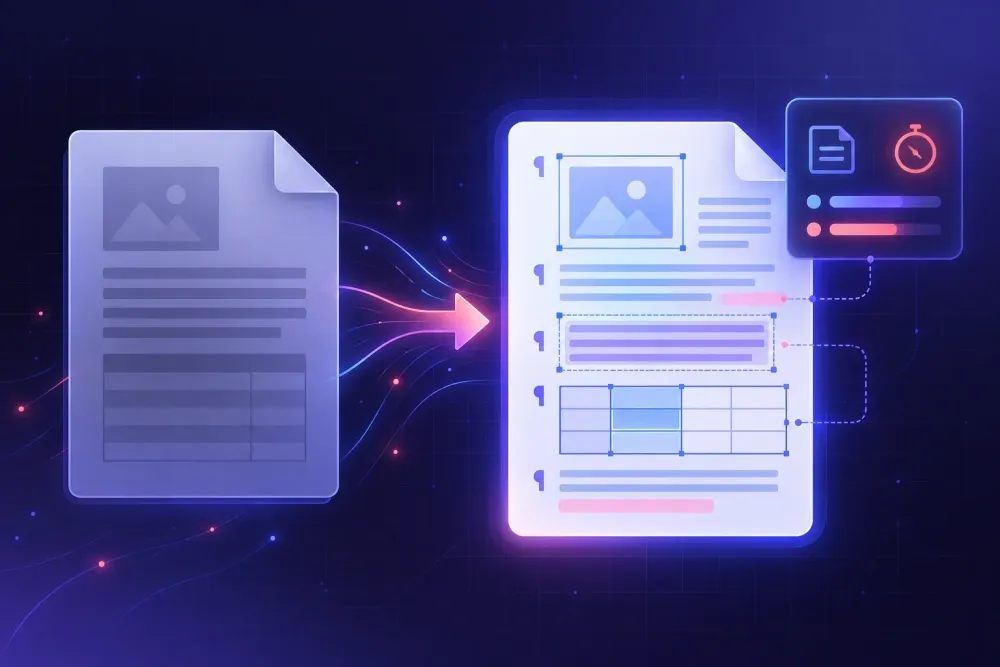
A client sends PDF translation material, asks for the finished text in Word, and assumes those are one job. They are not. Between the attachment and the delivery folder sits an hour or two of file work that nobody quoted, and it is almost always the translator who absorbs it. We talk to freelancers about this constantly, and the pattern repeats: the translation itself rarely runs late. The rebuild does.
The fix is unglamorous. Sort the file, decide early what you are actually producing, and put the prep on the invoice where the client can see it. Here is how we would work through each of those.
Why a client sends PDF translation jobs more often than you'd think
Clients send PDFs because the PDF is the only version they can reliably open, forward and print. The designer who built the brochure left two years ago and the InDesign package went with her. The contract came back from legal already signed and flattened. The spec sheet is a report that an ERP system spits out as PDF and nothing else. From where the client is sitting, the PDF is the document.
Sometimes it is deliberate. Procurement and legal teams send PDFs specifically because they do not want the file edited while it circulates. That has nothing to do with you, but it shapes what lands in your inbox.
All of which makes one question worth asking before anything else: do you have the file this PDF was made from? Somewhere around a third to half of the time, in our experience, the editable original exists and nobody thought to go looking. One translator we know was staring down three days of prep on a 40-page supplier manual that had arrived as a flattened scan. She asked. The client's engineering lead spent ten minutes in a shared drive and produced the original DOCX with every table intact. The job shipped a day early.
When the answer is no, you have a file-preparation project on your hands. It deserves to be treated as one rather than squeezed into the margins of the translation work.
Sort the PDF before you quote anything
For our purposes a PDF is not one format. A file exported from Word, InDesign or a reporting tool carries an intact, machine-readable text layer, and those convert reasonably well. A scan is an image of paper with no text layer at all, so you need OCR, and OCR accuracy swings with scan resolution, contrast and script. We walk through that path in more detail in how to translate scanned PDF documents.
Then there is the hybrid, which is the one that catches people. The body is digital text. The annexes, signature pages and screenshot-heavy appendices are scans. You find this out on page 34, after you have already quoted.
The test takes thirty seconds. Open the PDF, select all, copy, paste into a blank document, and look at what arrived. Real words or gibberish? Did diacritics and Cyrillic survive or come through as boxes? Did every visual line become its own paragraph? Did the tables land as tables, as tab-separated runs, or with the columns in a different order than you started with?
While you are in there, question the word count. Counts taken straight from a PDF are unreliable. Repeated headers and footers get counted on every single page, text sitting inside an image gets counted at zero, and hyphenated line breaks split one word into two. Convert, clean, then count. We have seen the before and after numbers differ by 15% in both directions on the same file, which is enough to turn a profitable job into an unprofitable one. DOCX versus PDF as a source format covers why the source format changes your output quality in the first place.
Pick a conversion route and accept its trade-off
Every way out of a PDF costs you something. Pick deliberately rather than by habit.
Convert, then clean
Acrobat, Word's own PDF import or a dedicated converter hands you an editable file in seconds. For text-heavy digital PDFs without many tables, that is the right call. Budget for the cleanup, which is at least predictable: stripping manual line breaks the converter read as paragraph marks, pulling text out of floating frames back into the body flow, deleting the empty paragraphs padding every page break, and reapplying real paragraph styles over the direct formatting the converter sprayed everywhere.
OCR, then verify numbers
For scans, OCR is the only door in. Current engines handle clean Latin-script print well. They get shaky on low-resolution scans, on pages where a stamp overlaps the text, and on heavily diacriticised scripts.
The errors that actually hurt are numeric. A spell checker will flag recieve. Nothing will flag a 1 that was read as a 7 in a dosage, a part number or a contract value. Verify every number against the PDF by eye, as its own pass, before the file goes anywhere near a CAT tool. Doing it while translating does not work, because you are reading for sense and your eye slides over the digits.
Rebuild in a clean template
When the PDF is a designed artefact rather than a document, say a brochure or a data sheet with twelve callout boxes, conversion gives you a tangle of floating text boxes that will fight you for the rest of the project. Building a clean document and pouring the translation into it is usually faster.
Our rough threshold: if cleanup looks like more than about a fifth of the translation time, stop converting and rebuild. That is a judgement call, not a rule, and it moves if the client needs a page-for-page visual match.
Agree what "a Word file back" actually means, and price it
"Send it to me in Word" covers two quite different deliverables. Some clients want a document that looks like the PDF, page for page, logo in the corner, same table borders. Others just want editable text to paste into their own template. The gap between those two is most of your prep budget.
So ask, in writing, before you start:
- Should the Word file mirror the PDF layout, or is a clean readable document acceptable?
- What happens to stamps, seals, signatures and handwritten margin notes?
- Who deals with text baked into images, charts and screenshots? Do you retype it, caption it, or leave it?
On certified and official documents the second question has a settled answer: describe the element instead of reproducing it. A bracketed line such as [Round seal: Ministry of Education of the Republic of ...] is standard practice in many jurisdictions, and it keeps you from appearing to recreate an official mark. We watched a translator spend two hours rebuilding a notary seal in a drawing tool before anyone told her this.
Then price the file work as its own line. Hourly for prep and DTP, a flat per-page conversion fee, a percentage surcharge: the mechanism matters less than the client seeing the number and understanding what it buys. Put it next to a sentence along the lines of if you can find the original Word or InDesign file, this line disappears. That gives the client a concrete way to spend less, and it sends a surprising number of people back to their shared drives.
This works best with direct clients. On an agency purchase order the prep is often assumed to live inside the per-word rate, and your only real lever is pushing back at quote time rather than after delivery.
Clean the file before it reaches your CAT tool
With an editable DOCX in hand this is a normal job again: import, match against your TM, apply the glossary, post-edit if you are pre-translating with MT or an AI step. One thing changes, though, and it changes more than people expect.
Converted PDFs produce segmentation noise. If the converter turned every visual line into a separate paragraph, your CAT tool will split sentences at line ends and you will spend the day translating fragments. A 12-page report we looked at came out of conversion with more than 400 segments where a clean DOCX would have given roughly 180. Half of them were three words long and stopped mid-clause.
The awkward translating is the smaller cost. Those fragments go into your translation memory as fragments. Next year a similar document arrives properly formatted, your TM returns nothing useful, and the reason is that the stored segments never corresponded to real sentences. You have quietly damaged an asset you spent years building.
Clean before import, not after. In rough order of payoff:
- Find-and-replace the manual line breaks out, then re-split real paragraphs by hand.
- Delete empty paragraphs and page-break padding.
- Move floating text boxes into the body flow, or mark them to be handled separately.
- Rebuild tables as real tables so the cell structure survives the round trip.
- Pull repeated headers and footers out of the translatable flow and handle them once.
MTPE economics hang on this too. Post-editing a cleanly segmented file is ordinary editing work. Post-editing a file where the engine only ever saw fragments means re-reading the whole document for sense, which is much closer to retranslation and should be priced that way.
Make the deliverable survive client review
Text expansion breaks more delivered files than anything else we hear about. English into German or Russian typically grows by 10 to 20%; the other direction contracts. Either way, anything with a fixed dimension gives way: table rows with hard-coded heights, text boxes sized to the source string, two-column layouts balanced for the original length. Set tables to autofit to the window instead of fixed widths, leave row heights unset, and check that nothing has slipped outside its frame.
The other recurring problem is formatting applied directly rather than through styles. Bold 200 headings by hand and every later change is 200 edits. Use paragraph and character styles even on a one-off job, because clients send revision rounds.
Before delivery, do a visual check. Export your DOCX to PDF and set it beside the original. You are looking for page count drift, orphaned headings, tables that now break across pages, and text that has disappeared past the edge of a text box. Five minutes, and it catches the problems clients notice first, because a PDF export is exactly how they will look at your file.
Send both files: the editable DOCX they asked for, and a PDF rendering of it. The PDF shows them what you intended the document to look like, which saves an email exchange when their copy of Word substitutes a font and reflows a table. If the job involved OCR, say so in the delivery note and mention that the numbers were verified against the source. A careful client asks that next anyway.
The routine we would reuse
Keep this as a checklist and run it the next time a PDF lands with a Word request attached.
- Ask for the original file. One email, and it resolves a meaningful share of these jobs outright.
- Classify the PDF as digital text, scan or hybrid, checking the whole document including annexes before you quote.
- Test-copy a page into a blank file to see what conversion will actually give you.
- Choose a route and write down the estimate: convert and clean, OCR and verify, or rebuild in a template.
- Confirm the deliverable in writing, including what happens to seals, signatures and text inside images.
- Quote prep as its own line, with a note that finding the source file removes it.
- Clean before CAT import. Line breaks, empty paragraphs, text boxes, tables, headers. Protect the TM.
- Check expansion, export to PDF, then deliver the DOCX plus that rendering.
File preparation is never going to be the interesting part of the week. The point of running it as a routine is that the hours stop being invisible, which is roughly the difference between a job that quietly costs you money and one that does not.