SnapIntel
AI translation that actually understands your documents.
Structured AI translation for DOCX, XLSX, and PPTX workflows, with domain analysis, glossary control, formatted delivery, and QA on every job.
- DOCX, XLSX, or PPTX in
- Approve glossary and prompt before translation
- Formatted output, QA report, and neutral Excel out
One workspace from DOCX, XLSX, or PPTX intake to delivery.
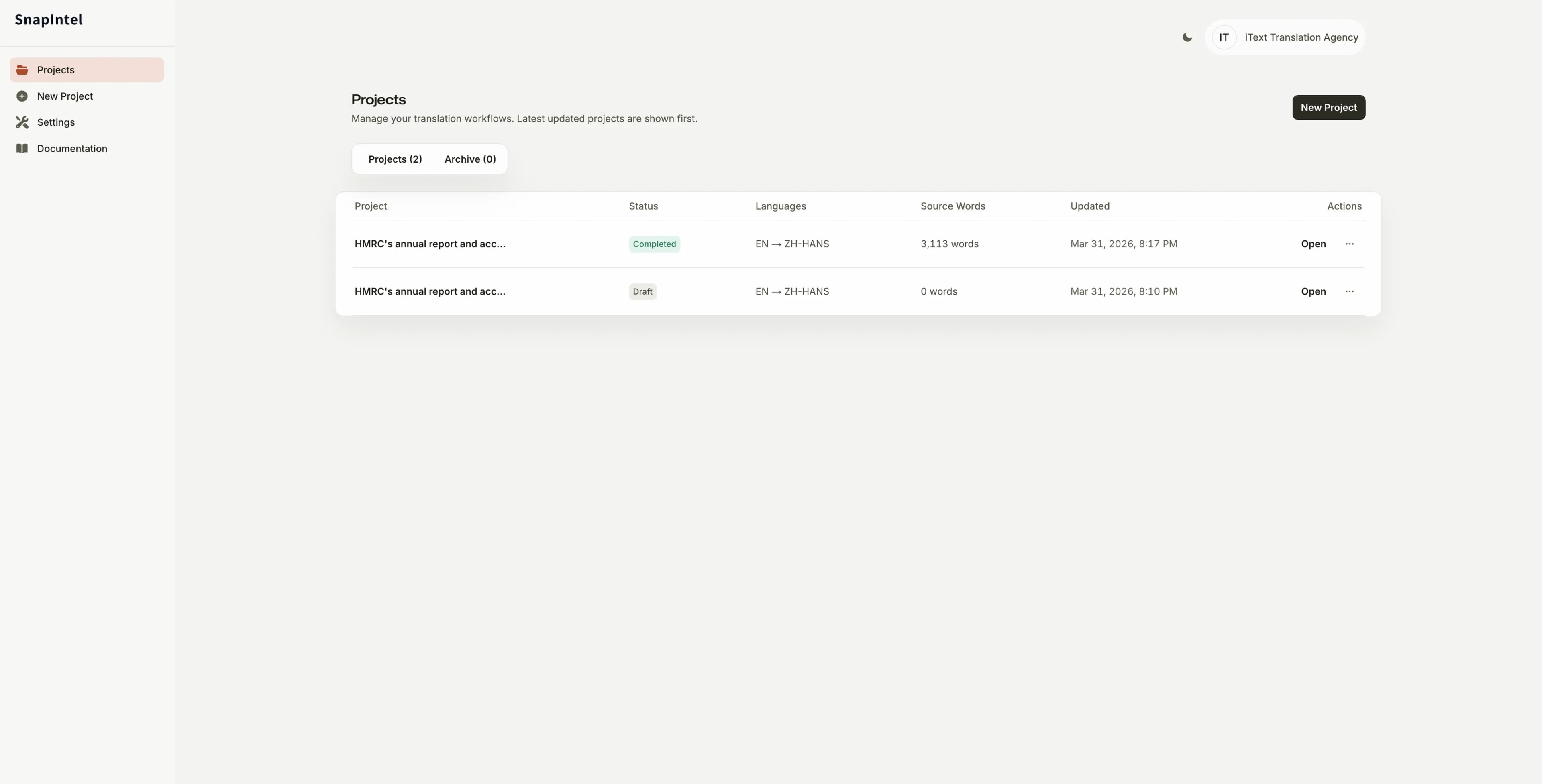
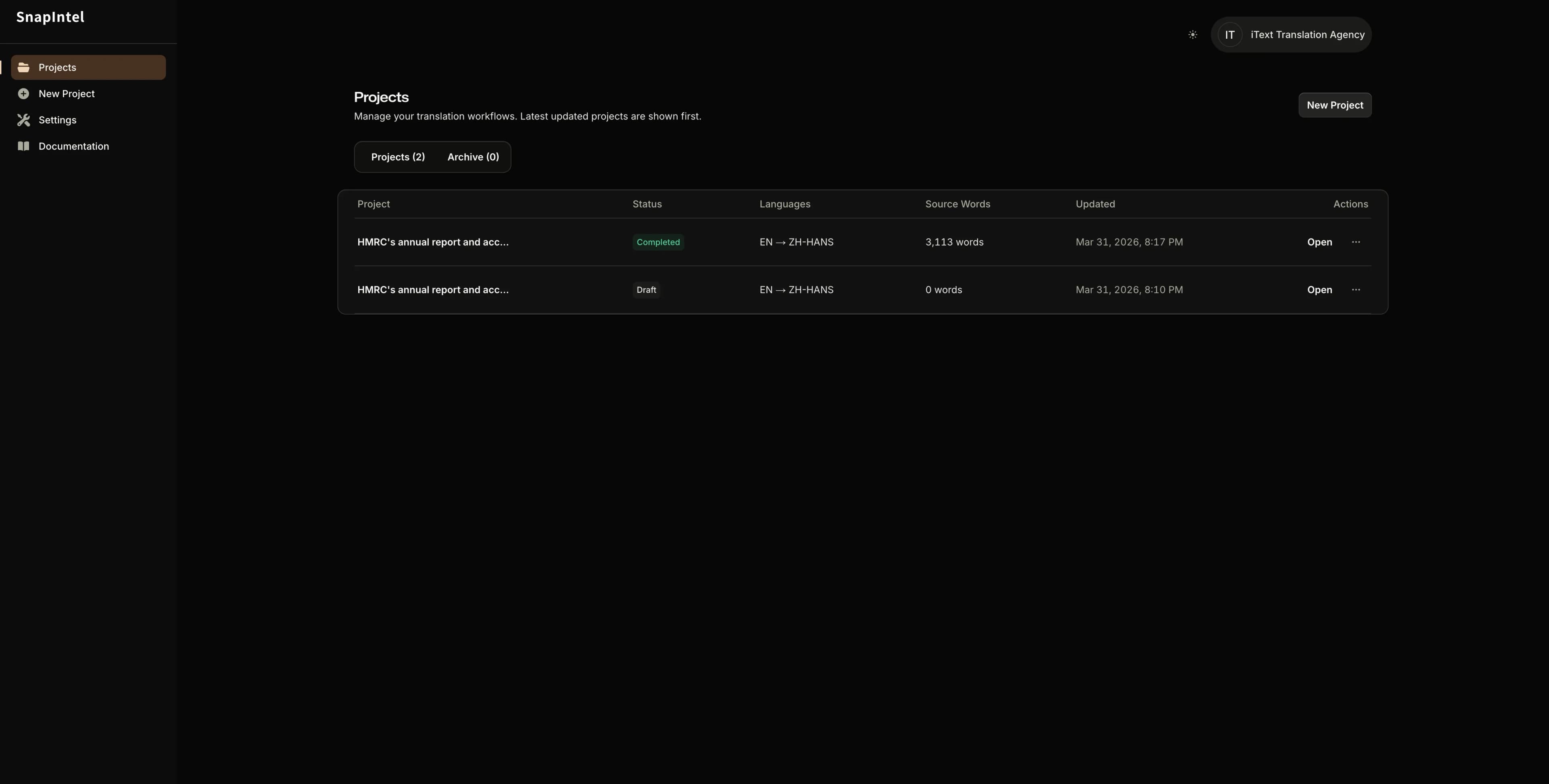
Why SnapIntel Fits This Workflow
Bring in the DOCX, XLSX, or PPTX you already have. SnapIntel gives you the system around it.
Upload a DOCX, XLSX, or PPTX directly, approve the translation context once, and leave with deliverables you can actually review, share, or import into TM workflows.
01
Start from the file you already have.
Bring in the DOCX, XLSX, or PPTX you already have. No copy-paste loop, no manual restructuring, and no side spreadsheets just to make AI usable.
02
Set the context before the model runs.
Domain analysis, glossary editing, and prompt approval happen before translation, so the model works from your decisions instead of generic defaults.
03
Finish with delivery-ready outputs.
Each run ends with a formatted delivery DOCX, a neutral Excel export, and a QA report, so the workflow closes cleanly instead of leaving you with raw output.
Workflow
From uploaded DOCX, XLSX, or PPTX to ready-to-deliver translation.
01
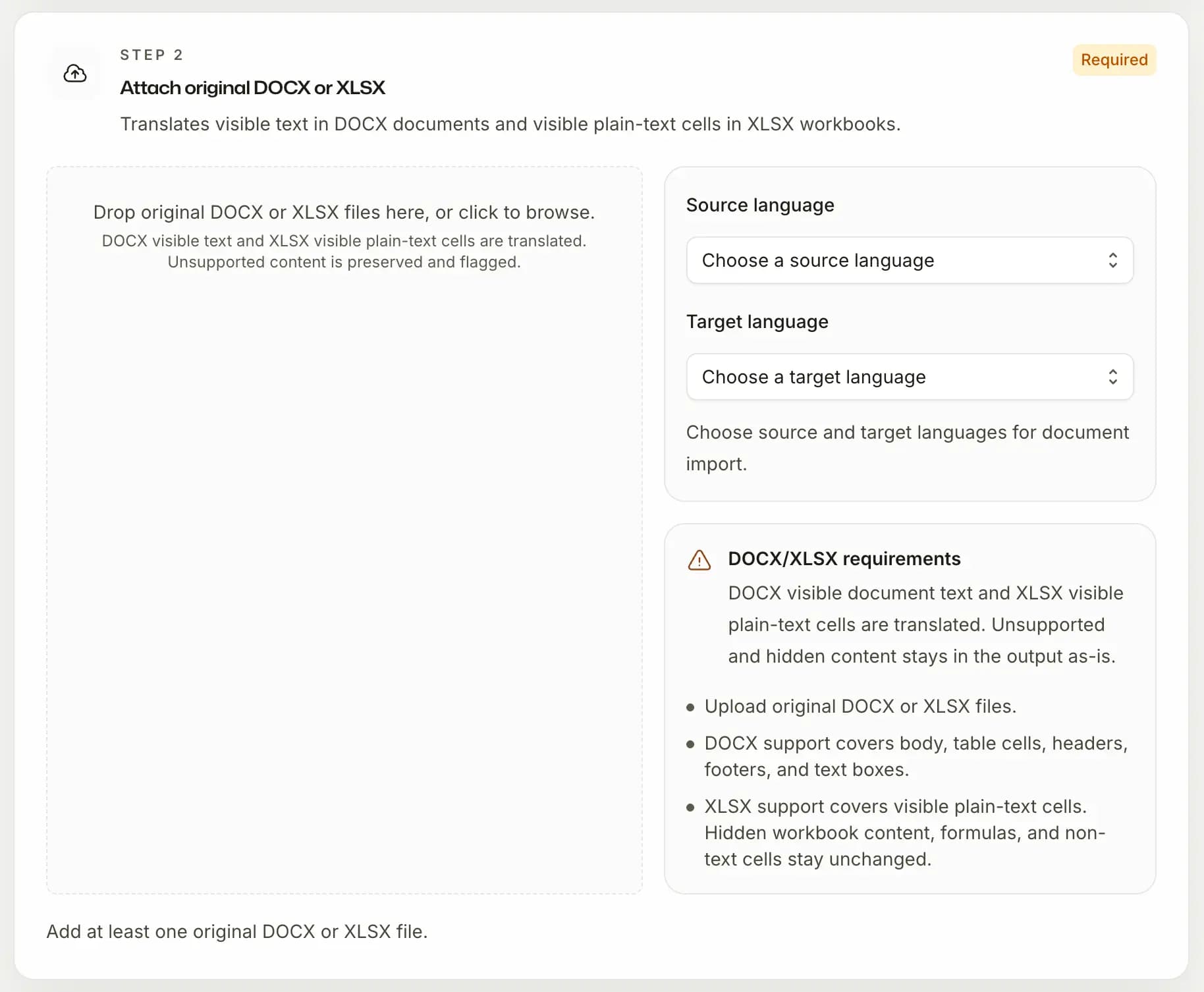
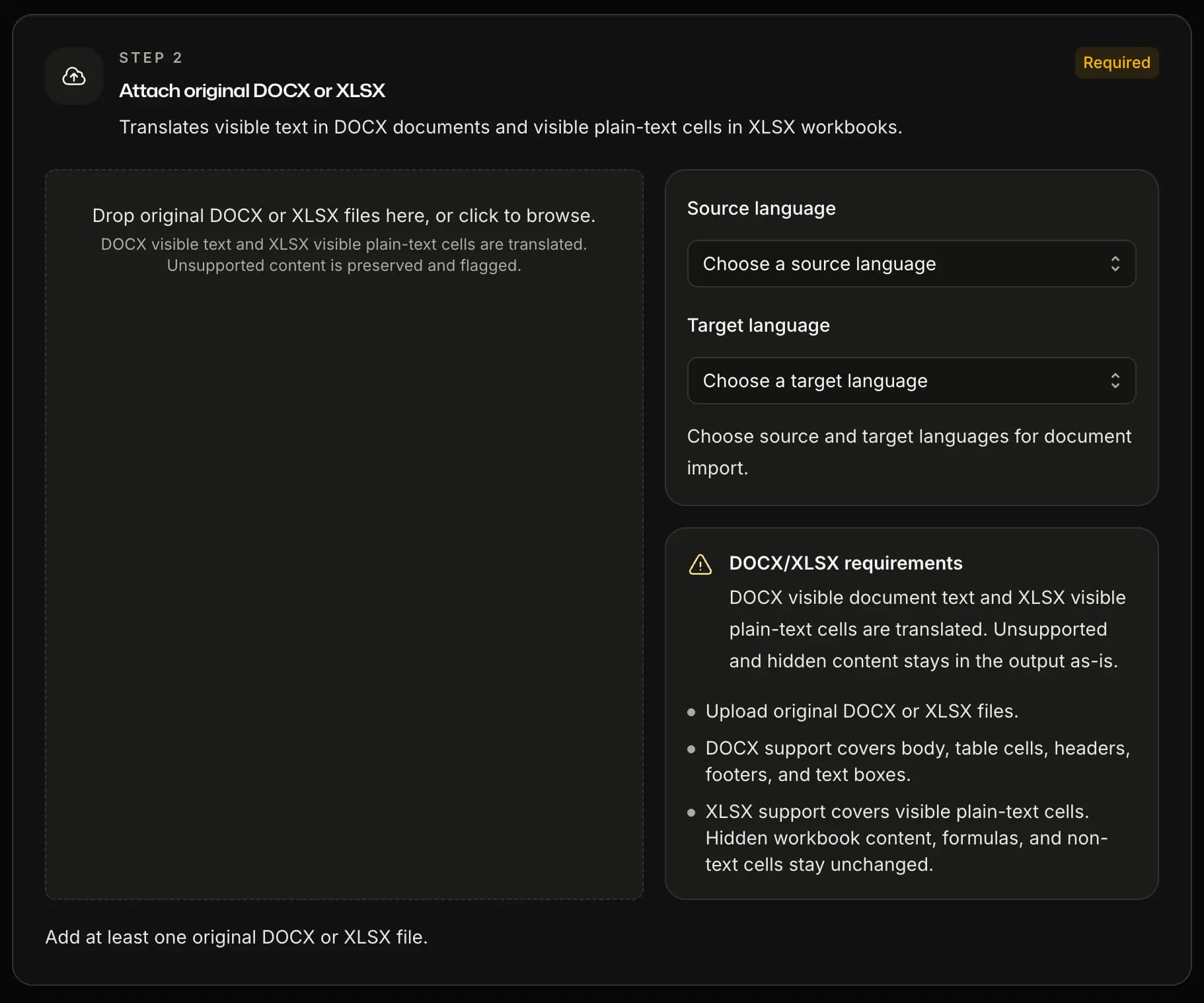
Import
Upload your DOCX, XLSX, or PPTX and choose the path.
Upload one file or a full batch. Choose the language pair manually and start from the original DOCX, XLSX, or PPTX file.
02
Prepare
Teach the AI your document before it translates.
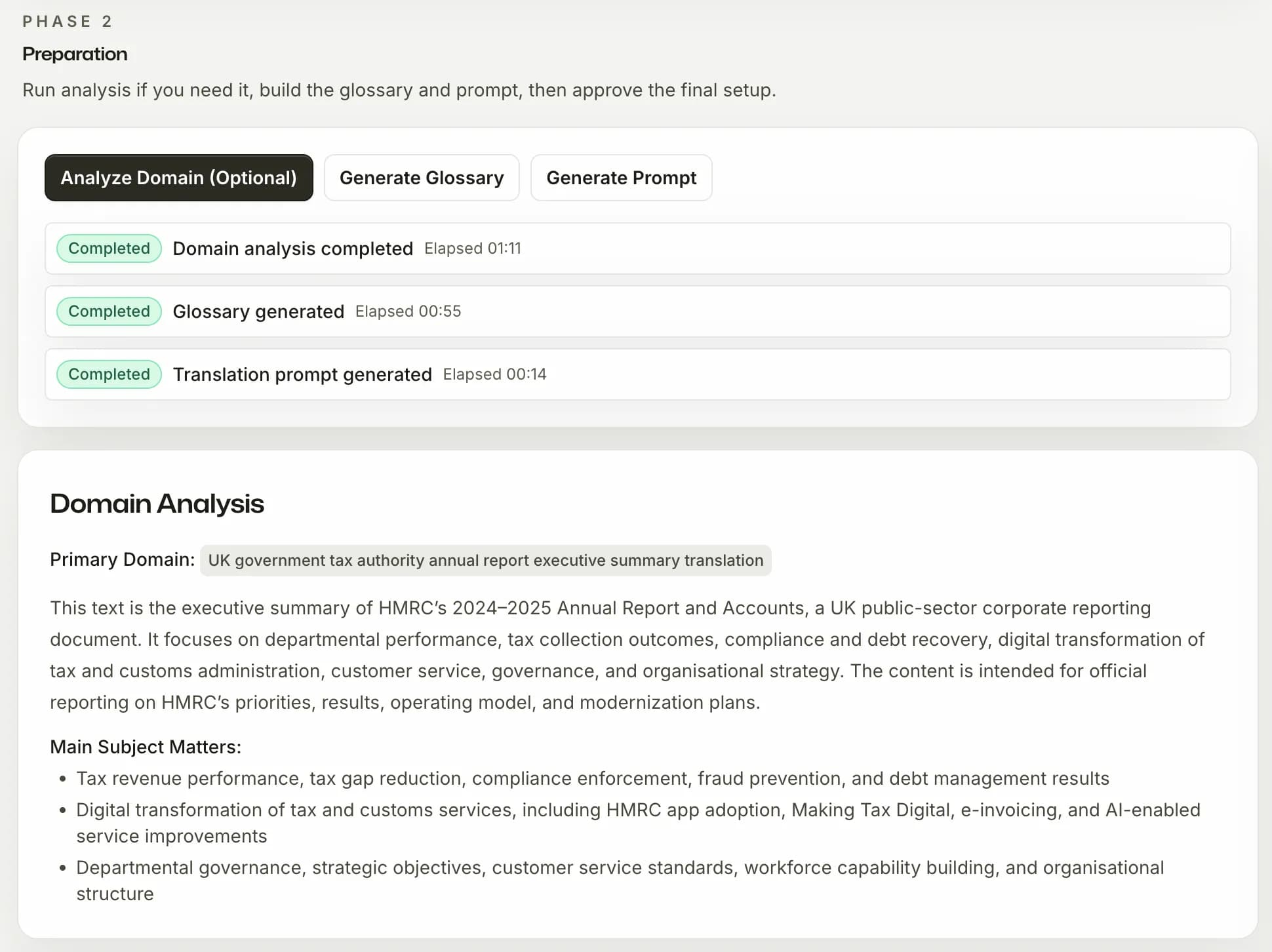
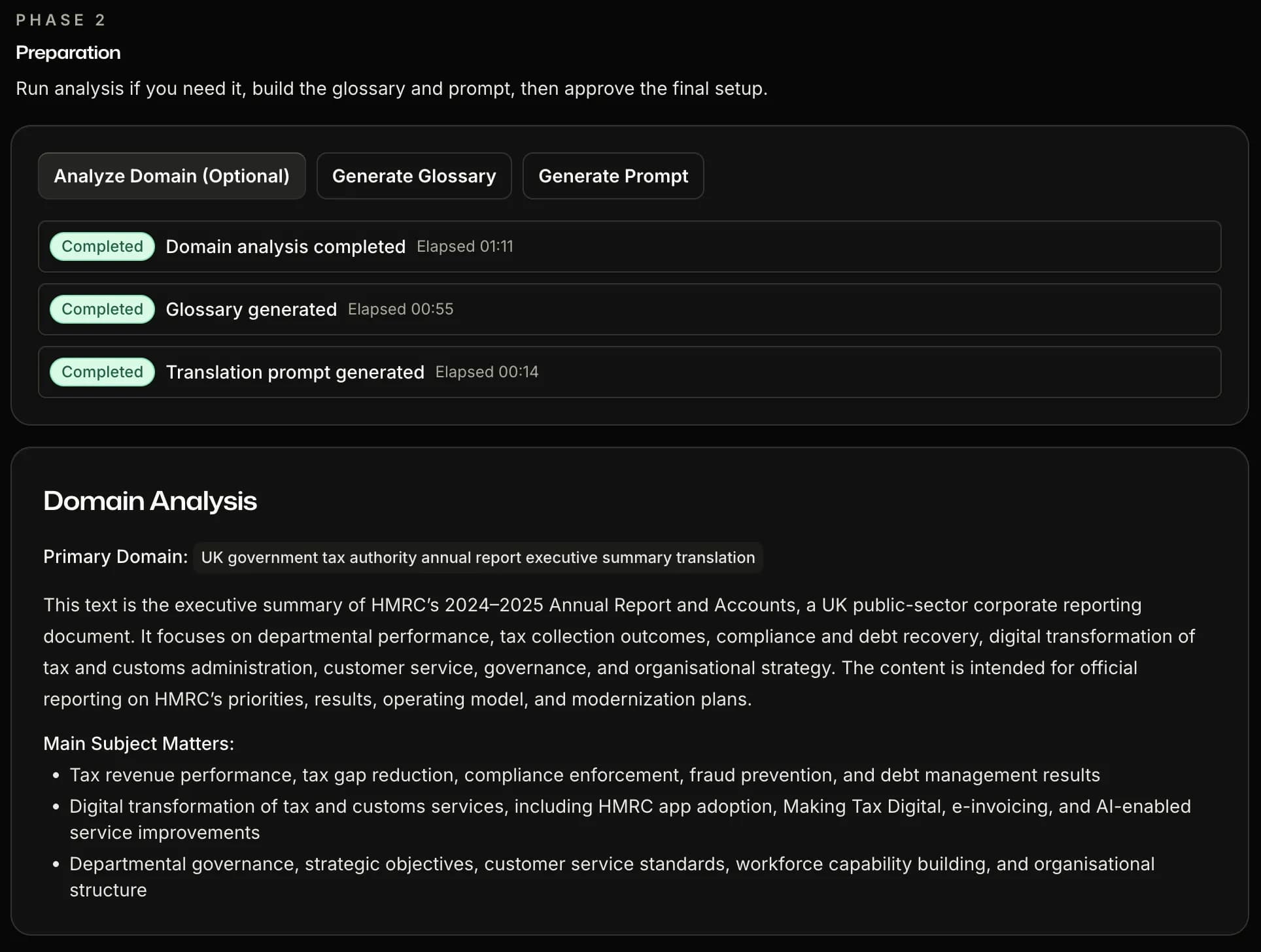
Run domain analysis — SnapIntel reads the content and identifies the subject area, key topics, and terminology context. Then it generates a glossary and a translation prompt. Review both, edit freely, and approve. Nothing goes to the AI until you say so.
03
Translate
Run the job and watch it work.
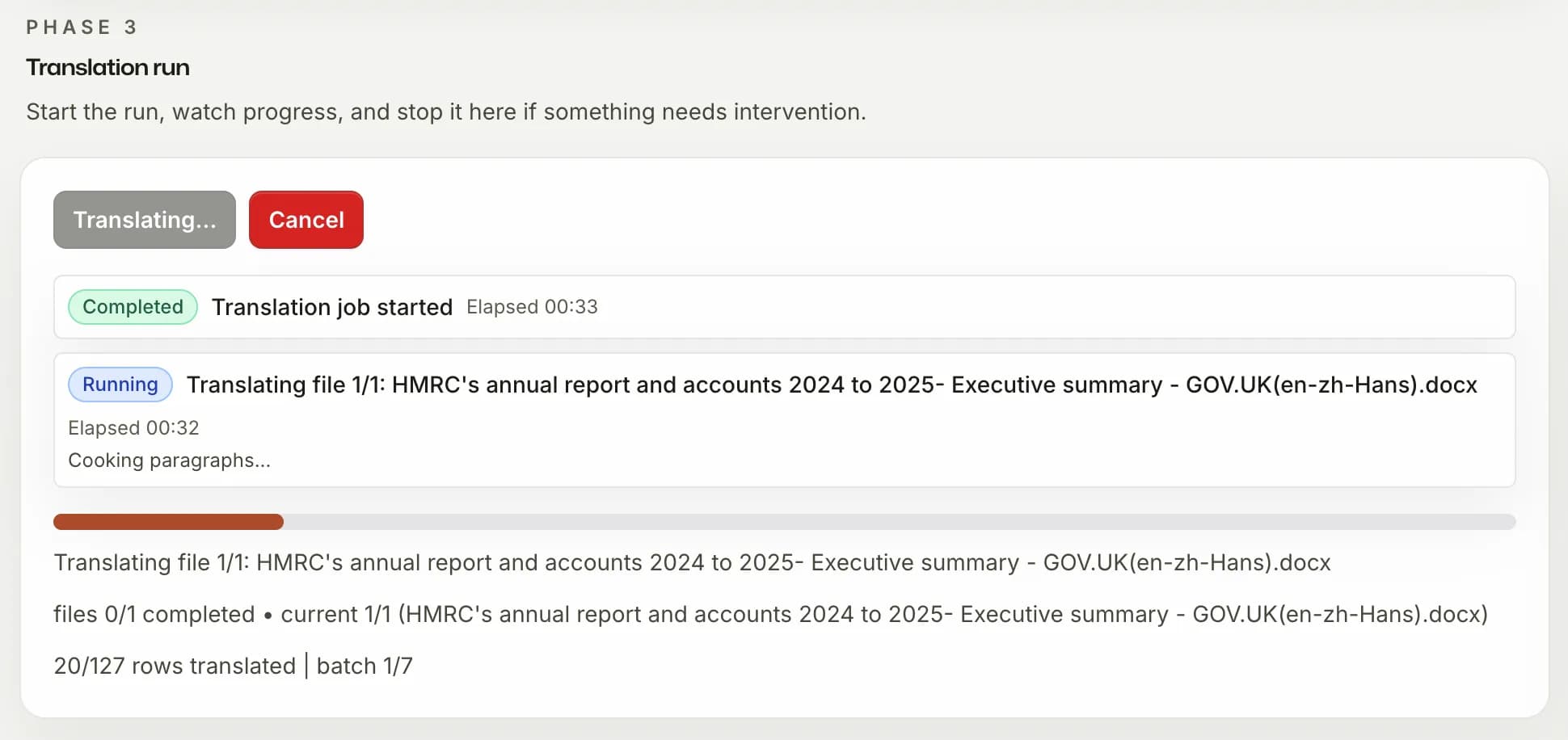
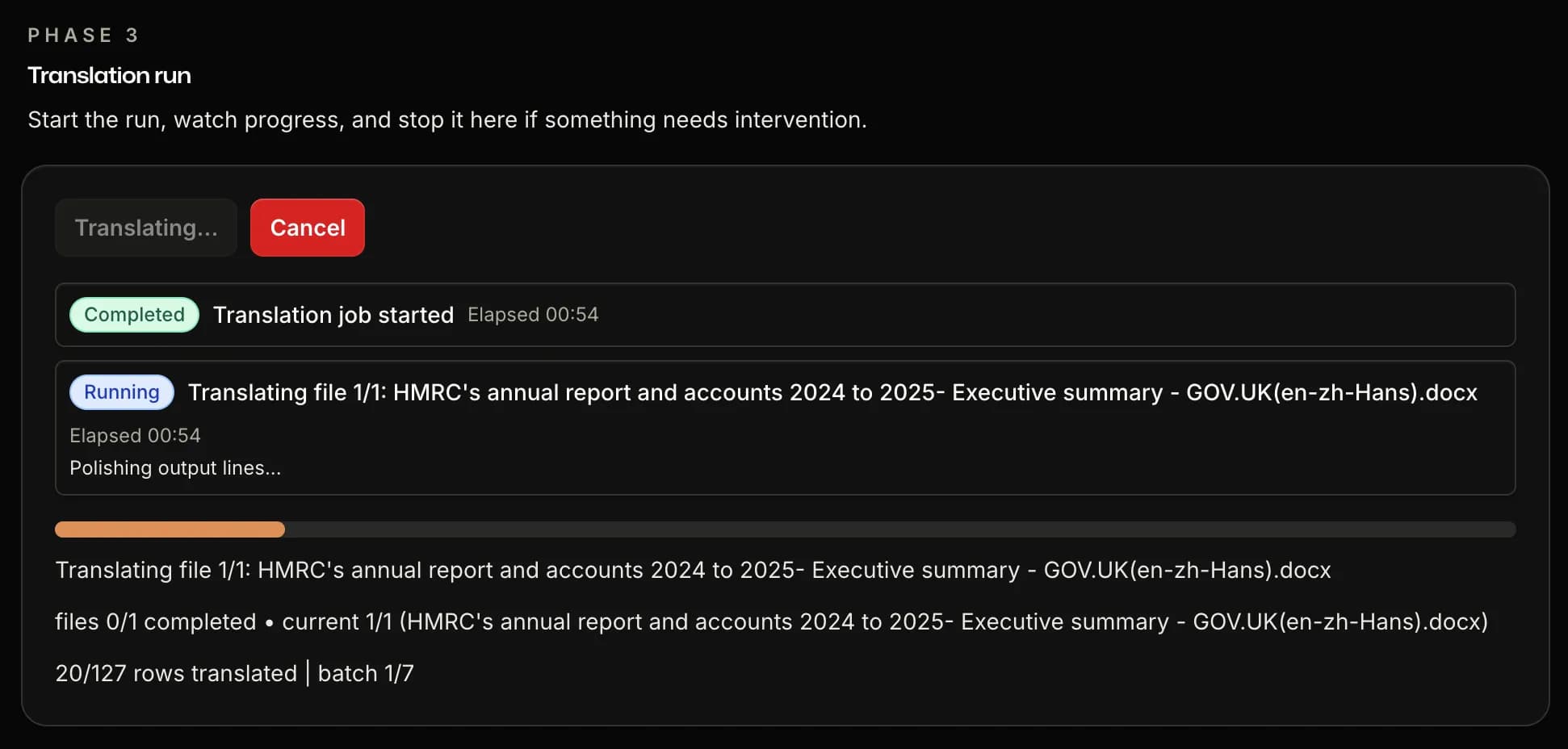
Start translation and track progress in real time — by row, by batch, by file. The AI works from your approved context: the right terminology, the right tone, no guesswork. Cancel at any point.
04
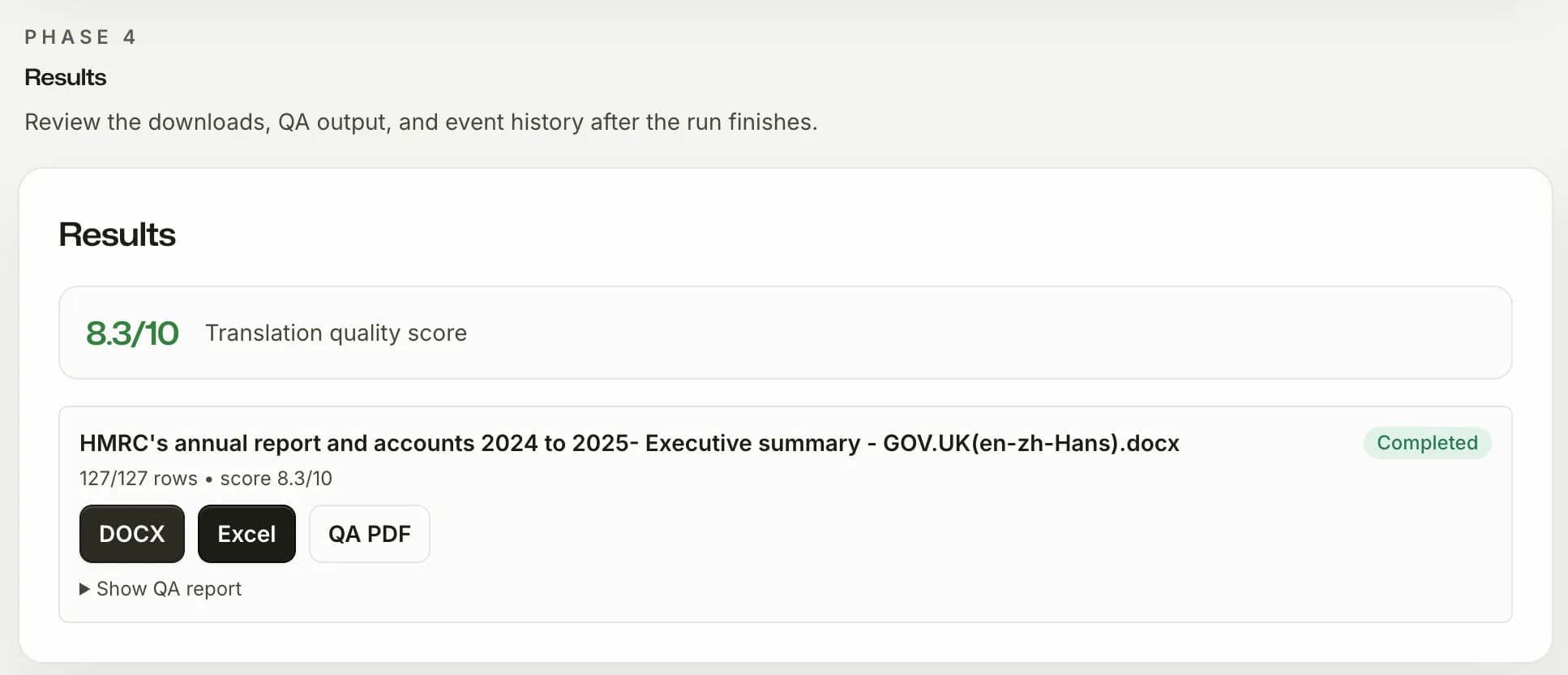
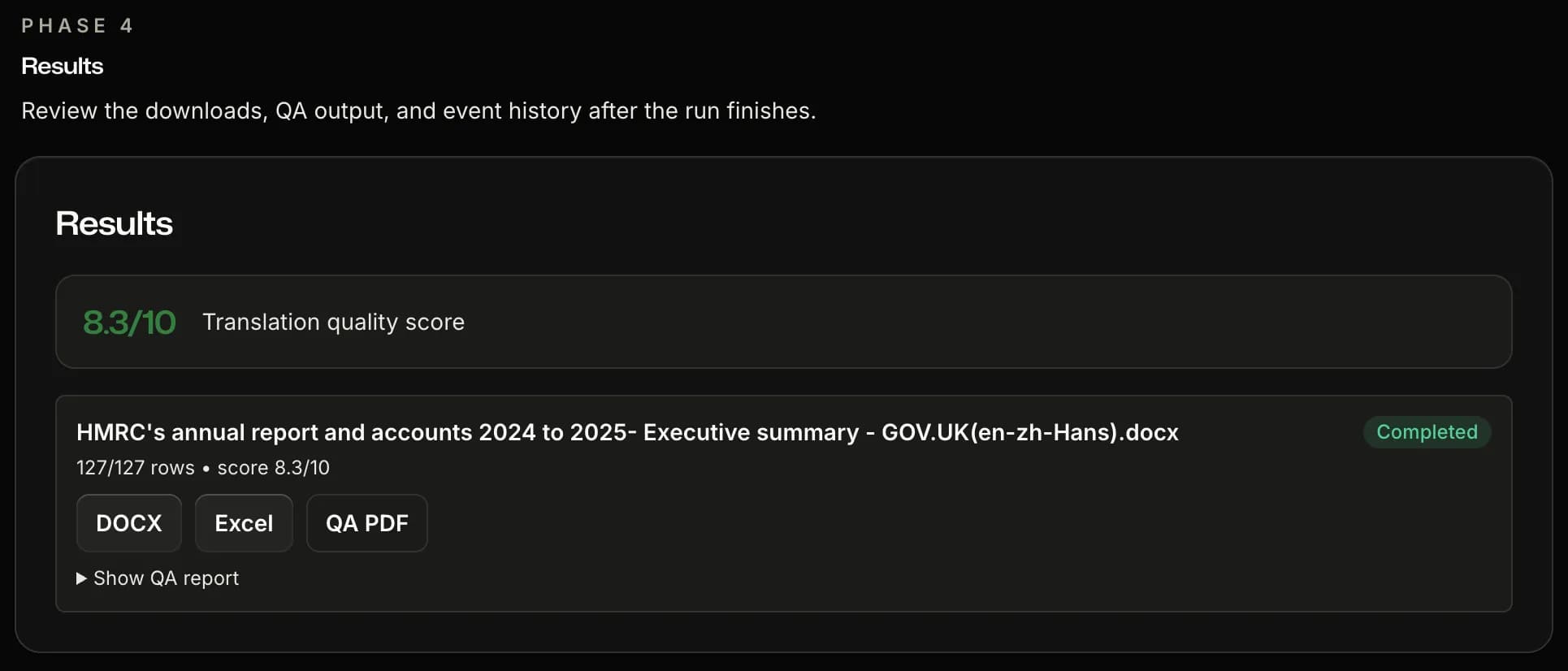
Download
Three outputs. One workflow complete.
Get a formatted delivery DOCX for supported content, a neutral two-column Excel file for TM import in CAT tools, and a QA report with a quality score and per-category breakdown.
Features
Built for translators who need control, proof, and clean handoff.
The workflow already shows you the product. These are the decisions inside it that make AI translation usable in real client work.
Context
Domain analysis before translation
SnapIntel reads the subject matter first, so glossary generation and prompting start from the document domain instead of a blank model guess.
Control
Glossary and prompt under your control
Edit generated terminology, paste your own rules, and approve the translation prompt before anything runs.
Quality
QA on every completed job
Every run ends with a scored QA report and flagged issues you can review internally or share with a client.
Delivery
Neutral Excel export for TM workflows
Download a structured source/target Excel file for TM import in CAT tools instead of rebuilding translation memory data by hand.
Speed
Upload to translated in minutes
Auto mode handles the domain analysis, glossary, and prompt, then translates. A short document finishes in minutes instead of several manual steps.
Pricing
Start with a free trial. Pay only when you need more.
Pick by how much you translate: a free trial, per-project pricing, or a monthly plan.
Included on every plan
- Regular DOCX, XLSX, and PPTX import
- High-fidelity DOCX delivery, structure-preserving XLSX, and layout-preserving PPTX delivery
- Glossary and prompt approval
- Current-generation ChatGPT model
Payments are processed securely by Paddle — we never store your card details.
Free trial
Run the full workflow before you pay.
Free7 days
Start free- 5,000 words, one time
- 7 days, no card required
- Platform-managed API key
Pay as you go
Pay per project, only when you translate.
$0.005per word
Start free- Priced per word, $1.50 minimum per project
- No subscription
- Platform-managed API key
Pro
Most popularFor people who translate regularly.
$20/month
Start Pro- 60,000 words per month
- Multi-file projects
- QA PDF download
- Email support
Free, no signup
See what you get before you pay
Drop in a DOCX or XLSX. You'll get back a Word file with the domain SnapIntel detected and the glossary it pulled out. Same engine we use for full translation jobs; first run doesn't need an account.
Before you commit
Questions that usually come up before the first run
The essentials first: billing, data handling, import formats, and how outputs fit back into real translation workflows.
Ready for a controlled first run
Use your next DOCX, XLSX, or PPTX as the test.
Start with the free trial, review the glossary and prompt before translation, and inspect the formatted delivery file and QA report before you decide to upgrade.
What you can verify on the first project
- 1No card required to start
- 2Glossary and prompt stay under your approval
- 3QA PDF and neutral Excel export are included in the flow