Language Weaver Explained: How Trados's Built-In NMT Compares to DeepL and OpenAI
What Language Weaver is, how it works inside Trados, and how its NMT output compares with DeepL and OpenAI for professional translation work.
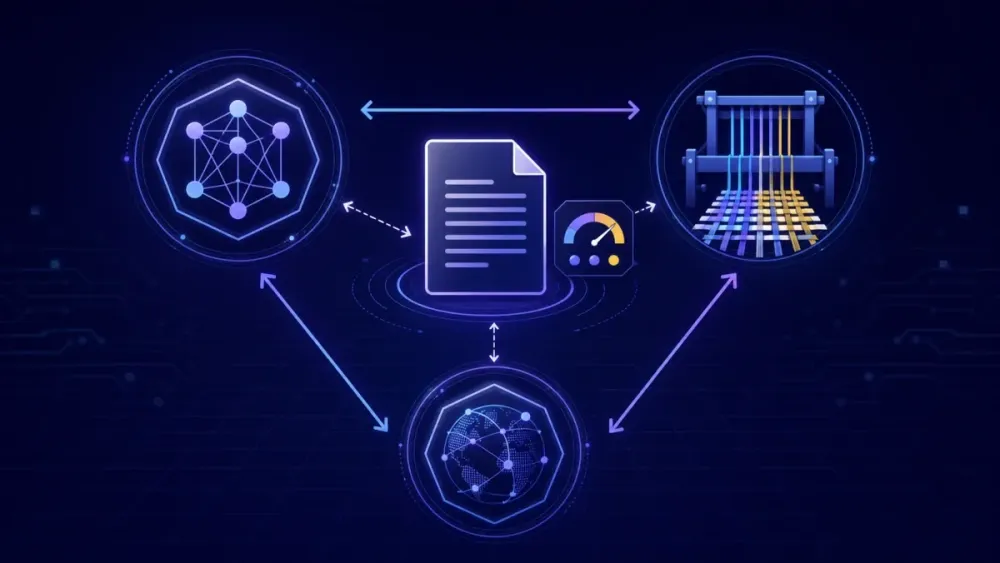
Open the translation providers list in Trados Studio and Language Weaver sits right there, one click away from your project. Most translators we talk to have never deliberately chosen it. It came with the subscription, so it gets used, or it gets ignored in favor of DeepL because that's what everyone recommends on forums. Both reactions skip the interesting question: what is Language Weaver actually good at, and when should you pick something else? We spend a lot of time comparing MT engines for document workflows, so here is our honest read.
Where Language Weaver came from
Language Weaver is older than most people assume. It started in 2002 as a spinoff from the University of Southern California's Information Sciences Institute, founded by researchers Kevin Knight and Daniel Marcu, and it was one of the first companies to commercialize statistical machine translation. SDL bought it in 2010. When RWS acquired SDL in 2020, it inherited the technology and revived the old name: since 2021, Language Weaver has been the brand for RWS's machine translation platform, combining what used to be SDL Machine Translation with technology from Iconic Translation Machines, another RWS acquisition.
The history matters because it explains the product's character. Language Weaver was built for enterprises and governments long before it became a checkbox in Trados Studio. The emphasis has always been on security, deployment flexibility, and volume rather than consumer polish. DeepL grew in the opposite direction: a free web translator first, professional features later. You can feel that difference in both products today.
Now Language Weaver is a neural machine translation platform with several thousand language pair combinations by RWS's count, available as a cloud service, an API, and an on-premise deployment called Language Weaver Edge. For most working translators, though, the entry point is much simpler: it's the MT engine that shows up inside Trados.
How Language Weaver works inside Trados
Trados Studio connects to Language Weaver as a cloud translation provider. Trados subscriptions include a yearly allowance of Language Weaver translation at no extra cost, which is exactly why so many translators end up using it without ever making a decision about it. You add it to a project like any other provider, and it fills in machine translation for segments where your translation memory has no match.
Two features matter more than the rest.
The first is adaptive language pairs. Language Weaver can learn from your post-edits: when you correct its output in the editor, the engine adjusts and applies your corrections to similar sentences later in the document and in future projects. Over months of work in a stable domain, this compounds. We wrote about how this class of engine behaves in our guide to adaptive machine translation, and Language Weaver is one of the main commercial implementations of the idea.
The second is dictionaries. A Language Weaver dictionary is a term list the engine consults at translation time, forcing your preferred renderings for product names, legal terms, and other fixed vocabulary. It's less flexible than a full termbase, and forced terminology can produce grammatically awkward output in morphologically rich languages. That's a known weakness of dictionary-based term injection in any NMT engine, not just this one. Still, it beats correcting the same term forty times in one file.
The practical upshot: if you live in Trados, Language Weaver requires no setup, no separate billing, and it learns from post-editing work you were doing anyway. That combination is easy to underrate.
Language Weaver vs DeepL: fluency against adaptability
DeepL earned its reputation on output that reads well. For high-resource European pairs like German-English or French-English, its raw output is often the most natural-sounding of any engine, and post-editors regularly say DeepL drafts need a lighter touch for style. That reputation is deserved, with two caveats.
First, fluency can hide problems. Smooth output gets skimmed, and skimmed post-editing misses meaning errors. Agencies we've talked to found their reviewers caught fewer accuracy errors in DeepL output than in clunkier MT. Not because there were fewer errors, but because fluent text lowered their guard.
Second, DeepL adapts less to you. It has glossaries and, on its newer models, better context handling, but it doesn't learn continuously from your post-edits the way an adaptive Language Weaver pair does. One agency owner described a test that made this concrete: on the first 10,000 words of a German engineering manual, DeepL needed less editing. By the fourth manual for the same client, the adaptive pair had absorbed the client's terminology and phrasing preferences, and the editing effort flipped. Which engine wins depended entirely on whether the work was one-off or recurring.
Language coverage differs too. DeepL supports a curated set of a few dozen languages, while Language Weaver covers a much longer tail. If you work with Central Asian, African, or other lower-resource languages, DeepL may simply not offer the pair, and the comparison ends there.
Language Weaver vs OpenAI: two different kinds of machine
Comparing Language Weaver to GPT models is trickier, because they are different kinds of systems. Language Weaver is purpose-built NMT: you send a segment, you get a translation back, fast and at predictable cost. An OpenAI model is a general-purpose LLM that happens to translate well when you instruct it properly.
That difference cuts both ways.
What the LLM does better: instructions and context. You can tell a GPT model to keep a formal register, follow a glossary, preserve placeholders, and match the tone of earlier sections, all in plain language. It also sees more surrounding context than a segment-level NMT engine, so pronouns, ellipsis, and cross-sentence references come out right more often. For marketing copy, presentations, and anything where tone carries the value, a well-prompted LLM usually beats classic NMT in our experience.
What NMT does better: predictability. Language Weaver won't skip a sentence, merge two segments, or append a helpful note explaining its translation choices. LLMs occasionally do all three, which is why LLM-based translation needs a QA step that checks completeness, numbers, and tags rather than trusting the output's shape. NMT is also faster per segment and cheaper at high volume, and its pricing doesn't move with prompt length.
We compared the engine-level tradeoffs in more depth in our breakdown of the DeepL API vs the OpenAI API vs Google Translate, and the conclusion holds here: LLMs reward preparation. Feed them a real glossary and a domain-specific prompt and quality jumps. Paste text with no instructions and results are erratic.
There is also a consistency angle that segment-level workflows tend to miss. Over a 60-page manual, an NMT engine translates each sentence in isolation, so the same source phrase can come out three different ways depending on surrounding words. A dictionary reduces this for listed terms, but it can't cover every recurring phrase. An LLM working with document context and an explicit instruction to keep phrasing consistent handles this better, which is one reason post-editors report fewer "same thing, different words" corrections in LLM output. The tradeoff is cost accounting: LLM pricing is per token, in and out, so long prompts and long documents add up in ways that per-character NMT pricing doesn't. For a steady 200,000 words a month of technical content, classic NMT is still noticeably cheaper to run.
Security and deployment: where Language Weaver is hard to beat
For regulated content, Language Weaver has arguments the other two can't fully match. It offers on-premise deployment through Language Weaver Edge, so text never leaves the client's infrastructure. That is the deciding factor for government, defense, and some financial clients, and it's a direct inheritance of the company's enterprise history.
DeepL Pro and the OpenAI API both state that submitted text isn't used for model training, and both are workable for most commercial confidentiality requirements, provided you read the data processing terms and get client consent where the NDA requires it. But "our cloud is secure" and "the text never leaves your building" are different promises, and some clients only accept the second one.
One honest caveat: most freelancers and small agencies will never touch Edge. The on-premise story matters for enterprise procurement, not for a three-person team translating manuals. At that scale the security comparison collapses into reading three privacy policies, and the paid tiers of all three vendors look fairly similar.
Which engine fits which job
After watching a lot of teams make this choice, here is how we'd sort it.
Recurring clients inside Trados: Language Weaver with an adaptive pair. The learning loop pays off with every project, the allowance is already in your subscription, and terminology drift shrinks over time. A patent translator we heard from runs exactly this setup, same client and same domain since 2024, and says post-editing now feels like reviewing a junior colleague who finally learned the house style.
One-off documents in high-resource European pairs: DeepL is the fastest path to a good draft. No setup, strong fluency, done.
Content where tone and context decide quality: an LLM workflow. Slide decks, marketing documents, UI copy with placeholders, anything where "accurate but wooden" counts as a failure.
Lower-resource languages or strict data residency: Language Weaver, because it is often the only one of the three that offers the pair or the deployment model at all.
Mixed workflows are also legitimate, and in agencies they may be the most common pattern of all. Plenty of teams pre-translate the bulk of a project with Language Weaver or DeepL inside the CAT tool, then route the high-visibility parts (the executive summary, the slide deck, the customer-facing letter) through an LLM workflow with a proper prompt. The engines aren't rivals in that setup; they're assigned to the content they're best at. The mistake we see is doing this informally, where each project manager picks an engine by habit. Write the routing down, even if it's three lines in your process doc, so a rush job doesn't end up in the wrong pipeline.
This sorting doesn't apply if your volumes are tiny. Under a few thousand words a month, engine choice matters less than glossary discipline, and you should pick whatever fits the tools you already use. It also assumes the languages you work with are reasonably supported everywhere; if they aren't, availability decides for you before quality ever enters the picture.
How to run a fair comparison on your own content
Public benchmarks won't settle this for you. Quality differences between modern engines are domain-specific and pair-specific, and the ranking genuinely changes from one content type to another.
A test that takes an afternoon: pick two real documents from a real client, around 1,500 words each. Run both through each engine with the same glossary applied. Then time the post-editing instead of judging by first impressions. Fluent-looking output that needs meaning fixes often loses to plainer output that is simply correct. Count terminology errors separately, since those are the ones clients notice first. Keep the numbers in a simple sheet: minutes of editing per 1,000 words and terminology errors per document is enough to make the decision defensible when a colleague or a client asks why you standardized on one engine. Gut feel fades; a sheet from your own test doesn't.
If you want a structured way to run the LLM side of that test, this is the workflow problem SnapIntel is built for. You upload a DOCX, XLSX, or PPTX, prepare a glossary and a translation prompt (both are required before translation can start), run the job, and get back the translated file plus a QA report and quality rating you can hold up against your other engines' output. The QA artifacts make the comparison concrete instead of impressionistic, and the free plan is enough for a head-to-head test: snapintel.io.
The takeaway: stop treating Language Weaver as furniture that came with Trados. If your work is recurring and domain-heavy, switch your main pair to adaptive mode and give it a month; that is where it beats DeepL. Reserve LLM translation for content where context and tone carry the value. And test all three on your own documents before you standardize, because your language pair and your domain will overrule anyone else's benchmark, including ours.