Immersive Translate vs dedicated document translators: what's the real difference
Immersive translate vs document translator: what browser-based reading tools do well, where they stop, and how to pick the right one for files you deliver.
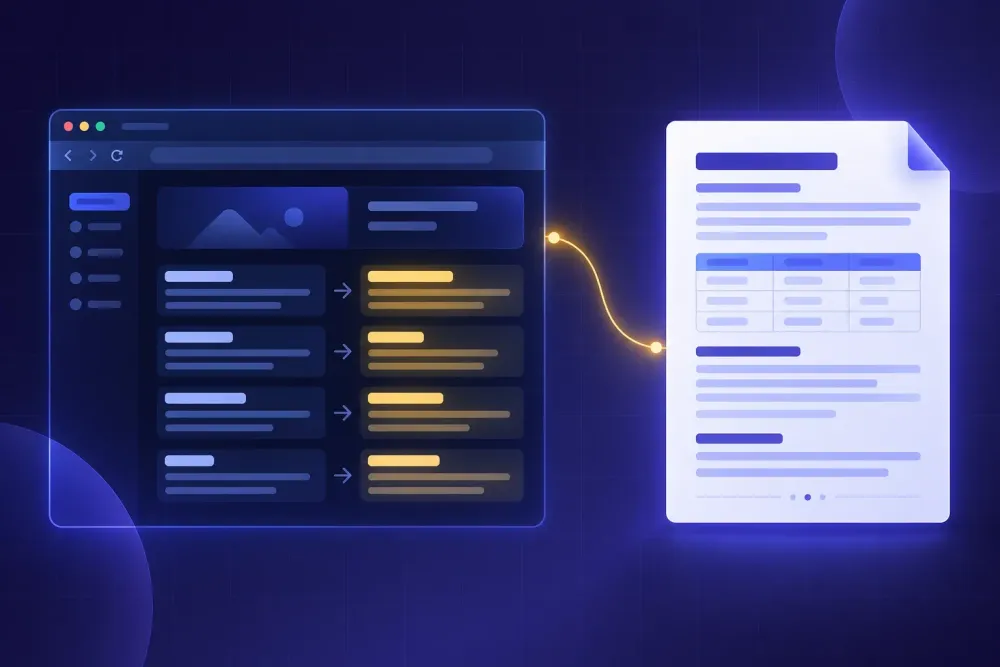
A translator we work with sent us a Word file last spring that had, in her words, already been translated. It opened to forty-eight pages of English paragraphs, each one followed by a Chinese paragraph in slightly smaller grey type, with the client's original comment bubbles still hanging off the English. She had run the file through a browser translation extension, exported the result, and assumed the export was a deliverable. Her client wanted a Chinese document that looked like the English one. If you have ever wondered where the immersive translate vs document translator line actually falls, that file answers it in one picture: one tool exists so you can read something, the other exists so you can hand something over.
Both categories have gotten much better in the last two years, which is exactly why people now mix them up. The output of a good reading tool looks finished. It isn't, and the gap only shows up at the point where it costs you something.
Immersive translate vs document translator: what each one is built for
Immersive Translate is a reading layer. It runs as an extension in Edge, Chrome, Firefox and Safari, and as apps on iOS and Android. On a web page it renders the translation underneath or beside the original text so you move through both at once. Its own site describes it as a bilingual AI translation tool covering websites, PDFs, videos, images and comics, with support for PDF, EPUB, HTML, TXT, DOCX, Markdown and subtitle files, OCR for scanned PDFs, and more than twenty translation engines behind it including ChatGPT, DeepL, DeepSeek and Gemini.
That is a lot of surface area, and it is all pointed at the same job: letting a person understand content they could not otherwise read, in the place where they found it.
A dedicated document translator points at a different job. A file goes in, a file comes out, and the output is meant to leave your hands. That changes what the tool has to care about. It has to rebuild the document rather than overlay it. It has to give you something to check the translation against before you send it. It has to let you fix terminology for this client, on this project, before the run rather than after. And it has to produce the same result tomorrow on the next file in the series.
Neither design is better. They answer different questions. The question a reading tool answers is "what does this say?" The question a document tool answers is "can I send this?"
The bilingual output is a feature, not an accident
Side-by-side rendering is the single most useful thing a reading tool does, and it is also the thing that makes its output unusable as a deliverable. Those are the same property viewed from two ends.
When you are reading a Japanese technical bulletin to decide whether it affects your product, seeing both versions stacked is what makes the tool work. You skim the translation, you snag on a term, you glance up at the original, you move on. Immersive Translate supports a translation-only mode as well, and for a web page that mode is fine. For a document it is where the trouble starts, because removing the source text from the rendering is not the same as rebuilding the file.
We saw this clearly with a small marketing agency that needed a forty-page French brand book in Spanish. Someone on the team produced a translated PDF from a reading tool inside an hour and everyone was pleased. Then the client asked for the editable file so they could swap two images and update a phone number. There was no editable file. The reading tool had rendered Spanish text over a French layout; it had never held a Spanish version of the document's structure. The agency rebuilt the deck from the original and the hour they had saved turned into two days.
This works out differently if nobody downstream ever needs to edit, re-export or version the file. Plenty of translation is read once and discarded. For that, the bilingual view is the right tool and the question of structure never comes up.
Where file support overlaps, and where the overlap stops meaning anything
Both categories list DOCX. That shared line item hides the actual difference, because reading a DOCX and rebuilding a DOCX are separate engineering problems.
Reading one means pulling the visible text out in order. Rebuilding one means putting translated text back into the same style definitions, the same numbered list sequences, the same table cells, the same headers and footers, the same footnotes, the same text boxes, and leaving the cross-references pointing where they pointed before. Text that expands by twenty per cent in German has to go back into a cell that was sized for English and still look deliberate.
A machinery client of ours translates the same safety manual family from German into four languages twice a year. The content is roughly sixty pages with around ninety numbered warnings, each one a styled paragraph with a pictogram anchored to it, and a table of contents generated from the heading styles. When that file goes through a tool that was built to render rather than assemble, the warnings come back as plain paragraphs, the numbering restarts in three places, and the table of contents either disappears or lists the German headings. None of that is a translation error. Every sentence may be correct. The document is still unusable, and the person who has to repair it is a DTP operator billing by the hour.
If your files are flat — a letter, a one-page notice, a plain article — this distinction costs you nothing and you should ignore it. It starts to matter at about the point a document has a table of contents.
What you can set before the run, and what you can only fix after
The control surface is the quietest difference between the two categories and usually the most consequential.
A reading tool gives you engine choice and, in the better ones, a custom instruction you can apply globally. What it does not give you is a per-project glossary that the output is actually checked against, a translation prompt tied to this client's register and conventions, or a point in the process where you look at both and say yes before anything runs. It does not need those. A reader who hits a wrong term simply reads past it.
A deliverable cannot read past it. If your client's product line is called Ecoline and the engine renders it as "eco line" in forty-one places, you now own forty-one corrections, and you will own them again next month on the next file, because nothing about that run was stored. We have watched freelancers spend more time on find-and-replace cleanup than the translation itself saved them, which is a real result and not a rhetorical one.
Preparation is also where domain gets settled. "Charge" in a legal document and "charge" in a battery manual are different words wearing the same spelling, and a tool that never asked what kind of document this is has no basis for choosing. Asking up front is cheap. Discovering the answer during client review is not.
Review: who checks the output, and against what
The last structural difference is what happens after the text comes back.
With a reading tool, review is the reading. You are the check, in real time, and the bilingual layout is what makes that possible. That is a genuinely good loop for comprehension and a terrible one for delivery, because you cannot be the check on a language you do not read, and the documents that most often go through these tools are in exactly the languages nobody on the team reads.
A document workflow has to produce something you can inspect without being bilingual. In practice that means two artifacts. One is a neutral source and target export, usually a two-column XLSX, which lets you line up every segment against its original, hand the whole thing to a reviewer, or load it into whatever CAT tool the client uses. The other is a QA report: untranslated segments, number and date mismatches, terms that contradict the glossary, segments where the length ratio has gone strange. None of that is a quality judgement. It is a list of places worth looking, and for a buyer who cannot evaluate the Korean, a short list of flagged spots is the difference between sending the file and guessing.
Our own position, after watching a lot of these projects: the QA artifact matters more than the engine. Engine differences on ordinary business prose have narrowed to the point where the choice rarely decides the outcome. Whether anyone can verify the output still decides it every time.
When the reading tool is the right answer
We would rather be useful than partisan here, so: there are situations where reaching for a document workflow is the wrong move and a browser extension is exactly correct.
Triage is the clearest one. A procurement team receives eleven supplier documents in Mandarin and needs to know which two are worth translating properly. Running all eleven through a formal workflow is a waste of money and a day. Reading them in place takes twenty minutes and answers the only question that matters at that stage.
Research reading is the second. A translator building domain knowledge before a medical project, going through papers, regulatory pages and competitor sites, wants volume and speed, not deliverables. The bilingual layout here is not a compromise, it is the point: you stay in the source language while being carried through it.
Subtitles and video sit in the same category. So does anything you are reading to decide something rather than to reuse. The rule we use internally is simple. If the output's final destination is your own eyes, read it in place. If it will be opened by someone else, attached to an email, printed, signed, filed or edited, it needs to be a file somebody built on purpose.
How to decide in under a minute
Ask three things about the specific file in front of you, in this order.
Who opens it next? If the answer is you, stop here and use the reading tool. If it is a client, a regulator, a colleague in another office or a printer, keep going.
Does the document have structure worth preserving? Headings, numbered lists, tables, a generated table of contents, slide layouts, footnotes. If yes, you need a tool that assembles files rather than renders them, and you should test that on a real file before you commit, not on a sample paragraph.
Does anyone need to verify the translation who cannot read the target language? If yes, you need a bilingual export and a QA report, because nothing else gives that person anything to act on.
If you need the second and third answers, a structured workflow is what the job calls for. SnapIntel is ours: you upload a DOCX, XLSX or PPTX, review and approve the glossary and translation prompt before anything runs, and get back the translated file in its original format along with a neutral source and target XLSX for any CAT tool and a QA report. It does not try to be a reading layer, and for the triage case above we would point you at a browser extension without hesitation.
Most teams end up using both, which is the sensible outcome. The mistake we see is not choosing wrong once. It is choosing once and then never revisiting it, so the extension that was perfect for reading supplier bulletins quietly becomes the thing producing client deliverables. If you only change one habit this week, make it this: before you translate anything, say out loud who opens the file next. The tool follows from the answer, and it takes about four seconds. For more on what happens to layout specifically, our write-ups on translating a PDF while keeping the original layout and on the tradeoffs hiding in free document translators go a level deeper.