How to Translate a Document Yourself: A Step-by-Step Guide for People Who Are Not Translators
How to translate a document yourself: a practical six-step guide for non-translators covering file prep, glossaries, tools and quality checks.
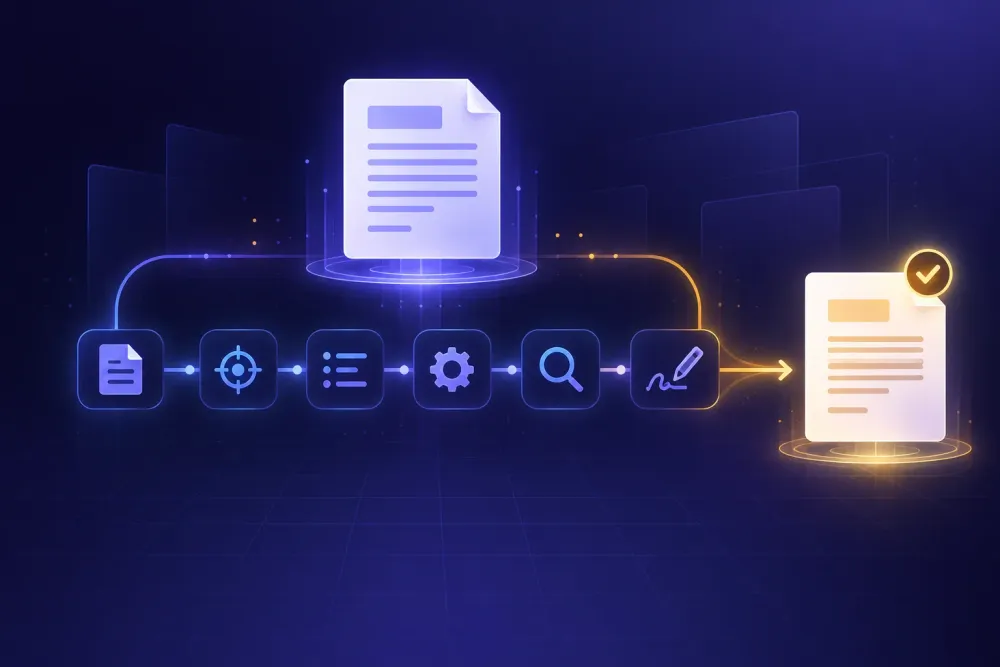
Someone needs the Spanish version of a 40-page supplier manual by Friday. There is no translation department, no signed-off budget for an agency, and nobody in the building has done this before. That is the situation most people are in when they start searching for how to translate a document yourself. The mechanics are no longer the hard part. What trips people up is everything around the mechanics: which file you start from, what you tell the tool before it runs, and how you judge a result written in a language you cannot read.
We work with both professional translators and companies that have no translation staff at all, and the difference between the two groups is rarely tool access. Both can reach the same software. The companies that get usable documents are the ones who spend twenty minutes on preparation and twenty minutes on checking. The ones who get something embarrassing paste the text into a chat window, copy the output back into Word, and send it.
How to translate a document yourself: what the process actually involves
The process has six stages, and only one of them is the translation itself.
You start by getting a clean, editable source file. You decide what the finished document is for, because that determines how much effort the rest deserves. You write down the words that must not change. You run the translation in a way that leaves the layout alone. You check the output using methods that work without language knowledge. Then you decide whether any part of the document needs a human who reads the target language.
Most guides skip straight to stage four and recommend a tool. That ordering is backwards, and it is why so many self-translated documents come back with the right words in a broken container: tables collapsed, numbering restarted, the product name translated into something nobody recognises.
The time budget is smaller than people expect. For a 40-page manual, preparation takes around twenty minutes. The translation itself runs unattended. Checking takes another half hour once you know what to look at. Call it an hour of your attention for a document that would otherwise have spent a week in procurement.
What this does not give you is a certified or legally binding translation. If a court, a registry office, or a regulator will read the document, you are in different territory, and the last section covers where that line sits. For internal manuals, supplier documentation, training decks, HR policies, and price lists, doing it yourself is now a reasonable default rather than a compromise.
Start from the editable file, not the PDF in the email
The single biggest quality factor is the file you begin with, and it gets decided before any tool is involved.
A PDF is a description of where ink goes on a page. It has no reliable notion of paragraphs, table cells, or reading order. When software pulls text out of a PDF, it guesses at all three. A two-column layout can come out interleaved. A table can arrive as a run-on sentence. A scanned PDF is worse, because the text has to be recognised from an image first, and any recognition error becomes a translation error that nothing downstream can catch.
So before you do anything else, ask whoever sent the PDF for the original. That request succeeds far more often than people assume. Suppliers, HR consultants, and marketing agencies almost always still have the Word or PowerPoint file. They send the PDF because it looks finished, not because it is all they have.
Two situations from real projects. A manufacturing client sent us a 60-page equipment manual as a scanned PDF and wanted a Russian version. We asked; the supplier produced the source DOCX in an afternoon, and the job became routine. A second client had a product catalogue that existed only as a PDF exported from a design tool nobody had access to anymore. That one needed rebuilding before translation, and the rebuilding cost more than the translation did.
If the editable original genuinely does not exist, convert first and translate second, as two separate steps with a human look in between. Convert the PDF to DOCX, open the result, fix the paragraph breaks and tables that came out wrong, then translate the repaired file. Doing both at once produces damage you cannot locate afterwards.
Decide what the document is for before you pick a tool
"Translate this" is not a specification. A document that three engineers will read to operate a machine and a document that goes on your website need different amounts of work, and treating them the same either wastes effort or creates risk.
We find it useful to sort business documents into three levels.
Understanding. Somebody needs to know what the document says. An incoming supplier specification, a foreign-language email thread, a competitor's product sheet. Accuracy of meaning matters; style does not. AI translation on its own is usually enough, and a review pass is hard to justify.
Working use. People will act on the document. Internal procedures, training material, an employee handbook, a supplier manual that technicians follow. Meaning must be right and terminology must be consistent, because the same part appearing under two names creates real confusion on a shop floor. AI translation plus a structured check is the right level here. We wrote about where that line falls in gisting versus publication quality.
Published or binding. Customers, regulators, or courts will read it. Marketing copy, contracts, safety documentation, anything carrying your logo into a new market. Here a native-speaking professional reads the whole thing before it goes out. You can still use AI for the first version and cut the cost substantially, but you do not skip the human.
Deciding this up front changes what you do later. It tells you how much time to spend on your term list, whether a spot check is enough, and whether to budget for a reviewer. Most companies find that roughly three quarters of their document volume sits in the first two levels, which is exactly the volume that never justified an agency quote in the first place.
Write down the words that must not change
This is the step non-translators skip, and it is the one that produces the largest visible improvement.
Every company has forty to eighty words that carry specific meaning inside the business: product names, internal system names, job titles, model numbers, the particular word you use for a process that the rest of the industry calls something else. AI translation handles ordinary prose well. What it cannot know is that your "Gateway" is a piece of hardware rather than a doorway, or that your company writes "Operator" with a capital O and means a specific certified role.
Making the list takes fifteen minutes. Open the document, skim it, and write down every term that made you pause. For each one, record either the approved translation or the instruction to leave it in the original language. Brand names, product codes, and software interface strings usually stay untouched. Job titles and process names usually get a fixed translation you choose once and reuse forever.
A practical example. A client translating an HR handbook into Polish listed eleven terms, including their internal names for three leave types. Without the list, the tool produced three plausible but different Polish phrases for the same leave type across the document, and employees reading it assumed they were three separate entitlements. With the list, the terms stayed stable and the handbook needed almost no correction.
If building the list by hand feels like more than you want to do, you can extract candidate terms from the document automatically. Our free glossary generator pulls a bilingual term list out of a document you upload, which you then edit down. The editing is the part that matters; automatic extraction gets you a starting list, not a finished one.
Keep the file. The second document you translate for the same company reuses it, and the value compounds.
Run the translation without breaking the document
You now have a clean source file, a quality target, and a term list. The translation step itself should be the boring one.
The failure mode to avoid is the copy-paste loop: text out of the document, into a chat interface, answer back, text into the document. It loses formatting, it silently drops content that lives in headers, footers, text boxes, and speaker notes, and it leaves you no record of what was translated. On a long document it also breaks context, because the tool sees fragments rather than the whole.
What you want instead is a tool that takes the file, translates it, and gives you the same file back in the new language with its structure intact. Upload a DOCX, get a DOCX. Upload the spreadsheet, get a spreadsheet with the cells translated. Upload the deck, get a deck with the slides in place.
This is what we built SnapIntel for. You upload a DOCX, XLSX, or PPTX file, pick the language pair, and the workflow prepares a domain analysis, a glossary, and a translation prompt before anything is translated, so the tool knows what kind of document it is handling. You can review and approve that preparation yourself, or let it run automatically if you would rather not. What comes back is the translated document, a source-and-target spreadsheet of every segment, and a QA report with a quality rating. The trial covers 5,000 words over seven days with no card, which is enough to put a real document through and see what you get. See how it works.
Whatever tool you use, one rule holds: translate a copy, keep the original untouched, and name the files so you can tell them apart six months from now.
Check the result when nobody on your team reads the language
This is where people freeze, and it is more tractable than it looks. A surprising share of translation errors are catchable without knowing a word of the target language.
Start with the mechanical checks. Compare the page count, and look for text that has overflowed its container. Most European languages run ten to thirty percent longer than English, so tables, slide boxes, and fixed-width fields are where things break. Scan the numbers: every figure, date, currency amount, and model number in the source should appear in the translation, and decimal separators change between locales in ways that quietly corrupt price lists. Check that nothing is missing entirely. Untranslated blocks hide in headers, footers, footnotes, and inside images.
Then check your terms. Search the translated document for the approved term from your list and confirm it appears the expected number of times. If your product name shows up eight times in the source and four times in the translation, something got translated that should have been left alone.
Then read the QA report if your tool produces one. A useful report flags terminology inconsistencies, numeric mismatches, and segments where the model had low confidence, which tells you where to concentrate. We covered the full method in how to check translation quality when nobody on your team speaks the language.
Finally, find one person who reads the language and ask them for twenty minutes on a sample, not the whole document. A colleague in the local office, a distributor, a supplier contact. Give them three or four pages chosen from different parts of the document and one question: does anything here read wrong or unclear? Twenty minutes of a native reader on a sample catches most systemic problems, and it costs you a favour rather than a purchase order.
Know which documents you should not translate yourself
Being honest about the boundary is what makes the rest of this defensible.
Do not self-translate anything that will be filed with an authority. Certified, sworn, and notarised translations require a specific translator credential or a stamp, and the requirement is about who signs, not about how good the text is. A perfect translation without the right signature gets rejected at the counter.
Do not self-translate contracts that will be signed in the translated language. Using AI to understand what a foreign-language contract says before your lawyer sees it is sensible and saves money. Producing the version that creates legal obligations is not, because one mistranslated conditional changes what your company owes.
Be careful with safety-critical documentation. Warning labels, dosage instructions, operating limits, and hazard statements carry consequences that no quality score covers. The regulated formats often have mandated phrasing in each market, which is a compliance question rather than a translation question.
Think before uploading confidential material to any tool without checking what happens to it. Free consumer translation services often reserve the right to retain and use submitted text. For anything covered by an NDA or containing personal data, read the terms first and confirm the provider does not train on your content.
Everything else is fair game. Manuals, internal procedures, training decks, price lists, supplier documentation, meeting notes, handbooks, catalogues: these make up most of what companies actually need translated, and none of them require a translation department.
Where to start
Pick one document you already need in another language and run it through the full sequence once. Get the editable source rather than the PDF. Decide which of the three quality levels it belongs to. Spend fifteen minutes writing a term list. Translate the file as a file, not as pasted text. Run the mechanical checks, then hand three pages to somebody who reads the language.
The first document takes about an hour of your attention. The second takes twenty minutes, because the term list already exists and you know what to look for. That is the actual return here: not that one translation got cheaper, but that a task your company used to avoid becomes something you can finish on a Tuesday afternoon.