How to QA AI-Translated Documents: A Step-by-Step Checklist
A practical ai translation quality check: file integrity, number and tag checks, glossary verification, and the errors models make that humans never would.
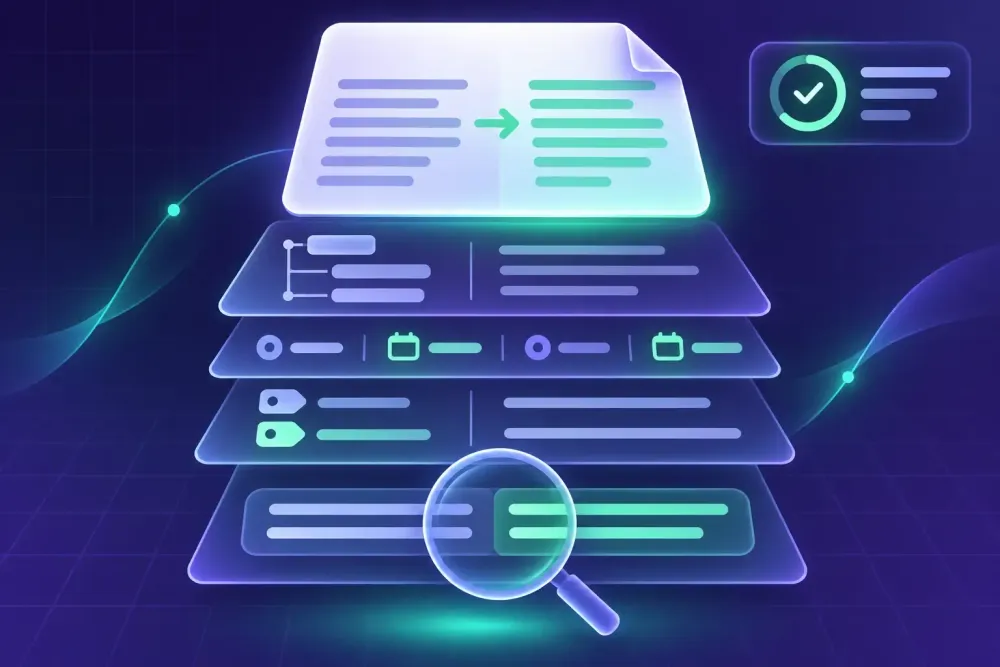
Most teams we talk to run an ai translation quality check the same way they review a human translator: open the file, start at the top, fix what looks wrong. That works, slowly, and it misses the specific things that break when a model writes the draft. AI output fails in a different shape. A tired translator skips a word and the sentence reads broken. A model takes a sentence it did not understand, rewrites it into something fluent and confident, and then keeps the same confident tone for the next forty pages.
So the order of your checks matters more than the thoroughness of any one of them. What follows is the sequence we use, cheapest checks first, with the reasoning for why each one sits where it does.
Why an AI translation quality check is not proofreading
Proofreading assumes the text is roughly right and you are hunting typos. Post-editing machine output assumes nothing. The two jobs use different attention.
There is a measurable reason for this. In a human draft, errors cluster where the work was hard: dense legal clauses, unfamiliar terminology, the last page written at midnight. In model output, errors cluster where the input was hard: a sentence split across two table cells, a cross-reference without context, a term that has three plausible translations and no glossary entry to pick one. The difficulty map moves from the translator to the file.
That changes what you look for. Fluency stops being a signal. We have reviewed MTPE jobs where every sentence read like native copy and three of them said the opposite of the source. Human reviewers are badly calibrated for this, because a lifetime of reading has taught us that awkward phrasing means low effort and smooth phrasing means care. With a language model that correlation is gone.
It also changes who does which part. A good chunk of the work below needs no target-language knowledge, which matters when you are checking a pair nobody in the office reads.
One thing to settle before you start: what level of output the client is paying for. A gisting job for an internal reader and a publication-quality deliverable need the same structural checks and completely different reading effort. If you have not agreed on that, you will over-edit half your projects and under-edit the rest.
Step 1: check the file before you read a single sentence
Open the delivered file and the source side by side, and look at shape, not language. This takes about five minutes and catches the failures that look worst to a client.
Completeness first. Count segments or rows if your workflow exposes them, and look for anything still sitting in the source language. Then go container by container, because that is where content hides:
In a DOCX, check headers and footers, footnotes and endnotes, text boxes, table cells, image captions, and any content controls. A DOCX import that handles body paragraphs cleanly can still leave a footer untouched.
In an XLSX workbook translation, check every sheet, not the first one. Check hidden rows and columns, cell comments, data validation dropdown lists, chart titles and axis labels, and anything that lives in a formula string rather than a plain cell.
In a PPTX presentation translation, check speaker notes, slide masters and layouts, grouped shapes, SmartArt, tables, and slides sitting outside the visible canvas.
A deck we reviewed last spring came back with every slide translated and every speaker note in the original language. The client had planned to hand the file to a local presenter who would read from notes view. Nobody caught it in a linguistic review because nobody opened notes view. Structural checks catch that; reading does not.
Then check that the file opens cleanly, repaginates sensibly, and has not lost a table row where merged cells confused the segmentation. Target text in German or Russian commonly runs 15 to 30 percent longer than English, which blows out fixed-width tables and single-line slide placeholders. That is a layout problem, not a translation problem, but it arrives in your inbox as "the translation is wrong."
Step 2: run the checks that need no language knowledge
Everything in this step is mechanical. Automate it, or hand it to a project manager who does not speak the target language.
Numbers and dates. Every figure in the source should appear in the target, and the separators should follow target convention. This is where we see the most expensive errors, because they are invisible to a reviewer skimming for meaning. On a price list we were asked to check, an English source had 1,250.00 and the German target had 1.250,00 on most rows and 1,250.00 on about a fifth of them. Both formats are defensible in isolation. Mixed inside one workbook, the file is unusable for anyone pasting it into an ERP.
Dates behave the same way. 03/04/2026 is ambiguous between en-US and en-GB and a model will sometimes resolve it silently, sometimes leave it, sometimes convert it in one table and not the next. Decide the policy before translation, then verify it after.
Units and currency. Check whether conversion was supposed to happen at all. Converting 6 bar to psi in a safety warning without being asked is a worse error than leaving it, because now the number and the source document disagree.
Tags and placeholders. Inline formatting tags, {variable} tokens, %s patterns, and segment-level markup should survive untouched and in the right order. A reordered pair of bold tags will not break a DOCX, but a reordered placeholder in a software string will break a build.
Mechanical consistency. Repeated source segments should normally have identical targets. Double spaces, trailing spaces, and stray line breaks should be gone.
A translation QA tool like Xbench or Verifika will do all of this against a bilingual table, and if your workflow produces a neutral source/target XLSX export you can run the same checks with a short script. The limit worth knowing: these checks produce false positives wherever a locale conversion was intentional, so somebody still has to read the flags rather than fix them blind.
Step 3: verify terminology against the glossary you actually supplied
A glossary improves consistency. It does not guarantee it, and the gap between those two statements is where client complaints live.
Models follow glossary entries most of the time and drift in predictable places. Inflected languages are the main one. Give a model a glossary entry for a term in the nominative and it will often produce the right word in a different case or gender, which is correct language and a failed automated check. Compound nouns are the other. A term that appears alone in the glossary may be rendered differently when it turns up inside a longer compound.
The practical method: take the glossary term list, and for each entry search the target for the expected form and for the two or three plausible alternatives. You are not looking for every occurrence, you are looking for whether a second rendering exists at all. If it does, the fix is a single find-and-replace across the whole document rather than a sentence-level edit, because a term error is never local.
Then check the terms that are not in the glossary but should be. Pull the ten most frequent domain nouns from the source and see whether the target used one word for each or several. On a technical manual last year, one source term came back as three different target terms across 60 pages. Each one was a reasonable translation. Together they made the document look like three people had written it.
Everything you learn here belongs in the glossary before the next project, not in a comment on this one. We wrote separately about getting AI translation to follow a glossary and the short version is that glossary quality upstream removes more review time than any downstream check.
Step 4: read for the errors models actually make
Now the linguistic pass, and it needs a specific reading technique rather than general attention.
Read the target alone first, without the source. Not the whole file, but the risky parts: anything with a condition in it, anything with a negative, anything with a number, anything a reader could act on. You are checking whether the text makes sense as a document in its own right. Nonsense that survived the model usually reads as a sentence that is grammatically fine and logically impossible, and you spot that faster without the source distracting you.
Then compare bilingually, looking for the five failure types that account for most of what we find:
Dropped content. A subordinate clause, a parenthetical, a list item, or a qualifier disappears while the sentence stays fluent. The sentence reads complete, so nothing alerts you except the comparison.
Flipped polarity or modality. "May not exceed" becoming "must not exceed" changes a permission into an obligation. "Should" becoming "shall" changes a recommendation into a contractual requirement. Models get these right far more often than they used to and still get them wrong often enough that we check every one in legal and regulatory text.
Invented specifics. A model filling a gap with a plausible detail, a standard number, or an organisation name that was not in the source. This is rarer in document translation than in open generation, because the source constrains the output, but it does happen around abbreviations and partial references. There is more on spotting hallucinations before delivery if you want the longer treatment.
Register drift. A contract that starts formal and becomes conversational by page eight, or marketing copy that comes back as documentation prose. Models hold register well inside a paragraph and less well across a long file, especially one translated in batches.
Over-literal structure. Source word order preserved where the target language needs a different one. This reads as stiff rather than wrong, which makes it the thing clients comment on and reviewers skip.
How much of the file this covers depends on what the project needs. For most business documents, the risky-content pass plus the mechanical checks is enough. For anything a regulator, a court, or a patient will read, it is not.
Sampling, when reading everything is not justified
Full bilingual review of a 200-page manual costs more than the translation did. Sometimes that is the right call. Often it is not, and sampling is the honest alternative to pretending you read it all.
Stratified sampling works better than random sampling here, because you already know where the risk sits. We take the first and last page of each file, every table, every warning or caution block, every number-dense section, plus a random 300-word stretch from the middle of each major section. That usually lands between 8 and 15 percent of a document and covers the parts a client is most likely to open first.
Then set a threshold before you look, not after. If the sample turns up more than a small number of substantive errors per thousand words, you escalate to full review and the sample has done its job. If it turns up nothing, you deliver with a note on what you checked. Deciding the threshold afterwards is just rationalising whatever you found.
If you want a formal error taxonomy for this, the MQM framework gives you published categories and severity levels. You do not need the full implementation to borrow the distinction between minor, major, and critical, which is the part that makes a threshold mean anything.
Where sampling does not apply: anything where a single error is unacceptable rather than merely bad. Medical dosage, legal obligations, safety instructions, financial figures in a filing. There, the number of errors you are willing to ship is zero, and a sample cannot give you that. Sampling is a tool for managing effort across acceptable risk, not a way to make high-stakes content cheaper.
Step 5: record what you found and change the input
The review is finished. The useful part has not started.
Log every error you fixed with a category and a one-line cause. Not for the client file, for yourself. Four or five projects in, the log stops being a list of mistakes and becomes a description of what your current setup gets wrong, which is the only thing that lets you fix a class of errors instead of individual sentences.
We watched this work on a recurring XLSX job. The first two rounds, a reviewer spent roughly an hour per file fixing decimal separators and date order. After the log made the pattern obvious, the project prompt got two explicit sentences about target-locale number and date formatting, and the glossary picked up the three units that kept getting converted. The third round had none of those errors. The hour did not come back as a smaller hour, it disappeared.
The same applies to translation memory. Post-edited segments that passed review are worth writing back to your TM so the next project starts from corrected text rather than from the same raw output. Exported as a bilingual table, they go into whatever CAT tool your team actually uses without anyone switching tools to make it work.
And keep the checklist short enough that people run it. A 40-item QA form gets filled in from memory by the third week. A six-line list with a clear owner for each line gets done.
If you want some of this handled before the file reaches a reviewer, that is roughly what we built SnapIntel for: DOCX documents, XLSX workbooks, and PPTX presentations go in, glossary and prompt get reviewed and approved before translation starts, and what comes back is a translated file plus a QA report, a quality rating, and a neutral source/target XLSX export for your TM. It does not remove the human review step and we would not claim it does. It removes the part of the review that was checking whether the machine did the mechanical things correctly.
The checklist, in order
Pin this somewhere your team will see it:
- Structure, before any reading. Headers, footers, footnotes, text boxes, all sheets, hidden rows, speaker notes, masters, grouped shapes. Anything still in the source language.
- Mechanical checks, no language needed. Numbers, dates, separators, units, currency, placeholders, tags, repeated segments, stray whitespace.
- Glossary verification. Every term, checked for a second rendering. Fix globally, not locally.
- Target-only read of the risky parts. Conditions, negatives, numbers, anything actionable.
- Bilingual comparison for dropped content, flipped modality, invented specifics, register drift, over-literal structure.
- Log the errors by category and push the fix upstream into the glossary, the prompt, and the TM.
The one thing we would change about how most teams handle this: stop treating QA as the last gate before delivery and start treating it as the input to the next project. A review that only improves one file is doing a third of the available work.