How to Make AI Translation Actually Follow Your Glossary
Attaching a termbase isn't enforcement. How to make AI translation follow glossary entries: segment-level injection, morphology, overrides, and QA checks.
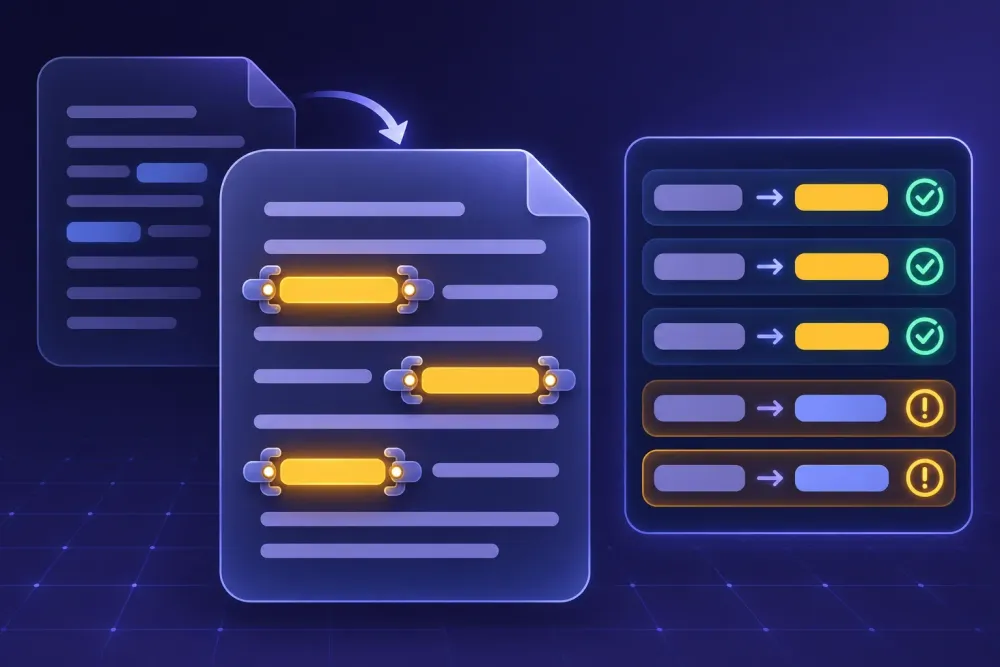
Most teams find the gap the same way. You attach a 400-term glossary, run the job, open the translated DOCX, and the first heading already has the wrong word in it. The glossary loaded fine. The model saw it. It just didn't use it. So the real question isn't whether you have a termbase, it's whether you can make AI translation follow glossary entries on every segment that contains one. Those are different problems, and they get confused constantly. We've watched agencies spend three weeks curating terminology for a client, then lose half of it in delivery because nothing in the pipeline was built to hold the terms in place.
This is fixable, but not by adding a stricter sentence to your prompt.
Why AI translation doesn't follow your glossary by default
A language model is generating plausible text, not executing a lookup. When you hand it a glossary, you've added context, and context competes with everything else the model is weighing: register, sentence flow, what it produced two paragraphs ago, its own internal preference for the most common rendering of a word. A glossary entry is one voice in that room. It is not a rule.
Mostly it loses that argument to dilution. Drop 400 terms into a prompt alongside a 900-word chunk and nearly all of them are irrelevant to the text in front of the model, so the constraint thins out into background noise. Fluency pressure does the rest: if the approved term reads stiffly in a particular sentence, the model reaches for something smoother. And both effects worsen with length, which is why adherence on page 2 of an 80-page document tells you very little about page 61.
A German pharmaceutical SOP we worked through had all of this happening at once. The client's glossary mapped device to Medizinprodukt, which is the regulated term and the only acceptable one in that document class. The output used Medizinprodukt in the body text and Gerät in six of the eleven headings. Headings are short, context-poor, and often verbless, so the model had less to anchor on and defaulted to the common word. Nothing was broken. The glossary was simply advisory, and in the places where the text gave the least help, the advice got ignored.
That pattern repeats. Terminology failures cluster in headings, table cells, figure captions, and bulleted fragments. If you only check running prose, you'll conclude the glossary worked.
Where enforcement actually happens in the pipeline
Glossary adherence is decided in three places, and most workflows only use one of them.
Before translation, you can filter and inject. Instead of sending the whole termbase with every chunk, you match the source segment against the glossary and pass only the entries that appear in that segment. A 400-term glossary becomes four relevant lines in the prompt. This single change does more for adherence than any amount of instruction tightening, because the model is now looking at a short, specific constraint rather than a wall of vocabulary. It also lets you state the constraint sharply: these four source terms must appear as these four target terms in your output.
During translation, you can gate and constrain. Approving the glossary and the translation prompt before the job starts sounds procedural, but it's the step that catches the entries that will cause trouble. Reviewing an injected term list for a document class is faster than reviewing the finished translation, and it surfaces conflicts early: two entries mapping the same source to different targets, an entry so short it will match everywhere, a target term that's wrong for this client even though it's right for the industry.
After translation, you verify. For every source segment that contained a glossary term, check whether the mapped target term is present in the corresponding output. This is mechanical and cheap and nobody does it often enough. It turns "the glossary was applied" from a claim into a number you can read.
The ordering matters more than the sophistication of any single step. Injection without verification means you don't know what happened. Verification without injection means you're generating a long list of problems you then have to fix by hand.
Write entries the model can match
Half the glossary failures we see aren't enforcement failures. They're entries that cannot be enforced as written.
Short, common source terms are the worst offenders. An entry mapping unit or set or plate to a single target will fire on every sentence that happens to contain the word in an unrelated sense, and then you're fighting your own glossary. A product catalog in XLSX taught us this one properly. The client sold packaging, and their glossary mapped sleeve to the German packaging term. The workbook also had an apparel section. Every garment sleeve in 2,300 rows came back as packaging. The fix wasn't a better prompt, it was splitting the entry with a context note and restricting it to the relevant sheets.
So: one target per source, and if that's genuinely impossible, document the condition that selects between them. Record part of speech when the source word is both a noun and a verb. Add a short usage note for anything a reviewer might reasonably get wrong. If a term is forbidden rather than required, say so explicitly, because "don't use Gerät" is a constraint a model handles well, while hoping it infers the prohibition from a positive entry rarely works.
Keep the glossary scoped to terms that carry risk: regulated vocabulary, product names, UI strings that have to match the software, anything a client has corrected before. We've written more about how to choose which terms go in your AI translation glossary, and the short version is that a tight 80-term glossary outperforms a sprawling 600-term one, because every entry you add is another chance to collide with ordinary language.
Morphology is where glossaries quietly fail
Most glossary tooling was built around the assumption that a term appears in text in the same form it has in the termbase. That assumption holds for English and breaks for a lot of other targets.
Translate a services contract into Russian with Contractor mapped to Исполнитель and the model will correctly produce Исполнителя, Исполнителю, Исполнителем as the grammar requires. A naive adherence check sees none of those as the glossary term and reports eleven violations that aren't violations. Worse, a naive enforcement step that rewrites the output to the nominative form produces a document that's ungrammatical in a way a client will notice immediately.
German compounds cause a different version of the same problem. If your glossary has Medizinprodukt, the text may legitimately contain Medizinprodukteakte or Medizinprodukte-Dokumentation, and your matcher needs to recognize the stem inside a longer word. Finnish, Turkish, Hungarian and Arabic each add their own wrinkles.
What works is treating the glossary entry as a lemma rather than a string. State in the prompt that the target term should appear in whatever form the grammar requires, and run adherence checks with stemming or substring matching for the target language rather than exact equality. For languages with heavy inflection it's also worth recording the nominative and one or two inflected forms in the entry itself, which gives both the model and the checker something concrete to match against.
This doesn't apply evenly. If you're translating into English, Chinese, or another language with light inflection, exact matching gets you most of the way and the extra machinery is overhead you don't need. Know which of your language pairs needs it.
Decide what happens when the glossary is wrong
A glossary is a snapshot of decisions someone made, sometimes years ago, often for a different document class. Treating it as infallible creates its own errors.
We had a client whose marketing glossary rendered a product category with a shortened consumer-facing name. That was the right call for web copy. In a technical compliance document for the same product, it was the wrong call, and strict enforcement would have put the marketing name into a filing. The glossary wasn't wrong, it was wrong there.
So build in a decision, not just a rule. For each entry, you want to know whether a mismatch should be forced silently, forced with a note, or flagged for a human. Regulated terminology and product names belong in the forced category. Stylistic preferences and near-synonyms belong in the flagged category, where a reviewer can see the model chose something different and decide whether it was right. That distinction is cheap to record and it saves you from the two failure modes at either end: a glossary nobody trusts because it keeps being overridden, and a glossary that silently rewrites text into something nonsensical.
Review cycles are where this surfaces. When a client sends back corrections, the useful question is whether the correction belongs in the glossary or only in that document. Pushing every client preference into the termbase is how glossaries bloat into something unusable within a year.
Verify adherence instead of trusting it
Terminology is its own error category in the MQM framework, separate from accuracy and fluency, and for good reason: it's the error type that's most mechanically checkable and most consistently skipped.
The check itself is simple. Walk the source and target segment by segment. For each source segment, find the glossary entries whose source term appears. For each of those, check whether the mapped target term appears in the aligned target segment, using language-appropriate matching. Output a count per term, the locations of misses, and a per-document adherence figure.
Read that report with some skepticism. False positives come from inflection, from compounds, and from legitimate cases where the segment was restructured so the term moved. False negatives come from terms that appear in the target for unrelated reasons. We treat the number as a triage signal rather than a score: an entry at 100% is fine, an entry at 0% usually means the entry itself is malformed, and the entries sitting between 40% and 90% are where the real review time goes, because that spread means the model was inconsistent and something in the document is driving it.
Also check the places the model is weakest. Pull every heading, table header, and caption and review those separately. In the German SOP, document-level adherence looked acceptable at first glance, because the body text carried most of the word count and most of the correct instances. Segmented by element type, the headings were a clear failure and the fix was obvious.
A translation QA report that includes terminology adherence alongside the usual checks is worth more to a reviewer than the raw translated file, because it tells them where to look first.
A workflow that holds on 80-page documents
Putting it together, the sequence that survives long documents looks like this.
Start with a scoped glossary built from the source text rather than assembled from memory. Extracting candidate terms from the document itself catches the vocabulary that actually appears in it, and you can check candidates against the client's existing termbase afterward. Our free glossary generator does this step for a single document if you want to see the shape of the output before committing to a process.
Then review and approve the glossary and the prompt before anything translates. Inject per segment rather than per job. Run the translation. Verify adherence mechanically, segment by element type. Review the flagged entries, correct the document where needed, and feed genuine terminology decisions back into the glossary so the next job starts from a better place.
This is roughly how SnapIntel structures the work: you import a DOCX, XLSX, or PPTX, run domain analysis and glossary preparation, approve the glossary and translation prompt before the job starts, and get back the translated file along with a QA report and a neutral XLSX export you can move into any CAT tool. The approval gate before translation is the part that matters for terminology, because it's the only point where fixing a malformed entry costs minutes instead of hours.
None of this makes adherence perfect. We've not seen a workflow that hits 100% on a long technical document with a large termbase, and anyone claiming otherwise is measuring loosely. What it does is make the failures visible and bounded, which is the difference between a terminology problem you can quote a review budget for and one that shows up in a client complaint.
If you want one thing to do this week: take one finished project with a glossary attached and run the check manually. Pick ten terms. For each, grep the source for the term, count the hits, then look at the same segments in the target and count how many carry the approved rendering. Separate headings and table cells from body text.
You'll get a number, and the number will be lower than you expected. Then look at the terms that scored worst and ask whether the entry was enforceable to begin with: too short, too ambiguous, two targets for one source, an inflected language you were matching exactly. Fix those entries first. That alone usually moves adherence further than any change to how you prompt the model.