How to prepare a Smartcat project for AI translation: a checklist
Smartcat project AI translation preparation done right: a practical checklist covering bilingual DOCX export, TM setup, glossary, and source QA before the AI runs.
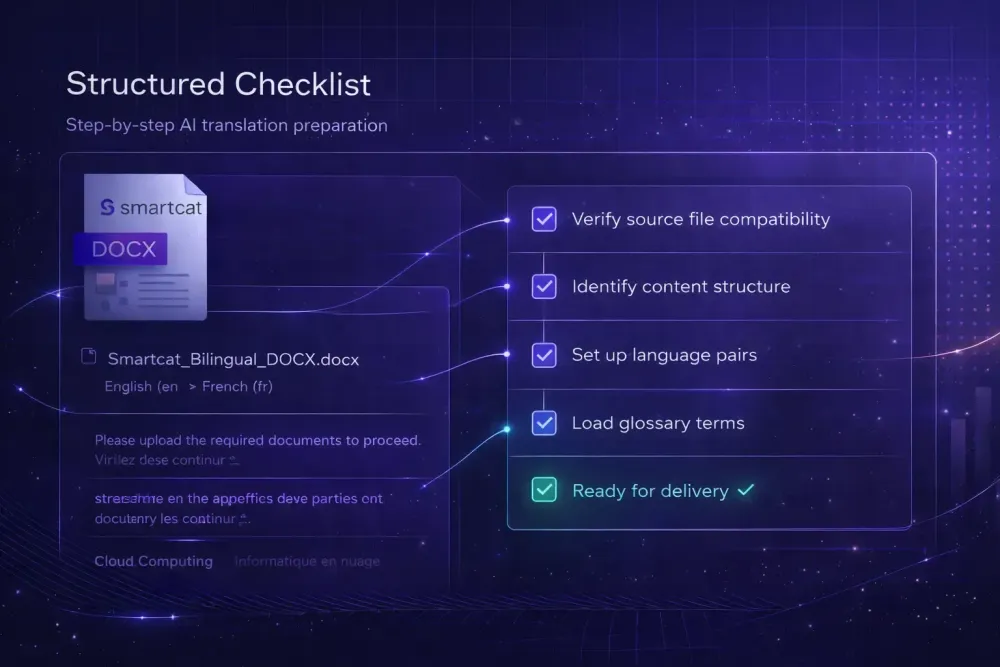
Preparing a Smartcat project for AI translation is not a neutral act. What you do before the AI runs determines most of what you get out, more reliably than the engine itself. In our work with agencies running AI translation on Smartcat bilingual DOCX exports, the projects with the highest-quality outputs are almost never distinguished by which AI model was used. They are distinguished by how much preparation went into the translation context before the job started. This guide covers the smartcat project ai translation preparation steps that actually make a difference, in the order they should happen.
Why preparation affects AI output more than most teams expect
When an AI translation engine processes a segment, it is not just reading that segment in isolation. It is working with everything it knows about the document, the domain, the language pair, and the instructions it has been given. Change any of those inputs, and the output changes.
This matters specifically because Smartcat bilingual DOCX files carry substantial structural context. The file format encodes source and target segments side by side, with segment boundaries, translation memory matches, and metadata embedded in the structure. How that file was exported, whether it was exported cleanly, and whether the surrounding context was in place when the AI ran: all of it shapes the result.
Human translators adapt when context is thin. They ask for clarification, draw on background knowledge, and make judgment calls. AI models do not ask. They generate, and when context is thin, they generate from their strongest priors, which may or may not match your source document.
A common pattern we see in agency workflows is the immediate export-and-run approach: export the bilingual DOCX as soon as the project is set up, paste it into the AI workflow, and start the job. The time saved at the start is almost always spent later in post-editing, because the AI had no glossary, no domain instruction, and no pre-applied TM to work with. Every hour spent in preparation typically saves several hours in correction.
Start with a clean Smartcat bilingual DOCX export
The bilingual DOCX export from Smartcat is the foundation of the AI translation workflow, and it is worth confirming it is actually clean before anything else happens.
A clean export means the source document was fully processed in Smartcat before export: segments are correctly split, the translation memory has been applied to fill confirmed matches, and any pre-translation rules have run. If you export a bilingual DOCX before TM application, you are asking the AI to re-translate segments that your TM already has accurate translations for. This wastes processing and introduces inconsistencies between the AI output and your confirmed TM translations.
Check the export for structural issues: missing segments, merged cells in table-heavy documents, or segments that did not parse correctly. These issues are not always visible in a quick visual scan of the DOCX. Sometimes a segment split in Smartcat creates two short, ambiguous fragments that an AI will misread when they appear in the bilingual file.
For a detailed walkthrough of the export process, our guide on exporting a bilingual DOCX from Smartcat covers the steps in order. The short version: export after TM pre-translation, not before, and do a segment count check to confirm the export captured the full document.
Translation memory setup before the AI runs
If your TM has accurate confirmed translations for segments in the current project, those segments do not need AI translation. They should be applied before the AI run and treated as confirmed. This is standard Smartcat workflow logic, but it gets skipped when projects are moving fast.
Why it matters: AI models are inconsistent across repeated segments. If the same phrase appears fifteen times in a document, an AI run without TM pre-application will generate fifteen independently rendered outputs that may vary in phrasing, terminology, or punctuation. Your TM has one consistent confirmed translation. Using it is both more accurate and more cost-effective.
Smartcat's TM system auto-applies exact matches (100 percent matches confirmed automatically) and surfaces fuzzy matches for review. For fuzzy matches above 85 percent, particularly in legal and technical documents where exact phrasing matters, reviewing the TM suggestion as a pre-translation step is usually better than letting the AI override it. The TM match is generally closer to your approved terminology than a fresh AI translation.
One practical step before exporting the bilingual DOCX: run TM pre-translation in Smartcat and inspect the resulting file. The segments filled by TM are already done. The unfilled segments define the actual AI translation scope. This gives you an accurate sense of the project's real complexity before the AI run starts.
Glossary setup: the most important step that gets skipped
If there is one preparation step that has more impact on AI translation quality than any other for Smartcat projects, it is glossary setup. And it is the step most frequently skipped when projects are moving fast.
A glossary tells the AI what specific terms map to in the target language. Without one, the model guesses from its training data, which produces outputs that are linguistically plausible but may be inconsistent, domain-incorrect, or simply wrong for your client's terminology.
Smartcat's glossary system lets you associate a termbase with a project. When the AI pipeline runs, glossary terms in the source trigger the glossary-fix mechanism, an additional step that reviews and corrects flagged segments for terminology compliance. This step runs correctly only if the glossary is associated with the project before translation starts.
Building a complete glossary before every project is not realistic for most teams. A practical middle path: maintain a general client glossary that accumulates over time, supplement it with a project-specific addendum for the current document's domain-critical terms, and associate both with the project before the bilingual DOCX export. For new clients with no glossary, extract terminology from the source text itself or from any reference documents the client has provided. Twenty approved terms in a glossary will do more for output quality than any model upgrade.
Our guide on translation terminology management covers the glossary-build process in more detail.
Source document quality: what the AI will actually see
AI translation engines translate what is in front of them. If the source document has problems, ambiguous sentences, inconsistent terminology, formatting artifacts, or missing content, those problems carry over into the translation and are often amplified.
Before creating the Smartcat project, spend time on the source document itself. Check for structurally ambiguous sentences: these will generate ambiguous translations at best and incorrect ones at worst. Check for terminology inconsistency in the source: if the same concept is called by three different names in the English source, the AI will generate three different target-language names, and none of them will match your glossary.
For technical documents, confirm that all figures, reference codes, and product names are spelled correctly and consistently throughout the source. A source that uses "X-Series 7000" in some places and "XSeries7000" in others will produce target outputs that reflect that inconsistency, often amplified by the model's tendency to regularize toward whichever variant it encountered most.
This step feels like editorial work rather than translation preparation, but it consistently reduces AI translation errors more than most in-project QA steps. A clean, consistent source is the most reliable foundation for a clean translation.
Domain context and prompt instructions
For AI translation workflows that include a prompt or instruction layer, the domain context matters more than most teams realize.
A model told it is translating a clinical trial protocol for a pharmaceutical company targeting the German regulatory market will behave differently from a model running without domain context. It will make more conservative term choices, apply register appropriate to the domain, and be less likely to generate colloquial alternatives for technical terms that have approved equivalents.
Useful domain context includes: document type (contract, manual, regulatory filing, marketing copy), subject domain (pharmaceutical, legal, financial, software), target audience (professional experts, general consumer, regulatory body), and any specific client preferences about formality or terminology conventions.
This does not require a lengthy prompt. Three to five sentences of accurate domain context consistently improve output quality for domain-specific content. The prompt is part of the preparation sequence, not an afterthought you add if there is time.
Using SnapIntel for Smartcat bilingual DOCX AI translation workflows
For teams that regularly run AI translation on Smartcat bilingual DOCX exports, SnapIntel is built around exactly this workflow. Users import Smartcat bilingual DOCX files directly, then work through a structured preparation sequence covering domain analysis, glossary review and editing, and prompt generation and approval, before the AI translation job starts.
The preparation gate matters in practice: SnapIntel requires glossary and prompt approval before translation can start, which means the preparation steps described in this guide are built into the workflow rather than left to individual judgment under deadline pressure. The output includes a translated DOCX and a QA report, so the review step has a structured starting point.
If you want to see how the bilingual import and preparation steps work in practice, the documentation at snapintel.io/docs covers the full workflow.
The smartcat project AI translation preparation checklist, condensed
The preparation sequence in order:
Check the source document for ambiguity, terminology inconsistency, and formatting artifacts before creating the Smartcat project. Run TM pre-translation in Smartcat and review the resulting bilingual DOCX to confirm which segments remain for AI translation. Build or update the project glossary, covering at minimum domain-critical terms and client-specific terminology. Write a short domain context instruction covering document type, domain, audience, and register. Export the bilingual DOCX after TM application and confirm the segment count. Associate the glossary with the project before the AI run starts.
This sequence takes thirty to sixty minutes for a typical project. In our experience, it reliably produces better outputs than an immediate export-and-run approach, and it concentrates review effort on the right places rather than spreading it across everything.