Translation terminology management: the complete guide for agencies and translators
How to build, maintain, and use a translation glossary system that actually prevents terminology inconsistencies from reaching your clients.
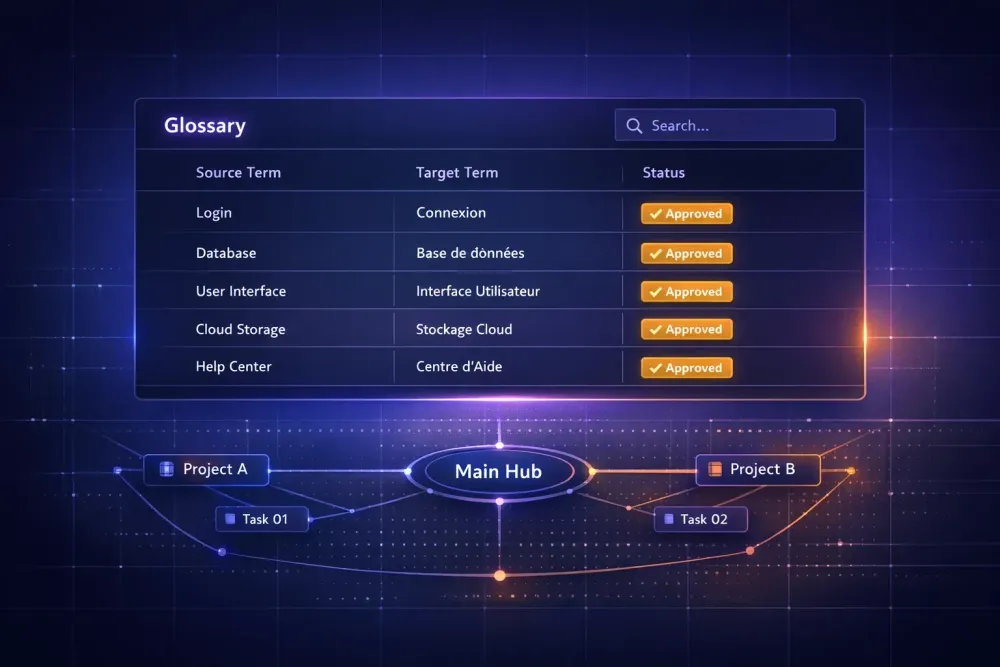
Terminology management is the part of translation work that gets the least attention and causes the most problems. Ask any project manager at a translation agency what the top recurring complaint from repeat clients is, and "inconsistent terminology" will be in the top three. It's not usually a translation error in the strict sense — it's a consistency error. The target text is linguistically correct, but the term used in chapter three doesn't match the term used in chapter seven, or the term the client spent two years establishing in their previous materials. This guide covers how to build and maintain a terminology system that actually holds.
Why terminology management fails in practice
Most agencies have some version of a glossary process. The problem is that it's usually one-directional and file-based. A glossary gets created for a project, handed to the translator, and then filed with the completed deliverables. The next project from the same client might use the same glossary — if the project manager remembers it exists and knows where to find it.
This breaks in three places. Glossaries aren't updated when clients introduce new terminology or change preferred terms. They're not integrated into the CAT tool in a way that makes them hard to ignore. And when multiple translators work on the same project, there's no check that they're all using the same glossary version.
The result is terminology drift: the same concept appears with different translations across a document, or across a client's history. Clients notice. Product managers who review translations for accuracy notice immediately. Legal teams reviewing contracts notice. The cost isn't just a revision round — it's a credibility problem.
The fix requires treating the glossary as a live artifact rather than a static file. It needs a home that isn't a one-off spreadsheet. It needs to be connected to the translation environment. It needs an update process. And it needs a designated owner.
The difference between a glossary and a termbase
These terms get used interchangeably, and for most small agencies the distinction doesn't matter practically. But understanding the difference helps when you're deciding how to build your system.
A glossary in everyday usage is a list of source terms paired with approved target-language equivalents. It might include context notes, definitions, or domain labels. It's the working reference document translators consult.
A termbase is a structured database of terminology entries with defined fields: source term, target term, definition, context sentence, domain, part of speech, status (approved, draft, deprecated), and often multiple languages in the same record. A termbase is managed in dedicated terminology software and exports in formats like TBX for import into CAT tools.
Most agencies don't need full termbase infrastructure. What they do need is a glossary that's structured enough to be importable into their CAT tool and updateable without breaking that import.
A practical middle ground: a spreadsheet with consistent columns (source term, target term, definition or context note, domain, approved/draft status) that exports to CSV and can be imported as a glossary in tools like Smartcat. This handles 90% of the terminology management needs agencies actually have — and it stays maintainable without specialist software.
How to build a glossary from scratch
When a new client comes in with no existing glossary, the fastest path is domain-first extraction. Don't start by asking the client what terms they care about — they often don't know until they see an incorrect one. Start by analyzing the source documents.
Run the source text through a term extraction process. This can be semi-automated using tools that identify frequent noun phrases and domain-specific terms. The output will be noisy, but it will surface the high-frequency terms that appear throughout the document. These are the terms worth establishing.
For each candidate term, you need a source-language entry and a decision on the target-language equivalent. That decision should come from one of three places: the client's existing translated materials, domain-specific reference sources (legal dictionaries, medical terminology databases, standards documents), or domain expert judgment.
Don't try to finalize every term before translation starts. Aim for the top thirty to fifty terms that appear most frequently and carry the most consistency risk. Legal party names, product names, technical component labels, organizational titles — these are where inconsistency is most visible and most costly.
Once the initial glossary is in place, load it into the CAT tool before the first file opens. In Smartcat, glossaries are associated at the project level and surface as term suggestions in the CAT editor when a source segment contains a glossary term. That in-context suggestion is more useful than a separate reference document, because the translator sees it at the moment they're making the translation decision — not when they remember to check.
Maintaining a client glossary across projects
A glossary that isn't maintained is worse than no glossary in one specific way: it gives translators false confidence. If a translator sees a glossary suggestion that's outdated, they may use it without question. Stale terminology propagates across projects.
Maintenance requires a process, not just good intentions. After every project, the project manager or revisor should review any terminology decisions made during translation that weren't in the glossary. If a translator introduced a new term for a concept not covered, that term should be evaluated and either added or flagged as incorrect.
Client feedback after delivery is another source. When a client returns a correction that's terminology-based — "we always say X, not Y" — that should immediately trigger a glossary update, not just a correction to the current file. If you correct the file without updating the glossary, the same error will recur on the next project.
For agencies managing multiple language pairs for the same client, glossary synchronization across languages is a real challenge. Changes in one target language don't automatically propagate to others. The only practical solution is a regular review cadence — once a quarter, review the client glossary for all active language pairs and confirm consistency.
AI tools can assist with glossary generation and suggestions, but they can't replace the domain and client-specific judgment that accurate terminology requires. An AI-generated glossary is a starting point. We've seen strong results when translators treat AI-generated term suggestions as a first draft they validate against client materials and domain references — not as authoritative translations they can accept without review.
Terminology consistency in AI translation workflows
When AI translation is part of the workflow, terminology control becomes more important, not less. A well-structured glossary is how you tell the AI what terms are non-negotiable.
In workflows like the one SnapIntel uses, the glossary is a preparation step before translation starts. Users can generate a glossary based on domain analysis of the source document, edit the entries directly, and then lock the glossary and prompt before the translation job runs. This approval gate exists because AI translation without terminology guidance produces linguistically correct output that may be terminologically inconsistent with the client's established vocabulary.
The quality of the glossary input directly affects the consistency of the output. A glossary with thirty high-quality entries produces more consistent terminology than one with three hundred entries where half are uncertain or context-dependent. It's better to be selective and confident than exhaustive and approximate.
Post-translation, the QA report will flag segments where a glossary term was present in the source but may not appear correctly in the target. Those flags are the first place to look during revision. Terminology errors caught at this stage are cheaper to fix than terminology errors caught by the client.
Domain-specific terminology: legal, medical, technical, financial
Domain-specific translation has distinct terminology management requirements, and treating all domains the same is a common source of errors.
In legal translation, terminology carries legal force. "Agreement" and "contract" are not synonymous in every legal context. "Shall" versus "must" creates different obligations. The glossary for a legal translation project needs entries that specify not just the translation but the legal context and jurisdiction where it applies. A term that's correct for a UK contract may be wrong for a US contract dealing with the same concept.
In medical translation, terminology connects to regulatory requirements. A medical device manual must use the term that appears in the relevant regulatory filing, not a synonym that means the same thing colloquially. Building a medical glossary without reference to the applicable regulatory context produces translations that may be linguistically accurate but unusable for submission purposes.
In technical translation, consistency across a document family matters as much as accuracy within a single document. If you're translating a ten-volume equipment manual set, the term for a specific component must be identical across all ten volumes. That requires a glossary maintained at the project family level, not just the individual document level.
In financial translation, the stakes are numerical accuracy and regulatory terminology. Standard financial reporting uses defined terms with precise meanings — translating "equity" differently than the applicable accounting standard defines it in the target language is an error regardless of linguistic acceptability.
Domain-specific glossaries are not optional for these areas. They are the minimum viable infrastructure for producing defensible translations.
Building terminology management into your workflow
Terminology management becomes sustainable when it's embedded in the workflow rather than treated as an optional step.
The practical structure: every client gets a client glossary file that lives in a central location accessible to all project managers and translators working on that client's work. The glossary is linked in the project briefing. It gets updated after every project. A designated person — ideally the same project manager who handles most of that client's work — owns the glossary and is responsible for its accuracy.
For new clients with no glossary history, the first project includes a terminology extraction step. Even a brief one. The resulting glossary goes into the central location immediately. It does not go into the deliverables folder and get forgotten.
For agencies using SnapIntel, the glossary generation and editing workflow in the product supports this process. You can generate a glossary from document domain analysis, review and edit the entries, and save the approved glossary as part of the project. What you do with that glossary after the project — whether you export it, maintain it in a central client file, and carry it forward — is what determines whether your terminology management compounds in value over time or starts fresh on every project.
The agencies that run tight terminology management don't necessarily use elaborate tools. They use consistent process. A glossary that's always current, always loaded, and always reviewed after delivery will do more for translation consistency than any software alone.
You can read more about how structured preparation fits into an AI translation workflow in our guide to Smartcat for translation agencies.