How to choose a translation management system for a growing agency
Choosing a TMS for your translation agency? Here's a practical framework for evaluating options based on workflow fit, not vendor marketing.
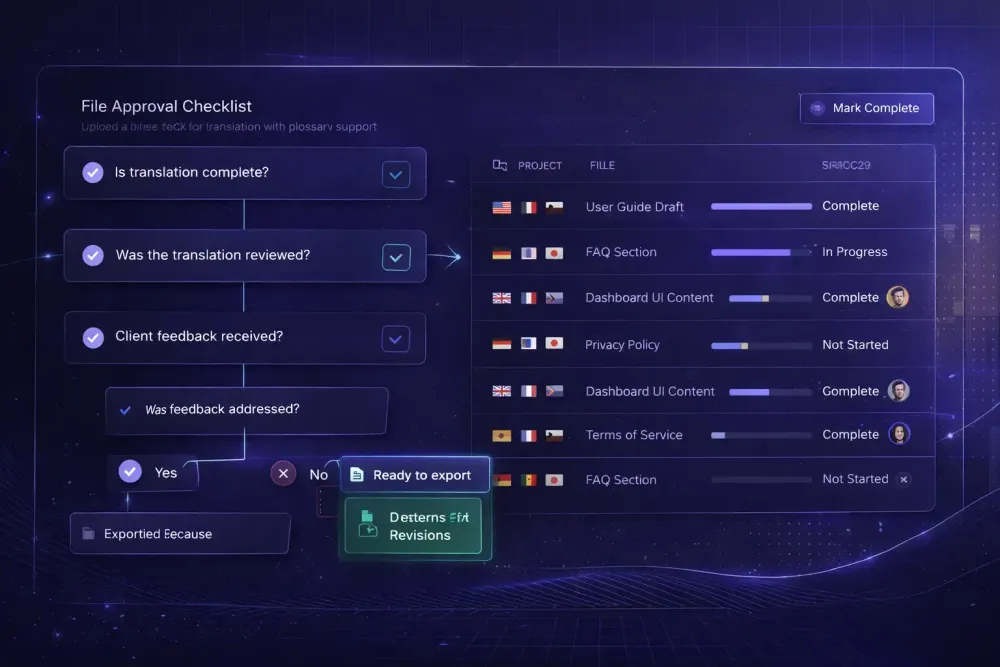
Picking a translation management system is one of those decisions that looks simpler than it is. Most TMS vendors will tell you their platform handles any file format, supports every workflow, integrates with all the tools you use. In a narrow sense they're not lying, but that framing misses the real question: does it actually fit how your agency works today, and can it handle where you're going? We've talked to a lot of agency owners who bought on the strength of a feature list and spent months fighting the implementation. This guide is our honest attempt at a more useful evaluation process for choosing a translation management system for agencies.
Start with your current workflow, not the vendor's demo
The most common mistake is evaluating a TMS against a theoretical ideal workflow rather than the actual one you have. Before you look at any platform, write down how a typical project moves through your agency right now.
Who receives the client brief? Who creates the project and uploads files? How do you assign translators — email, spreadsheet, Slack? How do reviewers access files? How does the final delivery get packaged and sent?
If you can't map this clearly before evaluation, you'll end up comparing TMS features without knowing which ones you actually need. Some agencies need sophisticated vendor management with automated assignment rules. Others just need a clean place to track file status and deadlines. Those are completely different products.
One agency we know had been using a high-end TMS for two years before realizing they were using about 20% of its features. The vendor management module, the client portal, the complex automation rules — none of it matched their actual workflow of five in-house translators and three regular clients. They would have been better served by something much simpler.
Map the workflow first. Then evaluate.
The five criteria that actually matter
When you get past the demos and the feature tables, TMS selection for agencies comes down to a handful of things that genuinely separate platforms.
File format support. This sounds basic but it matters enormously. If your clients regularly send PDF, DOCX, and XLSX files, and the TMS handles all of them cleanly without breaking formatting, that's a major operational win. If you specialize in something less common — DITA XML for technical documentation, or SCORM for e-learning — verify support before committing, not after.
Workflow configurability. Some platforms give you a fixed project workflow: create project, assign translator, review, deliver. Others let you configure stages, add automated transitions, and build different workflows for different project types. If your agency handles both rush single-person jobs and multi-stage regulated translations, you need the latter.
Vendor and team management. How the TMS handles your roster of translators matters at scale. Can you track language pairs per vendor? Set rates? Filter by domain? Automated matching (like Smartcat's algorithm that considers language pair, subject expertise, and reviewer history) can save hours of manual coordination each week.
Client-facing features. Some agencies need a client portal where clients can upload files, track progress, and download deliverables. Others work through email and would never use a portal. Don't pay for one you won't use.
Reporting and visibility. As volume grows, you'll want to know your project mix by language pair, your TM leverage rates, which translators consistently hit deadlines. Some TMS platforms have strong reporting; others are opaque. This matters less at 20 projects a month and a lot more at 200.
Understanding the real cost structure
TMS pricing is hard to compare because vendors use different models. Some charge per user, some per word processed, some per active project, some a flat monthly fee with feature tiers.
The sticker price is often not the real cost. What you need to think about:
Onboarding and implementation time. Complex platforms take months to fully implement. If you're switching from a spreadsheet workflow, budget for the transition, not just the subscription. Some agencies underestimate this by a factor of three.
Translator seat costs. If your TMS charges per user and you work with 50 freelancers, that math changes the total cost dramatically compared to a per-word model.
Integration costs. Connecting a TMS to your invoicing system, your client intake form, or your CMS often involves either custom development or third-party connectors. Ask vendors specifically: what integrations work out of the box versus what requires a developer?
Training time. A platform your PMs can learn in a day costs less than one that takes a week of training, even if the subscription fees are identical. Get your team into a real trial, not just a guided demo.
Integrated platform vs. best-of-breed stack
One of the structural decisions in TMS selection is whether you want a single platform that covers everything — project management, CAT editor, TM, QA, vendor payment — or a best-of-breed setup where you use specialized tools for each function and connect them.
The integrated approach has real advantages for smaller teams. Fewer logins, less data moving between systems, simpler onboarding for new translators. Platforms like Smartcat are genuinely all-in-one: you can create a project, assign translators from a marketplace of vetted linguists, track progress in the CAT editor, run QA, and pay invoices without leaving the platform.
The best-of-breed approach makes sense when you've already invested heavily in specific tools — say, a desktop CAT tool your translators know well — and you need a TMS that works around those. APIs and file-based integrations make this possible, but they add maintenance overhead.
Our general observation: agencies under 15 people are usually better served by an integrated platform. The overhead of maintaining multiple tool integrations isn't worth it until the limitations of the integrated tool actually become a problem. Start simple and add complexity only when you need it.
TM and glossary ownership: ask this before you sign
Before committing to any TMS, understand exactly what happens to your translation memory and glossary data if you leave.
Most reputable platforms allow you to export your TM as a TMX file and your glossary as a TBX or CSV. TMX is the standard interchange format — any decent CAT tool or TMS should be able to import it. But some platforms make this harder than necessary, by limiting export size, charging for it, or burying the option several menus deep.
Ask specifically: "If we cancel today, how do we export our full TM?" If the vendor hedges or adds caveats, treat that as a signal.
Your translation memory is a real business asset. It represents years of consistent terminology decisions and client-specific phrasing. An agency with a strong TM in a specialized domain — medical device documentation, for instance — has a concrete competitive advantage in cost and turnaround time on repeat work. That asset needs to be portable.
Red flags to watch for during evaluation
A few things that should give you pause:
The demo only shows happy paths. If the sales team won't walk you through what happens when a translator misses a deadline, when a client sends the wrong file format, or when a job needs to be split mid-project, they're protecting against discovery of operational friction. Push on edge cases.
No real trial. A 14-day trial with a guide is not the same as a real trial. You need time to import your own files, set up your actual workflow, and get your translators working in the system. Vendors who rush you through trials are often protecting against discovery of usability problems.
Feature announcements as selling points. If a vendor is pitching roadmap features rather than current capabilities, you're buying a promise. Evaluate what exists today.
Overly complex pricing that requires a sales call. This usually means the pricing was designed to be opaque, and the final number depends on negotiation rather than a published rate.
What migration actually looks like
If you're switching from one TMS to another — or from a spreadsheet workflow to your first TMS — the migration is more disruptive than agencies typically expect.
The technical part is usually straightforward: export your TM in TMX, export your glossary, upload both to the new system, run a test project. That can take a few hours.
What takes longer is the human side: getting your translators logged in and comfortable, updating your intake process to route files through the new system, adjusting how you communicate project briefs, rebuilding any automation rules you had in the old platform. Budget three to six months for a real settling-in period after a platform switch.
One practical approach: run parallel systems for your first month. Keep your old process running while you pilot the new TMS on a subset of projects. This lets you catch gaps without putting active client work at risk.
Making the final decision
If you've worked through the criteria above — mapped your workflow, assessed real costs, confirmed TM portability, done a proper trial — the decision usually gets clear on its own.
The translation management system for agencies that wins on paper isn't always the one that fits your actual workflow. A platform with fewer features that your team actually uses beats a comprehensive one your team avoids because it's confusing.
One last practical check: talk to other agencies at a similar size in a similar domain. Not the vendor's case studies — those are curated. Find people in your professional network who use the platform in production and ask what they don't like about it. The complaints are more informative than the praise.
For more context on how CAT tools and TMS platforms relate to each other, see our complete CAT tools comparison for 2026. And if your agency works with Smartcat bilingual exports specifically, the guide to Smartcat for translation agencies covers the workflow in detail.