eLearning Translation: How to Localize Training Content for a Multilingual Workforce
eLearning translation localization done right: how to scope a course, protect quiz logic, and keep SCORM packages from breaking inside the LMS.
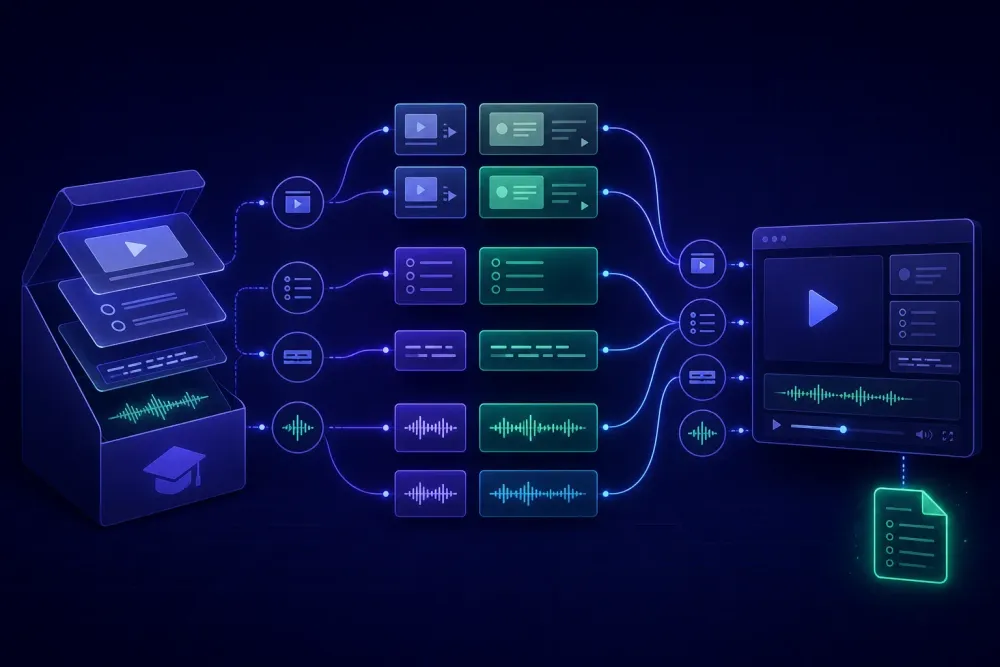
A training department sends over a four-hour onboarding course. It arrives as a SCORM package exported from Rise, a folder of MP4 files, a facilitator guide in DOCX, and an XLSX workbook holding 180 quiz items. They want Spanish, Polish and Vietnamese by month end. eLearning translation localization projects almost always show up in this shape: not one document, but a bundle of assets authored by different people at different times, each breaking in its own way. In our experience the sentences are rarely the problem. The reassembly is.
What eLearning translation localization actually covers
Translation is one stage inside it. A course that has been translated but not localized will still run, learners will still finish it, and the completion data will look clean. Then someone at the Poznań plant asks why the fire drill module shows an assembly point sign that doesn't exist in Poland, and why the compliance section quotes a US federal statute.
Localization for training content usually touches five things beyond the words. Units and formats. Regulatory references. Screenshots of software that has its own translated interface. Names and situations in role-play sections. And the assessment logic that decides whether somebody passed. The first four are content decisions a reviewer can settle in an afternoon. The last is technical, and it is the one that costs real money when it goes wrong.
We use a simple question when scoping with a training department: what happens to a learner who fails? If failing means retaking a twenty-minute module, tolerance for rough edges is high. If failing means the person cannot legally operate a machine until they pass, every quiz item becomes a document that needs the same care as a work instruction. Most corporate training sits between those two poles, and the client has usually never framed it that way until somebody asks.
Corporate learning shows up in Nimdzi and Slator coverage as one of the steadier demand segments in the language industry, for an unglamorous reason. Companies with sites in several countries have to train people, and the training has to survive an audit. That audit angle is why raw machine output is a poor fit here even when the subject matter looks simple. Nobody audits a marketing page. People audit safety training.
Inventory the course before you quote it
The word count your client gives you comes from the authoring tool, and the authoring tool counts what it can see on a slide. It does not count everything you will have to translate.
On an industrial safety course we scoped last year, the visible count in the authoring tool was roughly 11,000 words. The package we actually had to deliver came closer to 19,000. The difference lived in alt text on 90 images, narrator scripts held in slide notes, three PDF job aids linked from the resources tab, and about 60 diagram labels baked into PNG files that nobody had kept the source artwork for. The client was not hiding anything. They genuinely did not know those layers counted as text.
Before you quote, ask for the full export and open it. Look for the XLIFF or XLSX export the authoring tool produces, the imsmanifest.xml at the root of the SCORM zip, subtitle files in SRT or VTT, source PPTX decks if the course was built from slides, the facilitator and participant guides, and any images with text rendered into the pixels. That last category decides your timeline more often than the word count does, because it means either editable source files or a designer rebuilding artwork in three languages.
One more thing worth asking early: does the course link out to anything? Policy PDFs, an intranet page, a vendor's product manual. Half the time those are in scope and nobody said so. The other half they are explicitly out of scope, and it is much better to establish that in writing before delivery than after a learner clicks a link and lands on English.
Build the glossary from the assessment, not the slides
Standard practice is to run terminology extraction across the whole course and hand the top few hundred terms to the client for approval. That produces a long list weighted toward whatever the course talks about most, which is not the same as what matters most.
We work backwards instead. Start with the quiz items and any content a learner has to reproduce or recognize to pass. Every term in that set goes into the glossary with a locked target, because a term that drifts between the teaching module and the assessment creates a learner who studied the right thing and failed the test. Then add product names, legal entity names, the LMS interface strings learners see around the content, and any hazard or classification vocabulary that maps to a regulation in the target market. Everything else is normal terminology work.
A do-not-translate list matters as much as the glossary here. Software training is full of strings that look translatable and are not: menu paths in a system that was never localized for that market, error codes, field names in an ERP that the local team genuinely uses in English. Get the in-country team to mark these before translation, not during review.
Both lists belong in a written style guide rather than in an email thread, especially when the same course will be updated every year by whoever is available. We wrote up an approach to that in how to write a translation style guide your translators will actually follow, and the same structure works for training content with one addition: record the reading level the client expects. Training written for plant floor staff and training written for compliance officers are different registers, and translators cannot guess which one they are working on.
SCORM packages break in specific, predictable places
The good news about SCORM is that failures cluster. Once you have seen them, you can check for them in about ten minutes per package.
The manifest is first. imsmanifest.xml carries language metadata, and exporters routinely leave it at the source locale. A German compliance course we reviewed had been translated well, published, and uploaded, and the plant reported that "the course is in English." It was not. The content was German, but the manifest still declared en-US, so the LMS wrapped it in an English player, English navigation, and English completion messages. The learners judged the whole thing by the frame around it.
Encoding is second. Anything outside Latin-1 will expose a package that was zipped without UTF-8 discipline, and Vietnamese and Polish both find it quickly. Third are hardcoded strings inside the published JavaScript, usually the ones the authoring tool considers part of the player rather than part of the content: Next, Submit, You scored, Continue. Those need to be set in the tool before publishing, not patched afterwards.
Then there is text expansion. German and Polish commonly run 15 to 30 percent longer than English, and eLearning slides are built to a fixed canvas, so overflow does not scroll gracefully. It clips, or it pushes a button off the visible area. The fix is partly linguistic and partly design: brief translators on character limits for buttons and labels, and expect the layout to need adjustment for at least one language. If the course was originally assembled from slide decks, the same expansion problems apply upstream, and the approach in how to translate a PowerPoint presentation with AI without breaking the slide layout transfers directly.
Quiz items are where eLearning translations fail
Assessment content behaves differently from every other kind of text in a course, and it is worth handling separately.
Distractors are the first trap. A multiple-choice item works because the wrong answers are plausible but distinguishable. Translate the four options independently, without the item in front of you, and two of them can collapse into the same sentence in the target language. Now the item has two correct answers, or none that a careful reader can pick. Translators need the full item, the correct answer marked, and permission to flag when an option stops working.
Matching and ordering items break in a quieter way. If the pairs are matched by position in a table and the target language reorders naturally, you can end up with a shuffled answer key that still validates technically. Negative questions are their own category: "which of the following is NOT required" often loses its emphasis in translation, and a learner reading quickly answers the positive version of the question.
Then there is feedback text. Most courses show a short explanation after each answer, and it is usually written as loose commentary rather than as instruction. It still has to use the same terminology as the module, or the learner sees one term while studying and a synonym while being corrected.
Our practice is to translate the question bank as a standalone unit against the approved glossary, have it reviewed by someone who knows the subject rather than someone who knows the language, and then take the assessment end to end in the target language before delivery. Reading a quiz and sitting a quiz surface different problems.
Audio, subtitles and on-screen text have to agree
Most training courses carry the same information three times: narrated audio, subtitles, and text on the slide. Learners move between them. Somebody with the volume off reads subtitles, somebody in a quiet office listens, somebody skimming reads the slide. When the three versions use different wording for the same concept, the course feels unreliable even if each version is accurate on its own.
Decide early whether the target languages get re-recorded voiceover or subtitles only. Re-recording costs more and takes longer, but it keeps the pacing intact and it is the only realistic option when the narration references what is happening on screen. Subtitling is cheaper and faster, and it works well for information-dense modules where learners were probably reading anyway.
If you subtitle, the constraint is reading speed rather than word count. A German subtitle carrying 25 percent more characters into the same 3.2 seconds is unreadable, and the fix is condensation rather than literal translation. Brief the linguist that this is expected. Otherwise you get faithful subtitles nobody can follow.
Either way, the narration script, the subtitles and the on-screen text should be translated against the same glossary, ideally by the same person, and reviewed together rather than as three deliverables. This is the part of an eLearning project where a shared terminology reference stops being a nice-to-have and starts preventing rework.
Run review with people who will take the course
Linguistic review catches language errors. It does not catch a scenario that makes no sense in the target market, a regulatory reference that does not apply, or a screenshot showing a system configuration the local site does not use. For those you need a reviewer who does the job the course is training people to do.
Give that reviewer the assembled course inside the LMS, not a bilingual file. Reviewing an XLIFF export tells you whether the sentences are right. Clicking through the published module tells you whether the buttons fit, whether the audio matches the slide, whether the quiz can be passed, and whether the completion message appears in the right language. We have seen courses pass linguistic QA cleanly and then fail a fifteen-minute walkthrough by a shift supervisor.
Keep that review scoped, or it turns into a rewrite. Ask for three things: factual and regulatory corrections, terminology the local team actually uses, and anything that blocks completion. Style preferences go in a separate list to be considered for the next version. Without that boundary, an enthusiastic reviewer will rewrite the source author's tone, and you will spend a week arbitrating between two people who both think they are right.
Then run a small pilot cohort before the full rollout. Five or ten learners in the target country, taking the real course in the real LMS, produces better signal than any number of review passes. Watch the completion data and the time-per-module figures against the source language version. A translated module that consistently takes 40 percent longer usually means something is unclear, not that the learners are slower.
Where to start on the next course: before you agree a deadline, open the SCORM package, check the manifest language attribute, and count the words that live outside the slides. Alt text, slide notes, linked PDFs, images with text rendered into them. That number, not the one the authoring tool reports, is the project you are actually quoting.