Batch translation for agencies: how to handle multiple files without losing quality
How batch translation agencies can handle multiple files without quality drops: preparation, consistency, tiered QA, and when to split a batch.
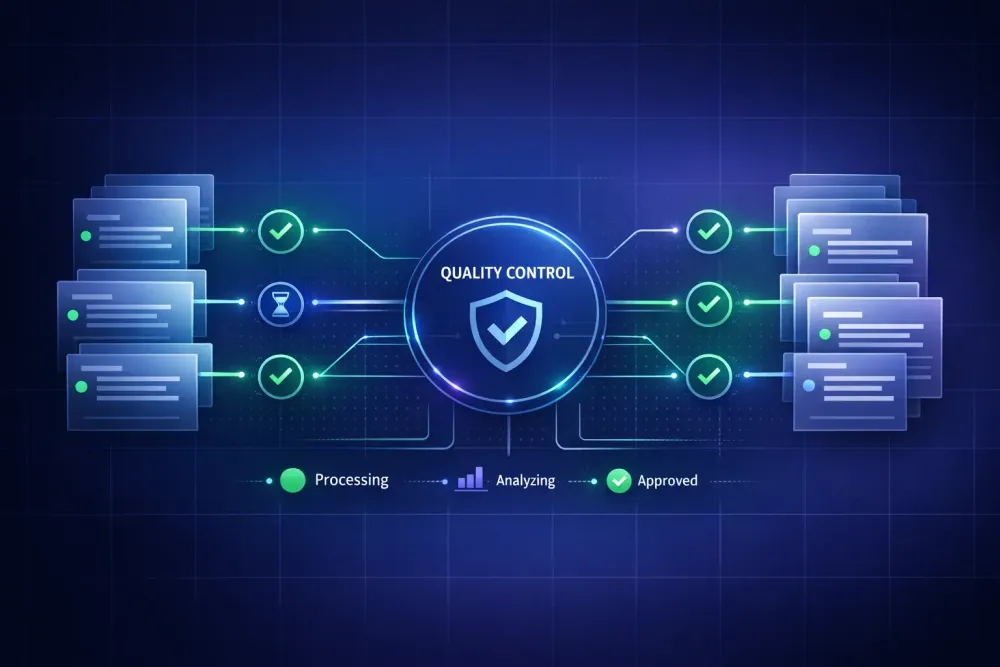
Most agencies we work with underestimate how quickly a batch translation job can slide off the rails. Batch translation agencies rely on every week, especially for recurring client deliveries, looks simple on paper. You drop twenty files into a queue, the system chews through them, you ship the outputs. In practice, problems pile up fast. Terminology drifts between files. Layouts break in quiet ways you don't notice until a client asks why their table of contents has renumbered. QA backs up because reviewers now have ten times the output to check. We've watched teams lose entire afternoons to reconciling inconsistent translations across a batch that was supposed to save them time.
Where batch translation actually lives in an agency workflow
Batch translation, in the most literal sense, means running multiple source files through a translation engine or workflow as one logical job. That could be five chapters of a manual, fifty contracts of the same type, or a quarterly content drop for a software product. The files share something — client, domain, language pair, sometimes deadline.
But the word "batch" hides a lot of decisions. Are files processed in parallel or in sequence? Do they share a translation memory and glossary, or does each file get its own context? Does QA run per file or across the whole set? Can you cancel one file without killing the others? Answers vary by tool and workflow, and they shape how much batch work actually saves you.
Some agencies treat batch translation as a single command. Upload everything, press start, wait. When the output arrives, they find that file 17 and file 23 translated the same source term three different ways because the glossary wasn't attached to every file in the set. Or that one file failed quietly halfway through, and nobody noticed until the project manager tried to assemble the delivery package on Friday afternoon.
The difference between a batch workflow that holds up and one that doesn't comes down to three things: context propagation (does each file get the same TM, glossary, and prompt?), visible per-file status (can you see where in the batch a failure happened?), and granular recovery (can you rerun one file without restarting the whole batch?). Most CAT tools support these in principle. Not all of them surface the controls clearly.
If you're new to batch work, start with the second question. If your current tool can't show per-file progress and status inside an active batch, that's the gap worth closing first.
Where batch translation agencies lose quality
We've categorized batch failures into a handful of recurring patterns. Most agencies hit all of them at some point.
The first is context drift. When each file in a batch gets translated with slightly different glossary or prompt state, terminology varies. This gets worst when files are added to a batch over time rather than all at once, because the shared assets may have been updated mid-run.
The second is silent file failures. A tool translates eighteen files, three fail for different reasons (corrupted segment, unsupported tag, API rate limit), and the batch completes with a cheerful "success" message that glosses over the partial result. If the project manager doesn't cross-check file counts against the source, the delivery goes out short.
The third is reviewer overload. Running a batch multiplies output volume by the number of files, but QA capacity doesn't scale linearly. Reviewers start skimming instead of reading, and errors leak through. We've had agency clients tell us that their QA quality drops measurably on batches of more than eight files handled by a single reviewer in a day.
The fourth is layout regression. When files have slightly different structures (one has a header table, another has a footnote style) and the batch processor normalizes them to a shared template, you can lose formatting a client expected to stay intact. This shows up hard with Smartcat bilingual DOCX files, which carry segment IDs and structural markers that need to survive the round trip.
None of these failures are exotic. They happen in batches of twelve when one tiny mismatch compounds. The ones that actually wreck agency deadlines are usually combinations: context drift plus silent failure, or layout regression plus reviewer overload.
Preparing files before you hit translate
Pre-flight preparation is the single biggest driver of batch quality. A batch of clean, normalized files almost always produces better output than a batch of mixed-quality inputs run through a more sophisticated engine.
We run through the same short checklist before sending any batch.
Confirm every file shares the same language pair. This sounds obvious, but batches that span language pairs get tricky because TM and glossary assets usually attach to one pair at a time. Split pairs into separate batches, even if it means two jobs instead of one.
Check source quality file by file. Scan for encoding issues, hidden styles, orphaned comments, and tracked changes left in by accident. We've seen entire batches ruined because one source file had "TODO: confirm wording" in a footnote that got translated literally.
Confirm the glossary and prompt context that will apply to the batch. If your tool lets you set a per-project or per-batch glossary, use it. If not, bake the glossary into the prompt directly. For our workflow, the approval gate we set on glossary and prompt content before translation starts has caught more problems than any post-translation QA step.
Run a small pilot. Translate one or two representative files before committing the full batch. If a tag structure fails or a glossary term gets misapplied, you catch it in minutes instead of an hour. We've had agencies push back on this step because it feels like extra work, but the time saved by catching a bad prompt early usually pays for three pilots.
Line up your output destinations. Know where translated files will land, what naming convention you'll use, and who has access. This is where batch jobs often lose files not to translation errors but to ordinary file-management chaos after delivery.
When we walk agencies through this, the most common response is "we already do most of that." Most do. Just not consistently on every batch.
Keeping consistency across the whole set
Consistency inside a batch is the hardest quality dimension to get right. A single file can be checked for internal consistency by one reviewer reading top to bottom. A batch of thirty needs something structural.
The baseline tool is a shared translation memory. Every file in the batch should read from and write to the same TM in real time, so that a term translated in file 3 is available as a match in file 4. When batches run in parallel, TM update order gets messy. Tools handle this differently. Some queue TM writes, some merge at the end, some only apply exact matches from the start-of-batch snapshot. Know which behavior yours uses before you plan a large batch.
The second tool is a glossary with enforced matches. If your system supports glossary enforcement at translation time, turn it on for batch work. The cost of an inconsistent client term across ten files is much higher than the cost of an occasional false positive that a reviewer has to adjust.
The third tool is cross-file QA. After the batch translates, run a terminology consistency check across the whole output set, not just per file. Most QA tools can do this if you feed them all the translated files at once. The common pattern we see: a term translated two different ways because file 1 got processed with prompt version A, and file 9 with prompt version B after a mid-batch change.
Style consistency deserves its own line. For style to hold across files, every file needs the same style guide reference in its context. That means either a shared prompt that includes style rules, or a pre-run style check that normalizes tone before translation. We've seen agencies use a translation style guide as the single source every batch job pulls from.
QA that scales with batch volume
Traditional human QA does not scale to batch volumes. If one reviewer can QA 3,000 words an hour, a batch of 40 files at 2,000 words each is five full days of review per reviewer. That's not workable for most agency timelines.
The answer is tiered QA. Not every file in a batch needs the same depth of review.
Tier 1 is automated QA on every file: tag checks, number checks, untranslated segment checks, glossary violation flags, length difference thresholds. Run this on 100 percent of the batch output. The goal is to catch structural and mechanical errors that are easy to miss when reading.
Tier 2 is targeted human spot-checks. Pick a fixed percentage of files (we often start with 15 percent) weighted toward files with the highest risk signals from tier 1: more automated flags, larger length variance, unusual file types. A human reviewer reads these fully and logs the error rate.
Tier 3 is full human review on anything the spot check flags as concerning. If tier 2 produces an error rate below your acceptance threshold, you ship the batch. If it produces a higher error rate, you escalate to full review on the remaining files.
This tiered approach works when two conditions hold. First, your automated QA catches mechanical errors reliably (missing tags, corrupted numbers, glossary violations). Second, your spot-check sample is genuinely representative of the batch. If your batch contains one outlier file type and your spot check misses it, the system breaks. We adjust sampling to guarantee at least one file of each type is reviewed.
For agencies that already have a standardized quality control process, adding tiered QA on top is usually straightforward. Teams without one tend to struggle because they haven't formalized acceptance thresholds yet.
When batching is the wrong choice
Batching isn't always right. Some file sets look like a batch but shouldn't be processed as one.
Files with materially different domains are the clearest case. A batch that mixes a legal contract, a marketing brochure, and a technical datasheet will force a single glossary and prompt to cover three distinct registers poorly. The better move is splitting them into smaller batches with their own glossaries.
Files with client-specific style adaptations are another. If file A is for client X and file B is for client Y, the prompt and glossary should be different. Running them in a shared batch saves processing time but costs you on rework.
Files with different priorities don't belong together either. If one file is a rush and three are routine, a batch delays the rush file behind the others. Send the rush file as its own job.
We also break batches when files have very different confidence requirements. A batch that mixes final-delivery work with internal reference material can lead to reviewers treating the reference files with unnecessary care, or, worse, skimming delivery files because they got into review mode on the reference material first. Separate the streams.
This doesn't apply if your team has strict per-file QA controls that make mixing safe. Some agencies do. Most don't, so we default to separation unless files genuinely share context and priority.
The meta-question we ask before starting a batch: would you accept the same glossary, prompt, and reviewer attention applied uniformly across every file in this set? If the answer is no, the batch is wrong.
A workflow we actually use
Here's the workflow we walk new agencies through when they ask how to handle batches reliably.
Group the inbound work. Take your incoming files and group them by language pair, domain, client, and priority. Each group becomes a candidate batch. If a group has fewer than three files, consider whether batching adds value or just overhead.
Prepare shared context. For each candidate batch, confirm shared glossary, prompt, and TM context. Run a pilot on one representative file from the group. Check output quality and make adjustments. Only after the pilot passes do you commit the full batch.
Execute with visibility. Kick off the batch in a tool that shows per-file status and lets you cancel individual files. Watch the first few files complete and spot-check them in real time. That's cheap insurance against a bad prompt running across forty files before anyone notices.
Run tiered QA as described above. Automated checks on everything. Human spot-checks on a weighted sample. Full review on anything flagged.
Reconcile and assemble. Check that every file in the batch has a corresponding output. Reconcile file counts explicitly. Apply your naming convention. Package for delivery.
Debrief after. Log what went wrong. Update your glossary based on what the batch taught you. Note any prompt adjustments that would help the next similar batch.
If you already work with Smartcat bilingual DOCX files, this workflow maps cleanly to tools built around that format. We built SnapIntel as a batch-aware workflow layer for exactly this kind of work: it imports Smartcat bilingual DOCX files, runs translation jobs with per-file progress visibility and a QA report, and returns downloadable outputs ready for review. You can find it at snapintel.io. For agencies that don't use Smartcat, the same principles apply with whatever CAT tool handles your format.
One thing to take away
For batch translation agencies rely on, the biggest quality risks come from inconsistent context across files and invisible partial failures, not from the translation engine itself. Build your workflow around shared glossary and prompt enforcement, per-file visibility, and tiered QA. Pilot every large batch before committing. Accept that some file sets shouldn't be batched at all. If you do those four things, your batch work will stop producing surprises on delivery day.