The freelance translator's complete guide to working smarter in 2026
A practical guide to freelance translator productivity in 2026 — terminology management, workflow structure, tool selection, and pricing in an AI-heavy market.
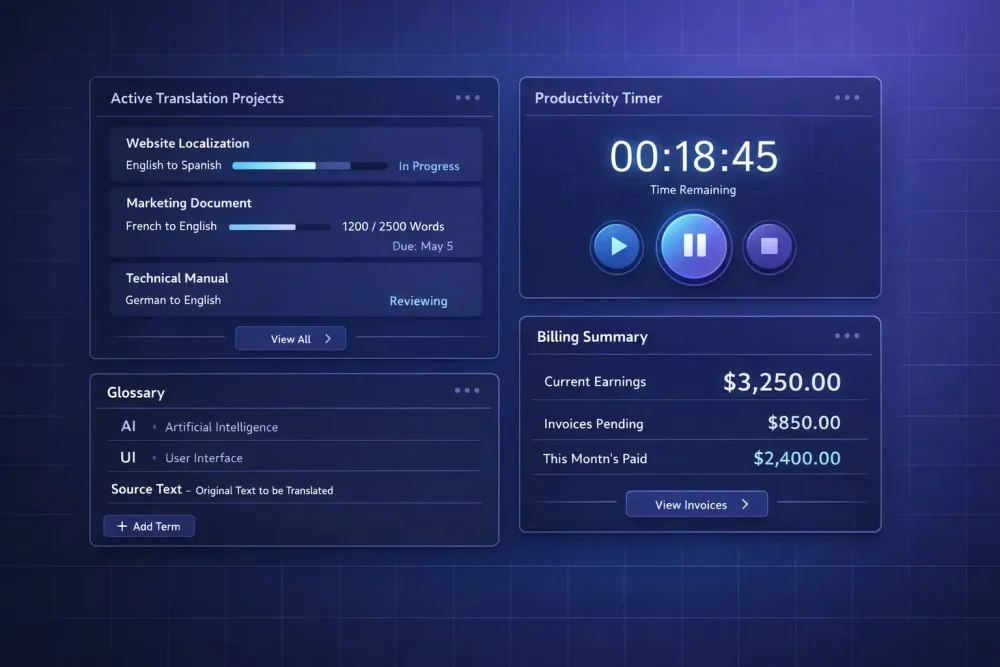
Freelance translation in 2026 looks different than it did five years ago, and the difference isn't just that AI exists. It's that ignoring how AI fits into your workflow is no longer a neutral choice. Agencies are moving faster, rates for pure translation without process value are under pressure, and the translators doing well have figured out what they're actually selling. This guide is about working smarter — with tools, with workflow structure, and with a clearer sense of where your time goes and what it's worth.
What "working smarter" actually means for freelancers
The phrase gets used as productivity advice, but it points at something more specific: reducing the effort that doesn't produce client value. Every freelance translator spends time on things that don't directly translate into quality output or income. Re-reading briefs to find information that should have been in a glossary. Manually formatting deliverables the client will reformat anyway. Chasing project confirmations. Rebuilding terminology from scratch for a repeat client.
Working smarter means identifying those activities and either eliminating them, systematizing them, or pricing them correctly. It doesn't mean working faster — translation quality degrades when you rush, and experienced translators know this. It means removing the friction that slows you down without adding value.
The highest-impact areas for most freelancers are terminology management, workflow structure, and tool selection. We'll cover all three, plus the pricing question that comes up constantly now that AI is part of the picture.
Terminology management as a personal asset
Most freelancers think of terminology management as something agencies do. A well-maintained personal termbase is actually one of the most durable productivity assets a freelance translator can build.
The logic is simple. Every project in a domain requires terminology decisions. If those decisions are made once and stored, the second project in that domain costs less time than the first. If they're not stored, the second project starts from zero — and the terminology may not even be consistent with what you delivered before.
A practical personal terminology system doesn't need to be complex. A single spreadsheet per domain, with columns for source term, target term, context note, and client where applicable, is sufficient. The habits that matter: update it after every project, not just before; include context notes when a term has usage constraints; and flag deprecated terms when a client updates their preferences.
For translators working with Smartcat, glossaries can be associated at the project level and surface as suggestions in the CAT editor. Building your glossary in a format importable into Smartcat means you're not starting each project by pasting terms into a reference document — the system surfaces them automatically as you work.
In AI-assisted workflows, the glossary is even more directly load-bearing. If you're using a tool that accepts a glossary as input before running AI translation, the quality of your glossary determines the terminological consistency of the output. A glossary you've maintained across three projects with the same client reflects actual client preferences, not just domain frequency — and that difference shows in the final translation.
Building a workflow that runs without constant decisions
The biggest time sink for freelancers isn't translation — it's the process overhead around translation. File management, format conversion, version control, delivery confirmation, invoice generation. None of this requires translation skill, but it consumes translation time.
The goal is to systematize the repeatable parts so they don't require decisions each time. A folder structure you use on every project without thinking. A file naming convention that makes version control obvious. A delivery template you customize rather than write from scratch. An invoicing rhythm that doesn't require you to chase your own records.
For the translation work itself, CAT tool shortcuts are the main efficiency lever. If you work in memoQ, Trados, Smartcat, or another modern CAT tool, invest time in learning the shortcuts for your most common operations — confirming segments, inserting TM matches, navigating between QA flags. Not every shortcut in the documentation. The ones you use every hundred segments. These add up to minutes per document and hours per month.
Translation memory management deserves its own attention. A TM you've maintained consistently is worth real money: segments that match at 100% cost you no active translation time. A TM that's grown across years of work in a domain, with confirmed segments reviewed for quality, produces leverage that increases with every project. Treat your TM as a financial asset — it affects your effective hourly rate on every project where it applies.
One workflow change that consistently helps: write the delivery email before starting a project. Draft it with placeholder fields for the actual deliverables. When you finish translation, you fill in the file names and send. This sounds trivial, but it removes the decision overhead of composing a professional delivery message after a long translation session.
Tool selection: what's worth paying for
Freelancers face constant pressure to adopt new tools. Every year brings new AI translation apps, productivity software, CAT tool plugins. The practical filter: does this tool reduce effort on work I already do, or does it create a new category of work?
The tools worth paying for in a freelance translation stack in 2026:
A CAT tool is non-negotiable for any volume of professional translation work. The main options — Trados, memoQ, Smartcat, Déjà Vu — have different strengths. Smartcat has a genuinely full-featured free tier for most freelance use cases. memoQ is widely required by agencies. The right choice depends on what your main clients require, not on feature comparisons in isolation.
TM and terminology management are built into CAT tools, but the value comes from discipline in maintaining them. If you're not updating your TM and glossaries after every project, the tool is not the bottleneck.
AI translation assistance depends entirely on the type of work you do. For highly technical or repetitive content with consistent domain terminology, AI pre-translation followed by post-editing can significantly increase throughput. For creative, marketing, or literary content, AI output typically requires more revision than it saves. Be honest about which category your work actually falls into.
For translators already working with Smartcat bilingual DOCX files, SnapIntel accepts that export format as the entry point for AI translation workflows — which means you can move from CAT export to AI-assisted translation without format conversion overhead. Whether that fits your workflow depends on the project type.
Project management and invoicing: simple tools work. The goal is to close the loop between project intake, delivery tracking, and invoice generation without manual reconciliation. Whatever system you use consistently beats a more sophisticated one you use intermittently.
Pricing your work when AI is part of the picture
This is the question we hear most often from translators right now, and there isn't a clean answer.
The old model was straightforward: rate per word, word count determines invoice. That model was always an imperfect proxy for effort, and it's under more pressure now because AI pre-translation changes what "effort" means on certain project types.
If you're producing final deliverables that require heavy post-editing of AI output, your effective hourly rate is lower than it was when you were translating from scratch — unless the word count reflects the full effort. If you're using AI to handle repetitive segments and spending your time on the complex ones, your effective hourly rate might actually be higher than the per-word math suggests.
The practical implication: move toward pricing that reflects the value you deliver, not just the word count. For specialized domains where your terminology knowledge, regulatory understanding, or client-specific knowledge produces outputs that generic AI cannot, that expertise carries a rate premium. For general-content work where AI output quality is high and post-editing is light, per-word rates face ongoing pressure.
Some agencies offer MTPE (machine translation post-editing) rates, which are lower than full translation rates but still require professional judgment to apply correctly. If you're offered MTPE work, understand what the actual scope is. Light post-editing and full revision are different tasks at different rates, regardless of what the project is labeled.
The clearest competitive position for a freelance translator right now: domain expertise combined with the ability to work effectively with AI output. Knowing what an AI translation got wrong and why, quickly, in a specialized domain — that's not replaceable. It requires both the domain knowledge and the translation judgment that comes from years of professional practice.
Managing client relationships to reduce overhead
Client relationship management directly affects how efficiently you work, even if it doesn't feel like a productivity topic. Clear briefs produce better translations with less revision. Clients who understand what they're buying generate fewer scope disputes. Long-term clients whose preferences you know require less setup time than new ones.
A few habits that reduce client-related overhead:
Ask for a brief on every new project, even a short one. If the client doesn't have one, send a one-page template they can fill in. The information — audience, register, deadline, known terminology preferences — is worth more than the time it takes to request it.
Document decisions as you go. When a client approves a terminology choice that wasn't in the glossary, add it to your client record. When a client flags a style preference, note it. Over time, you build a client profile that means the tenth project requires a fraction of the setup time the first one did.
Be explicit about revision scope. Many freelancers accept revision requests without clarifying whether the request is within the original project scope. "Can you change this?" is a new instruction. "This is a translation error" is a correction. Handling both without distinction trains clients to treat revision as unlimited.
What to track if you track nothing else
Most freelancers don't track their time with any precision, which means they have no reliable data on their effective hourly rate. Without that number, you can't make good decisions about which clients to prioritize, which projects to accept, or whether a tool purchase is worth it.
The minimum useful tracking: log start and finish time on each project, note the word count and invoice amount, and calculate the effective hourly rate. Do this for three months. The patterns that emerge will tell you more than any productivity advice — you'll see which client types, domains, and project formats actually produce the best returns for your work, not your theoretical capacity.
Word counts alone don't tell you this. A 5,000-word project at €0.12/word that takes two hours is different from a 5,000-word project at the same rate that takes six hours because of poor source material, missing terminology, and extensive revision. Both look the same on the invoice.
The translators who've built genuinely sustainable freelance practices — stable income, manageable workload, clients who don't require constant re-education — all have one thing in common: they know their actual numbers from their own project history.
For more on how AI translation tools fit into professional workflows, see our piece on how AI translation tools are changing the way translators work in 2026.