Smartcat bilingual DOCX: everything you need to know before running AI translation
Smartcat bilingual DOCX files are the starting point for structured AI translation. Here's what's inside them and why it matters before you run any translation job.
If you've worked in Smartcat for any length of time, you've probably exported a bilingual DOCX without thinking too hard about what's in it. You needed the file, you exported it, you sent it somewhere. That works fine until you try to use that file as the input for an AI translation job — at which point the structure of the file becomes very much your problem.
The Smartcat bilingual DOCX format is the foundation of a structured translation workflow that connects Smartcat's CAT editor to downstream processes like AI translation, review, and final delivery. Understanding what's inside it, and what that means for any tool or workflow step that processes it, saves you from surprises later.
What a Smartcat bilingual DOCX actually contains
When you export a bilingual DOCX from Smartcat, you're not just getting a side-by-side version of your document. The file contains a structured representation of your project in a specific format that Smartcat uses to store translation state.
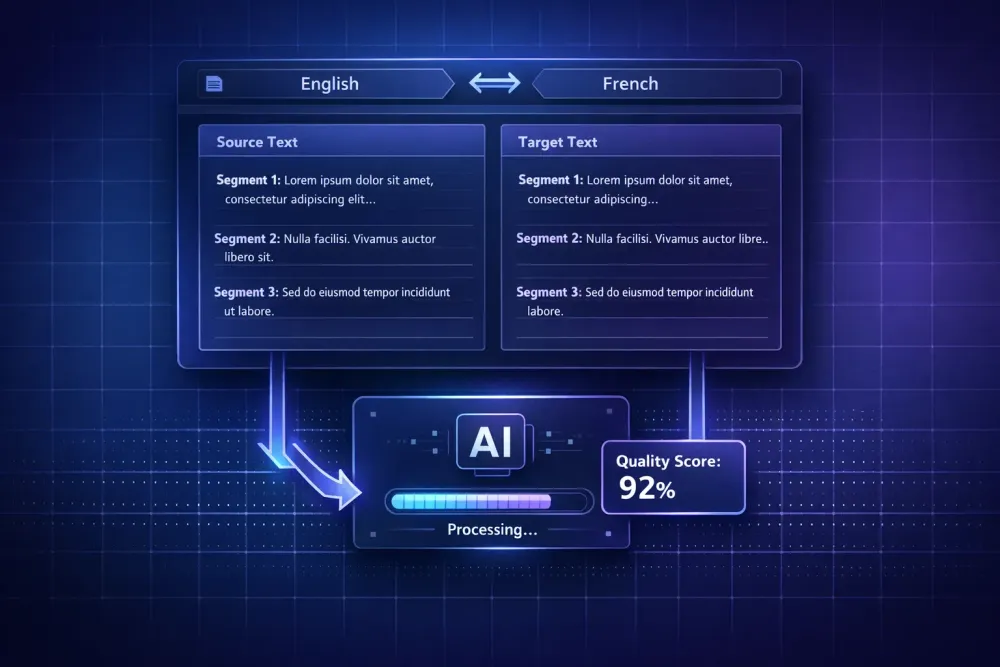
The file pairs source segments with target segments. Each segment corresponds to a unit of text — usually a sentence — as Smartcat segmented it when the project was created. The segment pairs are organized so that source text and target text appear together, in sequence, for each unit. Any translation work already done in the Smartcat CAT editor shows up in the target column of the exported file.
The file also carries the source and target language information in its header. This isn't just metadata — it's the authoritative record of what language pair the project was set up for. Tools designed to process Smartcat bilingual DOCX files read this information to understand what they're working with before doing anything else.
One thing the bilingual DOCX doesn't contain: translation memory entries from previous projects, or glossary content. Those exist separately in Smartcat. The bilingual file is a snapshot of this project's segment pairs, not a full export of your Smartcat workspace. This matters if you're planning to use an external AI translation tool — you'll need to bring your glossary and context separately, not assume it travels with the file.
Why the file structure matters for AI translation
AI translation tools that work with Smartcat bilingual DOCX files need to parse that specific structure correctly to produce useful output. The segments need to be read in the right order, the source-target pairing needs to be preserved, and the language pair needs to be detected from the file itself rather than guessed.
When this goes wrong — when an AI tool treats the bilingual DOCX like a plain document and translates the already-translated target column rather than the source, or loses segment boundaries during processing — the output is garbage. Sometimes visibly so. Sometimes less obviously, in ways that only become clear during review when you notice the segment order has shifted or content is missing.
Tools built specifically for Smartcat bilingual DOCX import validate the file structure before doing anything. The import step checks that the file is a genuine Smartcat bilingual export, identifies the segment pairs, detects the language header, and normalizes the file into whatever internal format the tool uses for translation jobs. If the file doesn't pass validation — because it was modified manually, exported from a different CAT tool, or corrupted in some way — the job should fail at import rather than silently produce bad output.
This is one place where using a tool designed for this specific file type beats trying to process it through a generic document translation workflow. Generic tools don't know what the two-column structure means, don't know to look for the language header, and don't have any way to validate that the segment pairing makes sense.
How export settings affect what you get
Not all Smartcat bilingual DOCX exports are the same. The translation state at the time of export affects the content of the file, and that affects what an AI translation tool can do with it.
If you export before any translation has been done in the Smartcat editor, the target column is empty (or contains machine translation if you've run Smartcat's pre-translation). The AI translation tool will treat those empty segments as the work to do.
If you export after partial translation — some segments confirmed, some still in draft or untouched — the bilingual file contains a mix of states. How an AI translation tool handles confirmed segments versus unconfirmed ones matters here. A well-designed tool preserves confirmed human translations rather than overwriting them with AI output. If a translator has already confirmed 30% of the segments in Smartcat, you probably don't want an AI job to replace those with machine translation.
For more on the Smartcat export process itself, our step-by-step guide to exporting a bilingual DOCX from Smartcat covers the mechanics in detail.
Domain analysis before translation: why it's worth the step
One thing that consistently produces better AI translation output from Smartcat bilingual files: spending time on domain analysis before the translation job runs. This doesn't mean extensive manual work. It means identifying what kind of document you're working with and making sure the translation context — glossary and prompt — reflects that.
Smartcat bilingual files from legal projects have a different terminology profile than those from marketing or technical documentation. Legal source text tends to use precise terms that carry specific meanings within a legal tradition, and AI translation needs to be told how to handle them. A glossary that includes the key legal terms from this client's projects, and a translation prompt that specifies the domain, register, and any specific conventions, changes the quality of AI output substantially compared to running the same job with no context.
Domain analysis can be done by reading through the source column of the bilingual file, identifying recurring terms, and building or updating a glossary before starting. The point is that doing it before translation runs — not after — means the glossary and prompt get applied to the whole job. Fixing terminology errors after the fact, segment by segment, is much more expensive than setting up the context correctly in the first place.
Glossary and prompt preparation: the step that most workflows skip
Any structured AI translation workflow for Smartcat bilingual DOCX files should include an explicit step where a human reviews and approves the glossary and prompt before translation starts. This isn't bureaucratic overhead. It's the mechanism that makes the translation job produce consistent, reviewable output rather than a first draft that varies by segment.
The glossary defines how specific source terms should appear in the target. If you've established that a particular client always uses "agreement" rather than "contract" for a specific document type, that needs to be in the glossary before the AI job runs. If a technical product has a name that shouldn't be translated, that goes in the glossary too. The prompt sets the broader context: language pair, domain, register, any specific instructions about how to handle elements the glossary doesn't cover.
Approving both before translation starts creates a clear boundary between preparation and execution. If quality problems appear in the output, you can trace them — was the terminology specification missing, or did the AI deviate from a glossary entry that was present? That traceability matters when you're reviewing QA reports and trying to figure out what to fix for the next job.
SnapIntel is built around exactly this workflow. It supports Smartcat bilingual DOCX import for project creation, validates the file at import, lets users run domain analysis and build a glossary and translation prompt, and requires explicit glossary and prompt approval before the job starts. The result is a translated DOCX along with a QA report and quality rating. If you work regularly with Smartcat bilingual exports and want a more structured path from export to reviewed output, snapintel.io is designed for that workflow specifically.
QA and review: what to look for after the job runs
Once an AI translation job on a Smartcat bilingual file completes, QA isn't optional — it's the step that determines whether the output is actually usable. What you're reviewing is different from what you'd look for in a human translation: AI output fails in patterns, and knowing those patterns lets you review more efficiently.
Terminology consistency is the first thing to check. Even with a good glossary, AI systems occasionally use alternate phrasings for established terms, especially in longer documents where the same term appears in different syntactic contexts. A QA check that scans for glossary term variants catches most of these without requiring a full manual read.
Segment completeness comes next. Has every source segment received a target translation? Are there segments where the AI returned empty output or placeholder text? Tools with QA reporting surface these automatically, but it's worth verifying that the count of translated segments matches the count of source segments.
Register consistency across the document is harder to catch automatically. Reading a sample of the translated output — not every segment, but enough to get a feel for the tone — tells you whether the AI maintained a consistent register or shifted in ways the source didn't. This matters more in client-facing documents than in internal content.
Connecting the output back to Smartcat
The Smartcat bilingual DOCX workflow is designed as a round-trip: export from Smartcat, process externally, return the results. After an AI translation job completes outside Smartcat, you can import the translated content back into the Smartcat project. Translators can then review in the CAT editor, using the familiar interface with TM and glossary support.
This round-trip is what makes the Smartcat bilingual DOCX format genuinely useful for agencies with Smartcat-based workflows. The external AI processing step adds capabilities not available in Smartcat's native workflow — domain analysis, specific prompt control, detailed QA reporting — without forcing you to abandon the CAT environment where your translators work. The processed file comes back into Smartcat, and review happens there.
Getting this right requires that the external tool produce output that Smartcat can import cleanly. The segment pairing has to be preserved, the language pair has to match what Smartcat expects, and the file structure has to conform to what Smartcat's import recognizes as a valid bilingual document. Tools built for this specific file type handle the round-trip. Generic document translation tools often don't.
What this means in practice
Smartcat bilingual DOCX is not a complicated format — it's a structured segment-by-segment representation of a Smartcat project in a readable DOCX container. But that structure is specific enough that tools and workflows designed for it behave very differently from those that treat it as a generic document.
Before running any AI translation job on a Smartcat bilingual export: validate that the export is clean, prepare your glossary and prompt based on the specific domain and client, require an explicit approval step before the job runs, and plan for QA review of the output. That sequence — preparation, approval, execution, QA — is what separates a structured AI translation workflow from running a file through a translation engine and hoping for good output.