Smartcat automation rules: how to save hours on repetitive tasks
Learn how Smartcat automation rules and workflow automation features can cut hours of manual work from your translation projects. A practical guide.
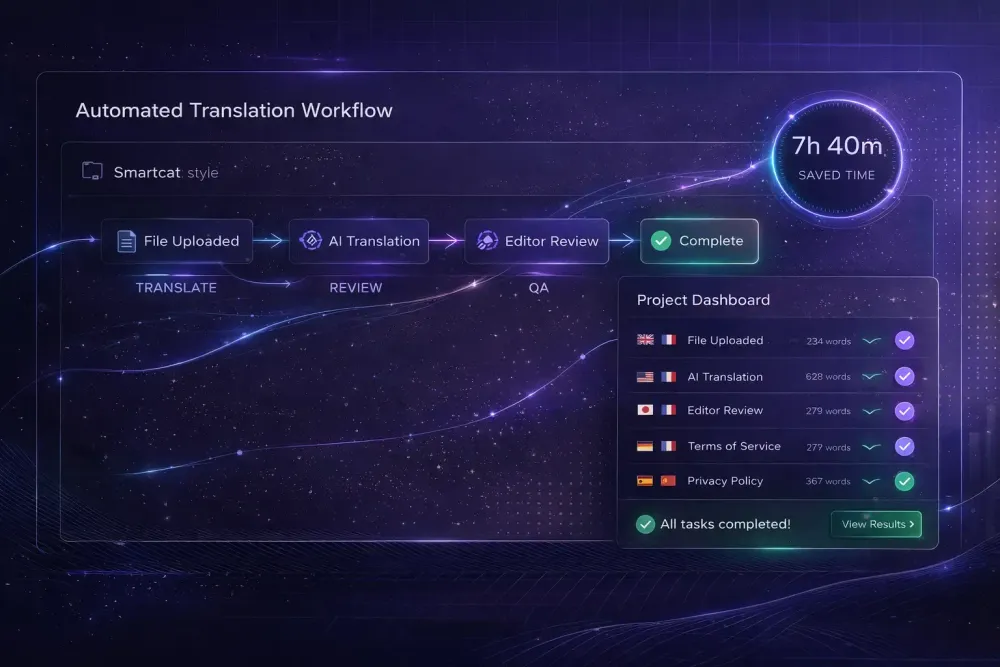
Much of the manual work in a Smartcat project can be eliminated if you set up your workflow correctly from the start. Smartcat automation rules and the platform's built-in automation features handle the repetitive steps that take up a project manager's day — TM lookup, pre-translation, QA checks, file ingestion — so that human attention goes to the decisions that genuinely require judgment. In our experience working with agencies that run multilingual projects at volume, the teams that save the most time aren't always using more sophisticated tools. They're using the same tools more deliberately.
Where repetitive work actually hides in a Smartcat project
Most project managers who feel like they're drowning in manual work can trace the bulk of it to a small set of recurring tasks: preparing files for translation, checking TM savings before quoting, following up with linguists on status, running QA checks segment by segment, and handling the logistics of file delivery. Some of these require human judgment. Many don't.
The distinction matters because Smartcat's automation layer is built around exactly this principle: computers are better at pattern-matching at scale, and people are better at judgment in context. A system that auto-applies confirmed TM matches at 100% isn't cutting corners. It's doing what it should. A system that flags a translated number that doesn't match the source is catching something a human reviewer scanning at speed might miss.
The first step toward meaningful time savings is getting honest about which of your recurring tasks fall into the "should be automated" category. In our experience, most teams underestimate how many tasks qualify.
How translation memory automation reduces segment work
Translation Memory in Smartcat operates automatically once it's configured correctly. Exact matches — segments where the source text is 100% identical to a previously confirmed translation — are applied and confirmed without requiring manual intervention. Fuzzy matches, typically in the 75–99% similarity range, surface as suggestions in the CAT editor for the translator to review and accept or modify.
The practical result: if your projects contain significant repetition — boilerplate legal language, product descriptions with a consistent structure, recurring technical documentation sections — TM automation reduces the number of segments requiring active translator work. Smartcat's Smartwords pricing reflects this directly. Segments at 100% TM match cost 0 Smartwords; fuzzy matches are charged at roughly 40% of the full AI translation rate.
For an agency managing product catalogs with many similar entries, or maintaining a library of standard contract clauses, this accumulates fast. An agency that connects its TMs correctly across related projects builds translation savings over time. An agency that treats each project as a fresh start loses that accumulated value on every run.
Configuring TM correctly means associating the right TMs with each project and ensuring confirmed segments from completed projects are being written back to the TM. This is a one-time configuration step per project type, not an ongoing manual task — but it has to be done intentionally.
Pre-translation: letting the AI pipeline run first
Pre-translation is the most impactful automation feature that agencies consistently underuse. Rather than having translators work from an empty target column, pre-translation runs the full AI pipeline across all segments before any human opens the editor. Translators then review and post-edit AI output rather than translating from scratch.
From the Smartcat AI translation pipeline, this means each segment passes through segmentation, TM lookup (with exact matches applied automatically), AI translation using the best available engine for the language pair, automated QA checks, and glossary-term correction — all before a human sees the file.
The time savings depend on domain and language pair. For general content in well-supported pairs, pre-translation combined with a relevant glossary and active TM can cut active translation time substantially. For highly specialized content in less common language pairs, the post-editing effort may still be significant. This doesn't apply if your primary work is in domains where AI output quality is inconsistent with your client's standards — in those cases, pre-translation can actually slow things down by creating output that takes longer to correct than to translate fresh.
Pre-translation works best when it's configured with a domain-specific glossary and a thoughtful project prompt. Generic pre-translation without that context produces output that requires more post-editing, which erodes the time benefit. The preparation step isn't optional if you want the automation to pay off.
Automated QA checks: catching errors before human review
Smartcat's QA checks run automatically as part of the AI translation pipeline. They flag specific categories of problems: missing or broken formatting tags, number mismatches between source and target, and glossary violations where a defined source term appears but the approved translation wasn't applied.
These checks aren't a substitute for human proofreading. What they are is a filter that reduces the number of mechanical errors reaching a human reviewer. A project manager who configures QA to run automatically before sending files to review isn't replacing the review step — they're improving its signal-to-noise ratio. The reviewer spends time on genuine translation decisions rather than catching number errors or missing tags.
The Translation Quality Score (TQS) adds another layer of automation. For each AI-translated segment, Smartcat generates a score from 0 to 100. Segments above a configured threshold are auto-confirmed; segments below go to human review. TQS learns from reviewer edits over time, which means the threshold accuracy improves as your team uses the system.
The practical use case: a project manager who configures TQS correctly can direct only the flagged segments to a human reviewer rather than the full file. For large projects with strong AI output quality, this dramatically reduces review volume. The configuration takes time to get right for a given content type and language pair, but once it's calibrated, it runs without additional management.
Integrations that eliminate file-handling steps
One of the largest sources of manual work in any translation operation isn't translation itself — it's file handling. Receiving files from clients, uploading them to the CAT tool, downloading translated versions, returning them, keeping track of which version is current. Done manually across a high volume of projects, it adds up to hours every week.
Smartcat's integration layer addresses this directly. Connections to CMS platforms — including WordPress, Contentful, Webflow, and others — as well as tools like Jira and Figma allow content to move in and out of Smartcat without manual file operations. Smartcat supports three integration modes: full automation (content pushes and pulls without human involvement), real-time API, and manual sync.
For an agency managing a client's ongoing website content, a full-automation integration means new content is picked up, translated, QA-checked, and returned to the CMS without a project manager handling files in between. The logistics layer disappears. Human review of translation quality is still part of the workflow, but the mechanical steps around it are gone.
This works best for clients with structured, regularly updated content. For one-off document translation projects, the integration setup investment may not be the right call.
How SnapIntel fits into the Smartcat workflow
If your agency exports Smartcat bilingual DOCX files — for client review, for archival, or to run a controlled AI translation pass outside the Smartcat environment — that's where SnapIntel comes in. SnapIntel takes a Smartcat bilingual DOCX export and puts it through a structured workflow: domain analysis, glossary generation and editing, prompt configuration, and translation execution with QA output. The product is designed for teams that need more control over what happens after the Smartcat export — particularly when the deliverable is a reviewed translated DOCX with a quality rating and QA report rather than just a raw AI output.
For context on how the full Smartcat workflow connects from project creation through bilingual export, our complete guide to Smartcat for translation agencies covers the broader workflow and how different features fit together.
What still needs a human — and why that's the point
Automation in Smartcat doesn't eliminate the translator or the project manager. What it eliminates is the mechanical work around translation: the TM lookups that have obvious right answers, the number checks that should never reach a human, the file transfers that don't require any professional judgment.
The goal of workflow automation is to direct human attention where it genuinely matters. A translator who works only on segments that need them — rather than on content the TM already handled or on fixing tag errors the QA check should have caught — is doing better work in less time. A project manager who isn't manually handling file logistics can spend that time on the quality decisions that affect client outcomes.
Automation only saves time if it's set up correctly. The teams that benefit most from Smartcat's automation features are those that invest time upfront in configuring TMs, building glossaries, calibrating TQS thresholds, and connecting the integrations that matter for their client base — and then maintain those configurations as projects evolve and language pairs change.
The setup investment is real. So is the return.
Actionable takeaway: Audit your last five Smartcat projects and identify which manual steps appeared in all of them. For each one, check whether Smartcat's TM automation, pre-translation, automated QA, or integration layer could handle that step without human involvement. Start with whichever step has the highest repetition across projects — that's where time savings accumulate fastest.