Plunet vs XTRF: choosing a business management system for your LSP
Plunet vs XTRF: a practical comparison for LSPs covering quoting, vendor management, integrations, and real costs before you commit.
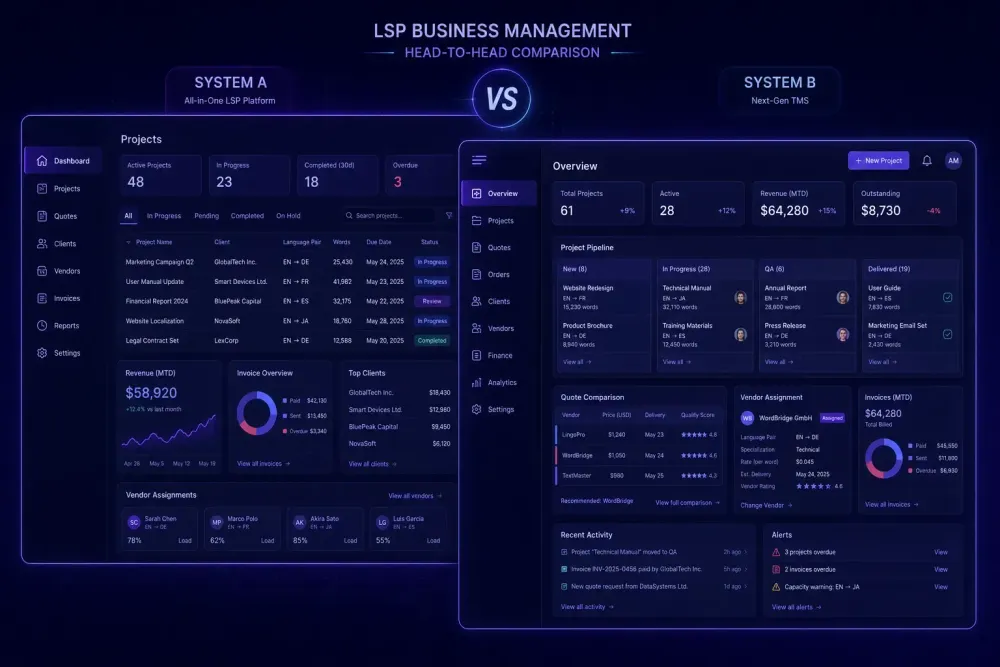
When a translation agency reaches the point where spreadsheets and email threads are no longer holding the business together, the search for a proper business management system usually begins. Two names dominate that conversation: Plunet and XTRF. Both handle the operational layer of running a language service provider — quoting, project management, vendor assignments, invoicing — and both have been on the market long enough to have shaped how mid-to-large agencies think about workflow software. Choosing between them is rarely straightforward. The products overlap in most areas and diverge sharply in a few that turn out to matter a lot, depending on how your agency actually operates. We've spoken with project managers and agency owners who've used both systems, sometimes having switched from one to the other, and what comes up most often isn't price or feature lists. In this comparison of Plunet vs XTRF, we walk through where the systems actually differ and what those differences mean in practice.
What Plunet and XTRF actually manage
Both Plunet and XTRF are business management systems, not CAT tools. That distinction matters more than it sounds. A CAT tool is what translators work in: the editor, translation memory, glossary matching. A BMS sits above that layer and handles what project managers and finance teams need — client quotes, purchase orders, job assignments, deadline tracking, vendor payments, and accounting integration. If you need a tool that manages translator workflows at the segment level, that's your CAT tool or TMS. If you need to manage the business around those projects — the quoting-to-invoice cycle, the client relationships, the vendor database — that's where a BMS fits. Our guide to CAT tool vs TMS differences covers where these layers sit relative to each other, which is useful context before making a BMS decision.
Plunet BusinessManager structures work around a hierarchy of orders, projects, and jobs. A single client order can contain multiple projects (different language pairs, for example), and each project breaks into individual jobs assigned to vendors. This mirrors how many agencies already think about work internally, which is part of why the model feels familiar to teams migrating from manual processes.
XTRF takes a similar approach but introduces a concept called Smart Projects. Smart Projects automate the assignment of steps in a translation workflow — preparation, translation, editing, proofreading — using configurable routing rules. For agencies that run the same workflow type repeatedly, such as all legal translations following a fixed translate-edit-proofread sequence, Smart Projects can reduce the manual work of building each project from scratch. For agencies where every project is genuinely different — varied language pairs, non-standard steps, clients with specific delivery requirements — the automation layer can add overhead without proportionate returns.
Both products support the full client-vendor lifecycle: client management with rate cards, vendor databases with language pairs and specializations, quote generation, project monitoring, delivery tracking, and invoice generation. The underlying architecture differs; the scope is broadly comparable.
Plunet vs XTRF — the quoting and invoicing experience
The quoting process is where the two systems feel most different in daily use. Plunet's quote module is highly configurable. You can build complex pricing structures with client-specific rate cards, discount tiers, and volume pricing, and quotes can pull from translation memory analysis results when you connect to a CAT tool via API. For agencies dealing with irregular or negotiated pricing — common in enterprise and government work — that configurability is a genuine advantage. The trade-off is that setting up those pricing structures correctly takes significant time and often requires system administration skills not every agency has in-house. We've seen agencies get through demos, sign contracts, and then realize the pricing logic they need isn't available without custom configuration work that wasn't scoped in the implementation quote.
XTRF's quoting interface is generally more accessible out of the box. The client portal is a meaningful differentiator here: XTRF allows clients to submit work requests directly through a branded portal, which reduces email back-and-forth and centralizes project intake. For agencies that want to give clients visibility into project status without opening internal systems to them, the client portal requires considerably less configuration to get running than comparable functionality in Plunet.
On the invoicing side, both systems generate invoices from project data and connect to external accounting software. Plunet has historically had stronger integration with German-market accounting tools, reflecting its origins. XTRF has broader coverage with platforms more common in English-speaking and Eastern European markets. For agencies with multi-currency billing or consolidated invoicing across multiple clients in a single cycle, this is worth checking explicitly before committing to either platform — not just on paper, but by running test invoices during your trial period.
Vendor management and job assignment
Managing a vendor database of fifty translators and managing one of five hundred are genuinely different problems, and where Plunet and XTRF sit on that spectrum affects which one fits.
Plunet's vendor module is detailed and has been extended over many years. You can store language pairs, specializations, rates, availability, and quality ratings against each vendor, and the search interface lets you filter by multiple criteria before assigning a job. If you need a medical translator working from English into Polish-German with availability this week, that filter-based search works well. For agencies that assign work manually based on relationship and judgment, Plunet's approach fits the decision-making process.
XTRF's approach to vendor management includes automated assignment features built into Smart Projects. When a workflow step needs to be filled, XTRF can filter and rank available vendors automatically based on criteria you define: language pair, specialization, rate, and sometimes quality history. For agencies handling high volumes of repeating project types, this can meaningfully reduce the time project managers spend on routine assignments. For agencies where every assignment involves judgment — a long-standing client relationship, a specialist needed for a niche domain — the automation layer adds less.
Both systems include vendor portals where freelancers can accept or decline jobs, submit finished files, and access invoices. This is a dimension many agencies underweight during evaluation. We've heard from PM teams who picked a system based on the internal dashboard and later learned from their vendor network that the vendor portal was slow, confusing, or broken on mobile. Running a test job through the system with an actual freelancer, using a real account rather than an admin test profile, gives a much more accurate picture than any internal admin view.
One more thing worth checking in this area: both systems handle different payment currencies and payment schedules for vendors. If you're paying translators in multiple currencies or running consolidated monthly payments, verify how each system handles this before you assume it works the way you expect.
Integration with CAT tools and other systems
Neither Plunet nor XTRF is a translation tool. Both are designed to sit alongside a CAT tool or TMS, connected through integrations. The range and reliability of those integrations matter more than most comparison guides suggest, particularly if you're already running Trados, memoQ, or Phrase.
Plunet offers XML-RPC and REST APIs and has connectors for several major CAT platforms. The integration depth varies by connector: some allow bidirectional sync of project data and file status; others are more limited. Third-party developers have extended Plunet's integration ecosystem beyond what ships natively, but support quality for those third-party connectors varies — and when something breaks at the API level during a busy delivery period, the question of who is responsible for fixing it matters a lot.
XTRF has built-in integrations with major CAT platforms and exposes an API for custom work. Its Trados Studio integration has historically been well-regarded by agencies already in the Trados ecosystem. For agencies using Phrase TMS, XTRF's connector allows project creation and status synchronization, which removes manual handoffs between the BMS and the translation platform.
One area both vendors handle inconsistently is translation memory analysis as a pricing input. Some configurations allow a CAT tool's word-count analysis file to populate a quote automatically; others require manual data entry. If this is part of your standard quoting workflow, test it explicitly during the trial period. The difference between a working automatic analysis import and manual entry adds up quickly at volume — we're talking about hours per week for a busy agency doing ten or more quotes a day.
Pricing and what agencies actually pay
Both Plunet and XTRF license on a per-user or module basis, and neither publishes pricing publicly. What agencies consistently report is that the per-user license fee understates the total cost by a meaningful margin.
Implementation and onboarding are the largest variable. Both systems are complex enough that most agencies pay for professional services to configure the system, set up integrations, and train staff. The configuration decisions made in the first few weeks determine how usable the system is a year later, and getting them wrong is expensive to undo. Agencies that skip professional implementation to reduce the upfront cost frequently rebuild their configuration anyway — usually after absorbing the productivity cost of a misconfigured system for six months.
Support tiers also shape what you actually pay. For agencies running daily operations through the BMS, a billing module issue sitting in a low-priority support queue is a direct revenue problem. We've heard from agency owners who couldn't invoice clients for a week because of a system issue they couldn't resolve without vendor support. That context is worth factoring into tier selection, even if the higher support cost feels optional during the sales process.
XTRF is generally seen as more accessible for mid-size agencies — roughly 10 to 50 employees — in terms of onboarding complexity and total cost of entry. Plunet has a stronger presence in larger agencies and enterprise-adjacent work, partly because of its longer market history and the depth of its configuration options. This doesn't mean one is objectively better, but knowing where your agency sits on that spectrum shapes which system is worth the investment.
Tracking whether a BMS investment is actually paying off requires clear baseline metrics before you start. Our article on KPIs every translation agency should track covers the numbers worth monitoring as you evaluate and implement tools like these.
Which agencies tend to choose which
There is no universal right answer to the Plunet vs XTRF question, and any comparison that concludes cleanly in one direction is skipping the part where your specific workflow matters.
From what we've observed, Plunet tends to fit better when pricing structures are complex — volume tiers, client-specific rates, multi-currency invoicing — or when the agency has in-house technical resources to handle configuration and integration work. It also tends to suit agencies running larger vendor databases where granular filtering and manual assignment are part of the daily process, and agencies with accounting integration requirements that go beyond standard invoicing. If your finance team is the one driving the evaluation, Plunet's depth in that layer often wins them over.
XTRF tends to fit better when workflow types are repeatable enough that Smart Projects automation actually saves time, or when a client portal is a priority and you don't want to invest heavily in configuration to get there. It's generally the right fit for mid-size agencies that need to be operational within a reasonable onboarding window, and for teams whose primary CAT tools are covered well by XTRF's native connectors. If your project managers are the loudest voice in the evaluation, XTRF's more accessible day-to-day interface often lands better.
Both systems offer demos, and the demo should function as a working prototype rather than a product overview. Come in with a real project type — say, a batch of medical translation projects across four language pairs, each requiring a translation step and an editing step — and run it through the full cycle from intake to invoice. Do the same test in both systems with the same project. What breaks, what slows things down, and what your team actually found easy to use will tell you more than any feature checklist.
This doesn't work well as an evaluation approach if the projects you test are unrealistically simple or if you're using dummy data. The gaps between what a BMS advertises and how it actually handles your edge cases — a client that wants invoices in a non-standard currency, a project that needs three QA steps instead of one, a vendor with a split language pair not neatly supported by the search — only surface when the test looks like real work.
How to run a proper evaluation before you commit
Most agency owners evaluating BMS platforms compare feature lists and ask about pricing. Few run a proper proof of concept before signing. The result is a lot of expensive regret a year into implementation.
A more useful process: map your three most common project types end-to-end on paper before touching either system. Write down the intake steps, how quotes get built, how vendors get assigned, and how invoices are generated. Then replicate exactly those three workflows in both systems during your trial period, using your actual pricing data and actual vendor records rather than placeholder information.
After that, involve the people who will use the system daily — project managers, finance staff, and at least a few active vendors — and collect specific feedback on where things broke down or felt wrong. The right system is the one your team uses correctly in month six, not month one.
Both Plunet and XTRF have users who've been on the platform for a decade and wouldn't switch. Both also have users who regret their choice. The difference almost always comes down to whether the evaluation was rigorous enough to surface the workflow mismatch before the contract was signed — or whether it only became clear once the team was living in the system every day.