Is it safe to put business documents into free translation tools?
Free translation tool risks are not all the same. Which business documents are safe to upload, which are not, and how to write a one-page rule.
Someone at your company pasted a contract into a free translation site last week. You probably don't know who, and that's the actual problem. We get asked about free translation tool risks mostly by companies that have already been using those tools for two years and only started asking because a client sent them a security questionnaire. The honest answer is that the risk isn't uniform. Some documents are fine to drop into a browser tab. Some will cost you a client. Most people can't tell which is which, because the decision gets made by whoever is in a hurry at five on a Friday.
What free translation tool risks actually look like
The phrase gets used as if it meant one thing, usually privacy. It's at least four things, with different costs and different fixes.
The first is retention and reuse: what the vendor keeps, for how long, and whether your text ends up in training data. The second is legal. If a document contains personal data, you're a controller handing it to a processor, and Article 28 of the GDPR expects a written contract between you. A free consumer tool normally gives you none. So the exposure isn't that something bad happened to the file; it's that you can't demonstrate nothing bad happened, which is the question auditors and clients actually ask.
The third is internal, and it's the one we see underestimated most. Free tools leave no trace inside your own company. Six months later, when a client asks which systems have processed their documents, nobody can answer. The scope of the answer becomes a guess, and a guess in a security questionnaire reads badly.
The fourth is quality. We come back to it near the end, because it's the risk that costs real money most often and gets discussed least.
Two things worth being clear about. Free rarely means unlogged: most vendors keep inputs for some window for abuse monitoring and debugging even when they promise not to train on them. And paid doesn't automatically mean safe either. We've reviewed paid tools with worse retention terms than their free competitors. The tier matters, the vendor matters, and the only way to know is to read what you agreed to.
Where the file actually goes after you hit upload
It helps to picture the path, because "I uploaded a DOCX" hides about six steps.
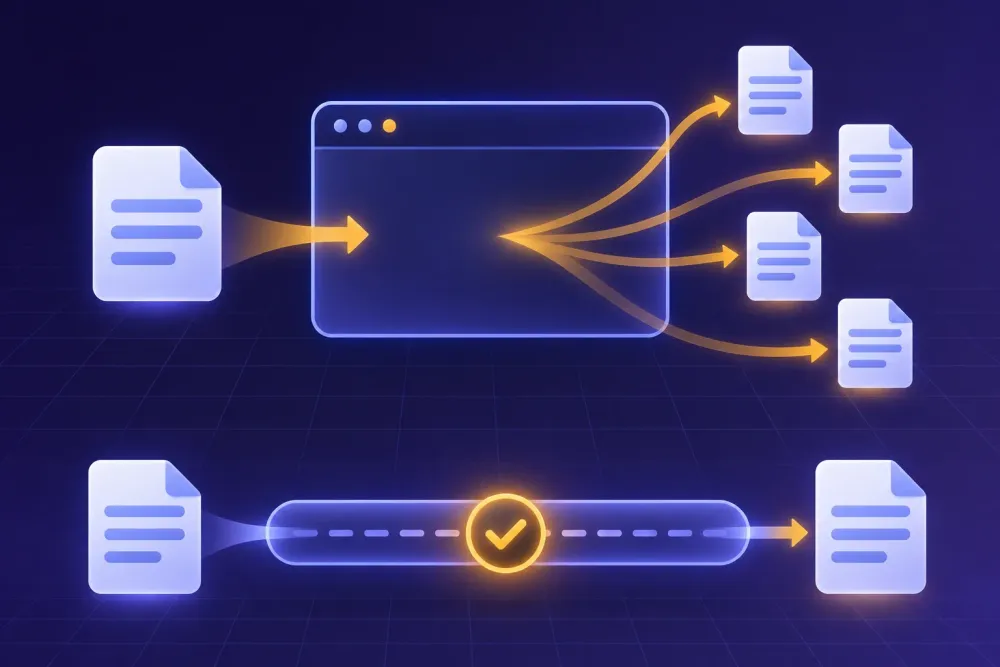
The file is parsed on a server, not in your browser. The parser pulls out text runs, which means the document is written to disk somewhere before anything is translated. Those segments then go to a translation engine, which in a lot of free products is a third-party API rather than something the vendor built. That's a second company holding your text, and its terms are not the ones you read. The translated segments come back, the file is rebuilt, and the output sits in storage for a download window, often 24 hours or more. Along the way there are upload buffers, error logs that capture payloads when something fails, and caches that exist specifically so the same sentence doesn't get translated twice.
None of that is sinister. It's ordinary infrastructure. The point is that "the file was on their servers for a moment" understates it by a wide margin.
Browser extensions deserve their own warning. We worked with a mid-sized manufacturer whose procurement team had installed a page-translation extension, which is a sensible thing to want when half your suppliers write in Mandarin. The extension translated whatever page was open. That included their internal HR portal, their ERP screens, and a document review tool with client contracts rendered in the browser. Nobody uploaded anything. The content left the building anyway, page by page, for about fourteen months before an IT audit caught it.
If you want one takeaway from this section: the question isn't only "what did people upload." It's also "what did people have open."
Reading the terms in ten minutes
You don't need legal training for this. You need four answers, and they're usually findable in a ten-minute skim of the privacy policy and the terms of service.
Does the vendor train on inputs? Look for "improve our services," which is the phrase that usually does that work. How long is content retained, and can you shorten it? A number is a good sign; silence is not. Who are the sub-processors, and where do they operate? Vendors that publish a sub-processor list are generally the ones taking this seriously. And is a data processing agreement available at all on the tier you're using, or only on a plan you don't have?
That last question catches more companies than the other three combined. The same vendor often runs a consumer tier that trains on inputs and a business tier that doesn't, under one brand and one marketing site. A policy sentence that says "we use Vendor X for translation" is close to meaningless, because the risk lives entirely in which door your staff walked through. We've sat in a vendor review where the security team had approved the enterprise tier and the marketing department had been using the free web form all along. Same logo in the browser. Completely different contract.
Two limitations to keep in mind. Terms change, so note the date you checked and look again at contract renewal or when the vendor announces an AI feature. And a policy only binds the vendor, not reality: it tells you what they've committed to, not what their incident history looks like. For documents where a leak would be genuinely expensive, the policy is the floor of your diligence, not the whole of it.
Documents that are genuinely fine
A blanket ban is the wrong answer, and we say that as people who sell a paid alternative. Plenty of translation work has no confidentiality dimension at all, and treating it as if it did just teaches your team to ignore the policy.
Published material is the clearest case. A competitor's press release, a public tender notice, a regulation, a supplier's product page: it's already public, and translating it changes nothing about who can see it. One of our clients, an industrial distributor, had an eleven-page Spanish tender notice land on a Thursday with a Monday deadline for expressions of interest. The commercial lead pasted it into a free tool section by section and had a bid-or-skip decision inside twenty minutes. That was the right call. Waiting two days for a quote on a document anyone could download would have been the expensive choice.
Inbound understanding is the second case. When you receive a document and only need to know what it says, before anyone decides whether to act on it, the content is already outside your control. The sender has it. Their mail provider has it. Reading it through a translation tool adds one more holder of material you didn't originate.
Two conditions make this safe rather than merely convenient. The output never leaves the building as a deliverable: gisting is for reading, and the moment someone forwards it to a customer or signs on the basis of it, you've changed the risk category without noticing. And the document carries no personal data, because a CV or a customer list is not public just because it arrived in your inbox.
This doesn't apply if the inbound document is itself under an NDA you signed. That case belongs in the next section.
Documents that should never go near one
The list is shorter than people expect, which is part of why it works as a rule.
Anything covered by an NDA you signed. Anything containing personal data: names with salaries, CVs, customer records, medical or disciplinary material. Financial information before it's public. Pricing, margins, and supplier terms. HR files. Draft patent material, where your counsel will want a precise answer about who held a copy. And anything in a regulated flow where you'd have to produce a processing record on request.
Two cases from the past year show how the bill arrives late.
A procurement buyer at an automotive supplier had a German supplier quality agreement to review under deadline. Twenty-two pages, unit prices in an annex, and a clause referencing a second production site the company hadn't announced yet. He pasted it into a free web translator in about four minutes and got on with his day. Nothing leaked, as far as anyone knows. The cost came eleven months later during a customer audit, when they were asked to list every system that had processed supplier agreements. They couldn't produce the list, because no list existed. The finding stayed open for a quarter and ate a surprising amount of senior time.
The second was an HR department translating a forty-page employee handbook into Polish. The handbook itself was unremarkable. The annex wasn't: staff names, job titles, and pay grades. The works council asked two reasonable questions, which were what the legal basis for the transfer was and how long the provider retained the file. Nobody had an answer, the rollout was paused, and the translation got redone through a vetted route. The redo cost a fraction of the delay.
Neither story involves a breach. That's the pattern. The damage from free translation tool risks usually shows up as lost time and lost credibility, not as a headline.
The risk nobody budgets for: output you can't check
Privacy gets the attention. Quality sends the invoice.
A free tool hands you a translated file and nothing else. No glossary of the terms it chose, no list of what it skipped, no QA report, no segment view where you can compare source and target. If you don't read the target language, you have no way to tell a good translation from a confident-sounding wrong one, which is exactly the failure mode of current models. They don't produce garbled text any more. They produce fluent text with the wrong term in it.
Three failures recur in our work with business documents. Silent omission: PPTX presentation translation through consumer tools routinely leaves speaker notes, text inside grouped shapes, and SmartArt labels in the source language, and a PowerPoint deck that's 95% translated looks finished until someone presents it. Terminology drift: the same contract term comes back three ways across a long document, or differently in this quarter's version than last quarter's, because nothing carried a glossary between runs. And numeric damage in spreadsheets: we reviewed a three-sheet pricing workbook where a free converter had translated the visible cells correctly and also localised the decimal separator in part of a column, so a handful of unit prices shifted by a factor of a thousand. That one reached a customer quote.
The cheap fix is a source-to-target word count and a spot check on three or four terms you care about. It catches most omissions in a couple of minutes. The real fix is not using a workflow that hides the information in the first place.
Where this doesn't matter: a document you'll read once and discard. The quality floor for understanding is low, and free tools clear it comfortably.
A rule short enough that people follow it
Most document policies fail because they're four pages long and written for a lawyer. The ones that work fit on one page and sort documents into three buckets.
Green is public material and inbound documents you only need to understand. Any reasonable tool, no approval needed, with one condition written down: the output is for reading and never goes out as a deliverable.
Amber is internal material with no personal data and no commercial terms. Think process notes, training slides, internal announcements. These go to one named tool on a tier you've actually vetted, with training on inputs switched off. One tool, not whichever one each department found. If you're being asked about this by clients rather than by your own team, what clients now expect you to tell them about AI translation is a useful reference point for the conversation.
Red is contracts, personal data, financials, HR files, and anything under NDA. These go through a named workflow with a record of what was processed and when. The record is the part that saves you in an audit.
Then do the two things that make the rule stick. Give people a sanctioned route before you remove the unsanctioned one, because a ban without an alternative moves the behaviour onto personal phones where you can't see it at all. And audit the browser extensions, which is where the quiet leakage lives.
If what you need for amber and red is a route that leaves a record, this is the gap SnapIntel is built for: you upload a DOCX, XLSX, or PPTX, choose the language pair, review and approve the glossary and translation prompt before anything runs, and get back the translated file in its original format along with a quality rating and a QA report. There's a neutral source and target XLSX export if the content needs to go into a CAT tool afterwards. Translation runs on a single platform-managed key rather than individual accounts scattered across departments, and there's a one-time free trial with no card required if you want to put a real document through it first.
Concretely, for this week: pick one recently translated document from each bucket and try to answer where it went, which tool and tier handled it, and who approved that. If you can't answer for the red one, that's your first job. Then write the one-page rule, name one tool per bucket, and check the extensions on five machines in the departments that deal with foreign-language documents most. If you want a verification step you can run without speaking the target language, start with checking translation quality when nobody on your team speaks the language.