How to use BYOK in SnapIntel: bring your own OpenAI key and cut translation costs
Learn how to set up BYOK in SnapIntel with your own OpenAI API key, eliminate platform markups, and run unlimited AI document translation jobs.
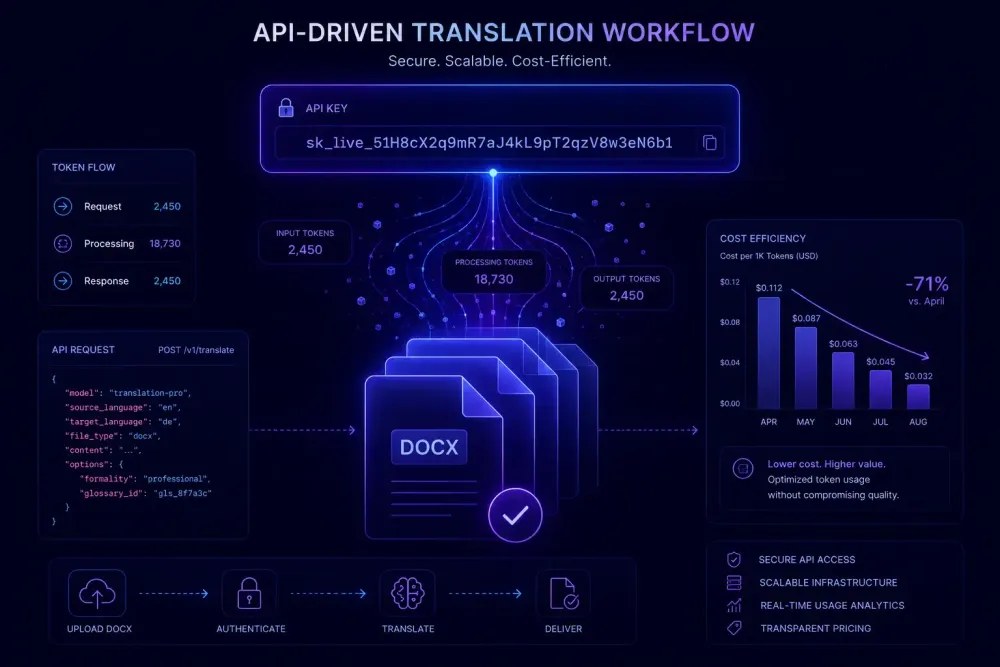
When you're running AI translation at volume — more than 60,000 words a month across multiple clients and projects — the per-word economics of a subscription platform start to matter. Most AI document translation tools bundle their OpenAI API usage into a subscription tier and build a margin on top of the underlying API cost. Bring Your Own Key, or BYOK, is the alternative: you connect your own OpenAI API account to SnapIntel, save your key once, and every translation job runs through that key at OpenAI's published rates. No platform markup, no shared API pool. This guide covers what that means in practice, how to configure it step by step, and when the Agency plan's BYOK model makes more sense than a flat-rate subscription.
What "bring your own key" means for AI document translation
A subscription-based AI translation tool works like most cloud software: you pay a monthly fee, you get a word allowance or credit pool, and the platform handles all the API connections in the background. The platform buys API capacity from OpenAI, manages its own billing, and charges you a per-word rate that includes its margin.
BYOK reverses that arrangement. You create an OpenAI API account, fund it with credits, generate a secret key, and save it inside the translation platform. From that point on, translation jobs use your key — those API calls appear on your OpenAI invoice at published token rates rather than being wrapped inside the platform's subscription pricing.
For a basic prompt tool, this difference is minor. For document translation, it's more significant. A single DOCX translation involves multiple rounds of API calls: the source text is segmented, your glossary and translation prompt are sent as context alongside each batch, and the translated segments come back and get reassembled. All of those calls consume tokens. Under a subscription model, the platform abstracts that complexity and charges you a flat rate per word. Under BYOK, you see exactly what each step costs — input tokens, output tokens, model version.
The upside is cost control and transparency. The downside is variability: your OpenAI bill will fluctuate depending on document type, segment density, glossary length, and which model you're running. In our experience, agencies get meaningfully lower per-document costs after they've run a few projects and calibrated their actual token usage. That calibration takes a little time, but the visibility you get in return is genuinely useful for project-level cost accounting.
Who the SnapIntel Agency plan is designed for
SnapIntel runs on three plans: Free (2,000 words per month), Pro (60,000 words per month), and Agency. The Agency plan is the only one that supports BYOK. When you save an OpenAI API key in your account settings under the Agency plan, all translation jobs go through your key and your OpenAI account. There are no word limits — your ceiling is your OpenAI credit balance and the rate limits on your API account tier.
This setup fits certain workflows more than others. Translation agencies processing upwards of 100,000 words per month across DOCX and XLSX files often find that paying for tokens directly works out cheaper than a subscription with a platform margin. Take a French-to-English legal DOCX at 8,000 words: it involves a predictable token budget — source text plus glossary context as input, translated text as output — and with a dedicated API account you can track that cost to the cent per project. Over 20 similar documents a month, the per-document savings compound into a meaningful difference at the end of the year.
Teams with client-level data handling requirements also find BYOK useful. When all API calls go through your own OpenAI account, your organization's agreement with OpenAI applies directly. That is a simpler story to tell a compliance or legal team than explaining how a shared platform API key works across multiple tenant accounts.
Where BYOK is not the right fit: if your monthly volume is moderate and you want predictable costs without managing API credentials, the Pro plan is the cleaner option. You know your monthly fee in advance, there's no credit balance to monitor, and the per-word rate is clear. Teams new to AI document translation are also usually better served starting on Pro — the SnapIntel workflow is the same regardless of plan, and adding API key management to an unfamiliar process makes onboarding harder than it needs to be.
How to get your OpenAI API key
An OpenAI API account is separate from a ChatGPT subscription. The API is usage-based — you pay by token consumed, not a flat monthly fee. If you already have a ChatGPT account, the login credentials work on the API platform, but billing is configured independently.
Go to platform.openai.com. After signing in, navigate to the API Keys section — typically under your account profile or a dedicated "API Keys" tab. Generate a new secret key. Copy it right away. OpenAI shows the full key only once; close the window before copying, and you'll need to generate a new one from scratch.
Then go to the Billing section of the platform dashboard and add a payment method. For agencies running consistent monthly volumes, loading a fixed credit amount at the start of each month is a reliable approach — it keeps your OpenAI spending predictable and gives you a clear budget ceiling. The billing dashboard also has a low-balance alert setting; configure that before your first production run so you're not caught with a depleted account mid-project.
One thing that catches new API users off guard: OpenAI imposes tier-based rate limits on new accounts. Your initial rate limit is lower than it will be after a few weeks of consistent usage, and those limits reset on rolling windows (per minute and per day). If you push a large batch of documents through a brand-new OpenAI API account, you may see rate limit errors on some requests. Starting with a smaller test batch — five to ten documents — before scaling to full production volume is the most reliable way to avoid that friction. Rate limits expand automatically as your cumulative spend increases.
Setting up your SnapIntel BYOK OpenAI key connection
With your OpenAI key ready, the configuration inside SnapIntel takes a few minutes. Log in, go to account settings, find the API key field in the subscription section (visible when you're on the Agency plan), paste your key, and save.
From there, the translation workflow is exactly the same as the standard SnapIntel process. You create a project, upload one or more DOCX or XLSX files, select your source and target languages, run domain analysis if you want the context, generate or paste your glossary and prompt, approve both through the approval gate, and start the translation job. The only change is that the API calls for that job now route through your key rather than the platform's shared key.
One detail worth building into your routine: if you rotate your OpenAI API key — good practice for any production account — update it in SnapIntel's account settings at the same time. A stale or revoked key will cause translation jobs to fail with an authentication error. The error is clear enough to diagnose, but the interruption is avoidable if you keep both updated in sync.
If a job fails immediately after initial setup, check two things: whether the key was pasted without trailing spaces or line breaks, and whether your OpenAI account has an active credit balance. An unfunded account rejects API calls before any translation work runs.
What you actually pay per document with BYOK
Let's work through a concrete example. A 6,000-word English-to-German DOCX — a technical product specification — translates to roughly 8,000 source tokens in English (the exact number depends on vocabulary and formatting, but 1.3 tokens per word is a reasonable estimate for most professional content). Add a 300-term glossary (around 900 tokens) and a focused translation prompt (around 200 tokens), and you're sending approximately 9,100 input tokens per API cycle, plus output tokens for the translated German text. German tokenizes comparably to English for most content.
At current GPT-5.4 pricing — $2.50 per million input tokens and $15.00 per million output tokens (check OpenAI's pricing page directly, since these change periodically) — input and output costs are weighted differently than on older models. For the document above: 9,100 input tokens cost roughly $0.023, and approximately 8,000 output tokens cost roughly $0.12, putting the total at around $0.14 per document in raw API cost. With a larger glossary or longer source text, that figure rises toward $0.30–$0.35. Run 20 similar documents per month and you're looking at $3 to $7 in API costs for that batch. The equivalent cost on a per-word subscription with a platform margin applied would typically be higher, though exactly how much higher depends on the platform's pricing.
Two variables move that number more than most agencies expect. Language pair tokenization matters: Arabic, Japanese, and some other non-Latin-script languages tokenize less efficiently than English, meaning the same word count generates more tokens. On a German or Dutch project, you're near a 1:1 word-to-token ratio. On a Japanese project, that ratio can shift to 1.5 or more depending on the script and content type. This affects both cost and context window usage.
Glossary length per call is the other main lever. Every API call sends your glossary as part of the prompt context. A 1,000-term glossary adds substantially more input tokens per call than a 100-term glossary, and that cost multiplies across every batch of segments in the document. A focused glossary containing only the terms that appear in your source content is more efficient than a bloated one — for translation quality, and for your API bill.
Running a sample project and checking your OpenAI usage dashboard afterward gives you an accurate cost picture that no estimate can substitute. We find that agencies who do this calibration step before committing to the Agency plan long-term end up with far more realistic expectations — and far less surprise when the first month's OpenAI invoice lands.
BYOK vs. the Pro plan: how to decide
The Pro plan is 60,000 words per month at a flat monthly fee. No API account setup required, no credit balance to monitor, and your monthly cost is predictable from day one. For teams processing up to that volume, or for teams that prefer not to manage API credentials, it is the more straightforward option.
The Agency plan with BYOK makes clearer sense when your monthly volume consistently exceeds 60,000 words, when you want per-project cost attribution rather than a blended subscription rate, or when client requirements make controlling your own API account preferable to sharing a platform key.
What we've observed from agencies making this transition: the cost savings are real at higher volumes, but so is the operational overhead. Monitoring credit balances, rotating keys on a schedule, handling rate limit throttling for large batch jobs — none of these are technically difficult, but they require attention. Agencies that run into the most trouble early on are usually those that set up BYOK and then assume it works on autopilot.
The clearest case for BYOK is an agency with a predictable 150,000 or more words per month across standardized document types. Below that threshold, the simplicity of the Pro plan often outweighs the potential cost difference. This also doesn't apply if your volume swings significantly month to month — the predictability of a flat subscription matters more than marginal token savings when demand is erratic.
What to watch for in production
Credit balance depletion is the most common operational issue we hear about from BYOK users. When your OpenAI account runs out of credits, API calls fail — and there's no automatic alert inside SnapIntel. Set up billing threshold alerts in your OpenAI dashboard before your first production run. There's a low-balance notification option in the billing settings that will email you when your balance drops below a configured amount.
Rate limit headroom matters for batch jobs. If you're processing 30 or more documents at once and your OpenAI account is at a lower usage tier, some requests in the batch may hit per-minute token limits. SnapIntel queues jobs on its side, but when you're pushing high volume with a newer API account, spreading large batches across a few hours rather than launching everything simultaneously is the practical workaround. Account tiers — and the rate limits that come with them — increase automatically as cumulative spend grows.
Key rotation is the other habit worth scheduling. Most agencies on BYOK rotate their OpenAI keys every 90 days as standard security practice. When you rotate, update the key in SnapIntel's account settings at the same time. A mismatch between your current OpenAI key and what's saved in SnapIntel will fail on the next job — the error is easy to diagnose, but worth avoiding.
One benefit that's easy to overlook: BYOK gives you a line-item view of translation costs at the project level. For agencies that bill clients per project or track translation costs against specific accounts, seeing exactly what a set of documents cost in tokens — rather than estimating from a subscription rate — makes internal cost attribution cleaner. Some agencies use their OpenAI usage dashboard to run rough per-client cost reports, which the shared-key model makes essentially impossible.
The full SnapIntel workflow — from uploading a DOCX to downloading a translated file with a QA report — works exactly the same regardless of whether you're on the Pro plan or Agency BYOK. If you want to explore how the project setup works before configuring your API key, this walkthrough of translating a DOCX with AI covers the glossary approval step and the project structure that BYOK builds directly on top of. When you're ready to try it, you can start a project at snapintel.io.