How to Translate a Technical Manual and Keep Every Table, Warning, and Diagram Label in Place
How to translate a technical manual without breaking tables, safety warnings, or diagram labels: a practical workflow for teams without in-house linguists.
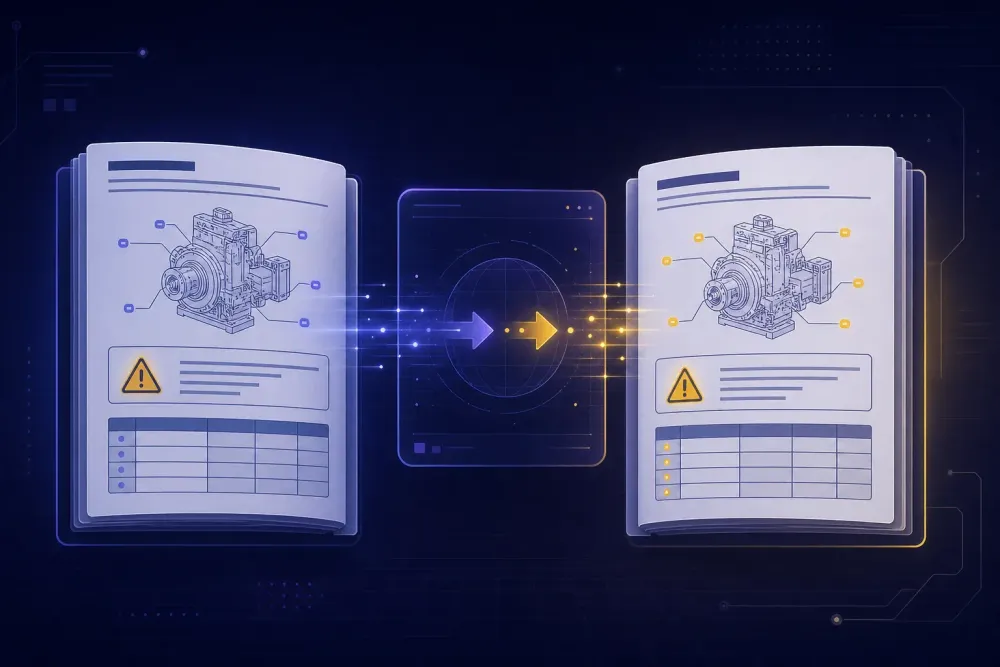
Manuals punish careless translation more than any other document type. When you translate a technical manual, the words are only half the job. The other half is the torque table that has to keep its columns, the warning box that has to stay a warning box, and the label that has to keep pointing at part 14 in the exploded view. We work with companies that translate supplier and equipment manuals every month, and the failures we see are rarely about vocabulary. They are about structure. Here is how to keep tables, warnings, and diagram labels intact when AI does the translating, and where a human still needs to look.
Why manuals fail in translation more often than other documents
A quarterly report is mostly prose. A manual is prose interrupted every few paragraphs by something that is not prose: a specification table, a numbered procedure, a caution box, a parts list, a callout legend. Every one of those interruptions is a place where a translation tool can do damage without producing a single wrong word.
Three things make manuals fragile. First, they are dense with numbers, and numbers are exactly what a language model is most tempted to "helpfully" reformat. A German source writes 12,5 Nm; if the English output keeps the comma, an American technician reads twelve thousand five hundred. Second, translated text usually runs longer than the source. English to German grows by roughly 10 to 30 percent, and that growth has to go somewhere: a table cell wraps, a warning box overflows, a label no longer fits next to its arrow. Third, manuals are full of internal references: "see section 4.2", "tighten screws (3) in the order shown in fig. 7". If section titles get translated but the references to them do not, or the other way around, the manual quietly stops making sense.
We saw all three at once in a pump maintenance manual a client sent us: 60 pages, German to English, with a lubrication schedule in a table, ISO warning boxes, and an exploded-view parts diagram. The prose translation was clean on the first pass. The problems were two decimal commas left behind in the torque table and a legend that no longer matched the diagram. Nobody would have caught either by reading the text for fluency.
Get the file format right before you translate a technical manual
The single biggest predictor of a clean result is what file you start from. An editable DOCX with real tables and real text boxes will survive translation far better than a PDF export of the same manual, and a scanned PDF is the worst starting point of all. This holds whether the document is a customer-facing user manual or an internal service instruction.
The reason is simple. In a DOCX, a table is a table: rows, columns, cells that software can walk through one by one. In a PDF, a table is a picture of a table, a set of characters positioned on a page. Tools that "translate PDFs" have to guess the structure back, and with technical layouts they guess wrong often enough to matter.
So before you upload anything, ask one question: does the original source file exist? Manuals almost always start life in Word or a documentation tool. If your supplier sent you a PDF, ask them for the DOCX. In our experience most suppliers hand it over without fuss; they simply were not asked. That one email routinely saves hours of layout repair later.
If the source truly is gone and all you have is a PDF, convert it to DOCX first and fix the structure before translating, not after. Check that tables came through as tables and not as tab-separated text, and that headings are real headings. Repairing structure in the source language is straightforward. Repairing it in a language nobody on your team reads is not.
This works best when the manual was born digital. For a scanned 1998 manual with handwritten margin notes, budget for OCR cleanup as a separate step, and accept that some of it will be manual work.
Tables are where numbers quietly go wrong
Most of the real risk in a translated manual sits in its tables, because table errors are invisible to a fluency read. The sentence "check oil level weekly" can only fail in obvious ways. A maintenance-interval table can fail silently: a shifted column, a dropped row, a decimal separator converted in one cell and not in another.
The rule we push clients toward: translate the text in tables, never the data. Column headers, row labels, and remark cells need translation. Quantities, part numbers, tolerances, and voltages do not, and the tool should leave them byte-for-byte identical. When we review translated manuals, the fastest check we know is to pick three numeric cells at random in the source and find them in the target. Same value, same unit, same position. Ten minutes, and it catches a remarkable share of problems.
Watch decimal and thousands separators specifically. Continental European sources write 1.500,75 where US English writes 1,500.75. Decide up front whether numbers should be localized or preserved, write that decision down, and check it was applied consistently. Half-localized numbers are worse than either choice.
A concrete case: an industrial client of ours translated a spare-parts workbook, an XLSX with about 2,000 rows, into English. Part numbers and quantities had to stay untouched; only the description column needed translation. Handled cell by cell, the job was boring and safe. The earlier attempt, copy-pasting the whole sheet through a chat window, had reflowed the columns and turned a handful of part numbers into dates on the way back into Excel. Keep spreadsheet data out of chat windows entirely.
Safety warnings need stricter rules than body text
Warnings are the one part of a manual where a slightly free translation is not a style issue but a liability issue. Signal words like DANGER, WARNING, and CAUTION are not interchangeable synonyms; under ANSI Z535 and ISO 3864 they encode different severity levels, and most target languages have established equivalents that regulators expect to see. A model that renders WARNING as "Attention" in French, or promotes a CAUTION to a DANGER because it sounded more serious, has changed the legal meaning of the page.
Treat signal words as fixed vocabulary. Put them in your glossary with exactly one approved equivalent each, in the standard casing, and instruct the translation to follow the glossary without exception. The same goes for recurring warning phrasing: "Disconnect power before servicing" should be translated once, well, and then identically every time it appears. Inconsistent warnings read as sloppy at best; at worst a technician notices the difference and wonders whether it means something.
Also check what we call warning arithmetic: the translated manual must contain exactly as many warning boxes as the source, in the same places. It sounds absurd to check, and then one day a caution box gets merged into the paragraph above it and stops being visually distinct. Counting warning blocks per chapter takes minutes and requires no knowledge of the target language.
One honest limitation: if your product ships into a regulated category, machine output plus in-house review is not enough for the safety sections. Have a qualified technical translator or your in-country distributor sign off on the warnings specifically. It is a small, bounded cost, and it covers the part of the manual where errors are expensive.
Diagram labels and callouts are easy to lose track of
Diagrams are where manuals hide text. Some labels live inside the image itself, burned into a PNG, and no document translator will touch them. Others are text boxes floated over the image, translatable but prone to overflowing when the target language runs longer. The first thing to do with any manual is to find out which kind you have. Click on a label in the source file: if you can place a cursor in it, it is text; if you select the whole image, it is pixels.
The most robust pattern, and the one we recommend if you control the source, is numbered callouts with a legend. The diagram contains only numbers, and a small table next to it maps each number to a name. Numbers need no translation, so the diagram never changes; only the legend does, and a legend is just a table, which brings you back to the table rules above.
We watched an equipment importer translate a 120-page operator manual into Spanish where the diagrams used exactly this pattern. The whole graphics layer came through untouched, and reviewing the illustrated sections collapsed into checking one legend per figure against the parts list. The same manual with baked-in English labels would have needed every figure re-drawn.
If you are stuck with labels inside images and cannot re-draw them, the practical fallback is a translation table below each figure: "Terms used in fig. 12". Less elegant, fully functional, and vastly cheaper than image editing across a hundred figures.
Build the glossary before the first page is translated
Every manual has a private vocabulary: fifteen to forty terms that carry most of the technical meaning. Part names, assembly names, the product name itself, signal words, units. Whether those terms are translated consistently decides whether the manual feels professional or machine-made, and consistency does not happen by itself across a hundred pages.
The fix costs half an hour. Before translating anything, pull the recurring terms out of the manual and decide their translations once. Product names and model designations usually stay in the source language; write that down explicitly, because a model left to its own judgment will sometimes translate a product name that happens to be a dictionary word. Signal words go in with their one approved equivalent, as above. Ambiguous terms get pinned: if "Träger" must be "carrier" and never "support" or "beam", the glossary is where you say so.
If you want a head start, we built a free glossary generator that extracts a bilingual term list from your document; editing its suggestions beats starting from an empty spreadsheet. However you produce the glossary, have the person closest to the product spend ten minutes on it. In our experience that review is where the real payoff sits: the engineer who says "we never call it that" before translation starts is saving you a re-delivery later.
Keep the glossary after the project ends. Your next manual will share most of the vocabulary, and consistency across manuals matters as much as consistency within one.
How to review the result when nobody reads the target language
Most companies translating their own manuals hit the same wall: the translation is done and nobody in the building can judge it. You cannot fully solve that without a speaker, but you can get surprisingly far with structural checks that need no language skill at all. Compare section counts and table dimensions between source and target. Count the warning boxes. Spot-check numbers, as above. Confirm the glossary terms actually appear: searching the target file for the approved translation of your ten most important terms takes minutes.
This reviewability problem is the one we built SnapIntel around. You upload a DOCX, XLSX, or PPTX manual, review and approve the glossary and translation instructions before anything runs, and get back the translated document with formatting preserved for supported content, plus a QA report and a quality rating. The report exists for exactly the situation above: it gives a team without linguists something concrete to act on instead of a verdict of "looks fine, probably". Nothing translates until the glossary is approved, which in practice forces the half hour of terminology work this article keeps insisting on. There is a one-time free trial of 5,000 words over 7 days, no card required, which is enough to run a real chapter of a real manual rather than a toy sample.
Whatever tool you use, keep the review proportional to risk. Prose sections need a skim. Tables need the numeric spot-check. Warnings need a qualified eye. Spending your review hours evenly across the manual is the mistake; the pages are not evenly dangerous.
What to do on your next manual
The routine, in order: get the editable source file, not the PDF. Decide the number-format policy. Build and review the glossary, signal words included, before translating. Translate. Then run the no-language-needed checks: table shapes, warning counts, three random numbers per table, one legend per figure. Send the safety sections to someone qualified. The whole overhead is an hour or two on top of the translation itself, and it is the difference between a manual you ship and a manual you reprint.