How Source Text Quality Affects AI Translation Output: What to Fix Before You Translate
Source text quality shapes AI translation output more than model choice. Here's what to audit and fix in a document before you start translating.
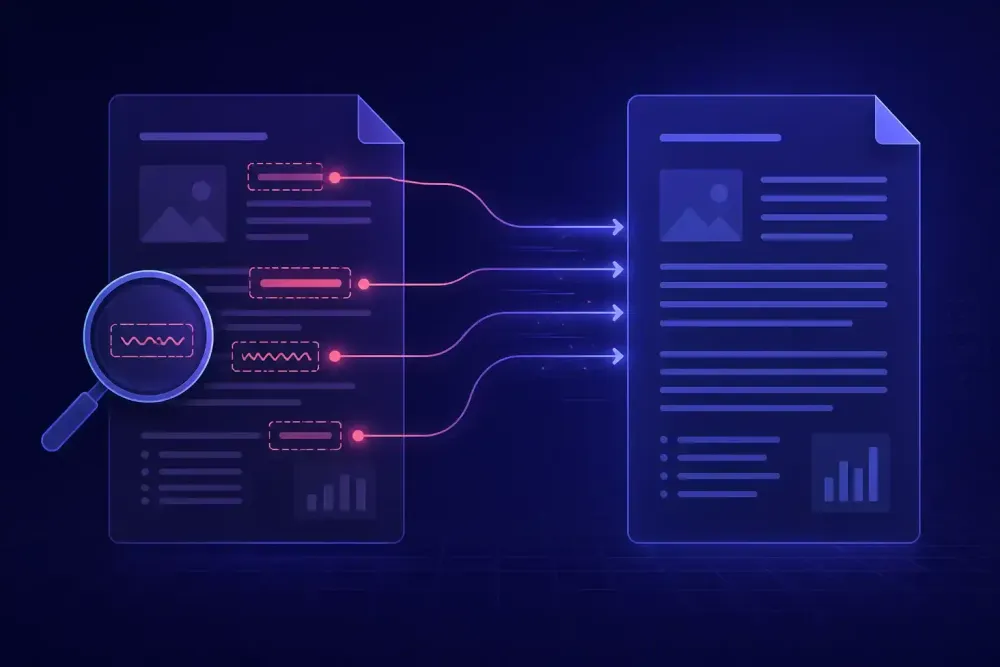
We hear a version of the same report often enough that it stopped being a coincidence: the AI translation was clean for eight pages and then came apart on page nine. When we open those files, the model didn't change halfway through. The source did. Source text quality affects AI translation output more than model choice, prompt phrasing, or glossary size, and it's the one input most teams never inspect before starting a job. A human translator quietly repairs a bad source as they go. An AI doesn't repair it. It guesses, commits, and writes the guess in confident prose.
Why source text quality shapes AI translation more than model choice
A translator who hits an ambiguous sentence stops. They reread, check the surrounding pages, and if it still doesn't resolve, they write a query. That pause is a quality control step nobody designed on purpose, and it disappears the moment translation runs through a model. We've written before about how AI has changed the shape of translation work; the vanishing query is the part that gets the least attention.
An LLM handles ambiguity by picking the reading that fits its context window and moving on. It doesn't know it made a decision. The output stays fluent, so the decision leaves no trace for a reviewer to catch.
Fluency is what makes this expensive. A reviewer scanning for problems is calibrated on the errors machine translation used to make: broken syntax, wrong register, dropped negation. Current models don't produce those. They produce clean sentences carrying a wrong decision, and the cleaner the sentence, the further into the process the error travels. We've seen source-caused terminology errors reach a client's printed manual.
The clearest case we've worked through was an English to German maintenance manual for industrial filtration equipment. The word "unit" appeared roughly two hundred times across sixty pages, and the author had used it for three different things: the machine as a whole, a replaceable filter cartridge, and once, in a specifications table, a unit of measurement. Nothing in the sentence structure separated them. The AI translation came back internally consistent inside each section and inconsistent across the document, because each stretch of context pushed the model toward a different reading. The post-editor spent more time on that one word than on the rest of the file combined.
A better model wouldn't have fixed it. A stronger model resolves ambiguity more plausibly, which arguably makes things worse, since a plausible wrong term survives review longer than an obviously wrong one. The fix lives upstream, in the document.
The source defects that break AI translation most reliably
Not every flaw in a document matters. Typos usually don't; models correct them silently and correctly. Clumsy phrasing usually doesn't either. The defects that cause real damage share one property: they force the model to guess something it can't recover from context.
Six of them show up again and again in the files we see.
Terminology drift inside the source itself. The same concept written three ways by three authors, or by one author across three months. A glossary can only anchor terms it can find, and it won't find "Len." if the entry says "Length".
Pronouns whose antecedent sits two sentences back, or in a different table cell. In English this is survivable. Translating into a language with grammatical gender, it forces a commitment that may be wrong for the rest of the paragraph.
Acronyms defined once, or never. Documentation written for internal readers assumes knowledge the model doesn't have. An undefined three-letter acronym gets expanded, transliterated, or left alone, and the choice tends to vary within a single document.
Sentences past about forty words with stacked subordinate clauses. These usually translate correctly but read badly, and they're the segments post-editors end up rewriting from scratch.
Meaning carried by layout rather than words. A table where the cell "Yes" only means something in combination with a column header three columns away. A slide bullet that reads as nonsense without the diagram next to it.
Text broken across containers. A sentence split between two text boxes on a PPTX slide, or across two merged cells in an XLSX workbook, arrives as two fragments. Neither fragment carries enough context to translate correctly.
The XLSX case is the one that surprises people. On a product catalog we worked through, the same attribute appeared as "Length", "Len." and "Size (L)" across three sheets, with a mix of "mm" and "millimetres" in the value cells underneath. The glossary anchored the first form. The other two came back with different German terms, and because each sheet looked internally consistent on its own, a spot check flagged nothing.
A twenty-minute source audit you can run before every job
You don't need a formal readability assessment. You need to know where the model will be forced to guess. Here's the pass we run.
Read three pages: the first, the last, and one from the middle. If they sound like three different authors, expect terminology drift and plan for it in the glossary instead of hoping post-editing catches it.
Pull a word frequency list. Any word processor will do it, or a two-line Python script. Look at the top fifty content words and scan for near-duplicates: singular and plural variants, abbreviations, capitalisation differences. That list is your glossary shortlist, and it's a better shortlist than the one you'd write from intuition.
Search for uppercase runs of two to five letters. Check that each acronym is defined at first use. If it isn't, either define it in the source or put it in the glossary with the intended target form.
Open every table and ask whether any cell is intelligible on its own. Cells that depend on their header are the ones that come back wrong.
Check for text inside images. No DOCX, XLSX, or PPTX pipeline translates pixels. Screenshots with embedded interface labels are the usual version of this, and clients are reliably surprised when that text arrives untranslated.
Check for content already in the target language. Supplier documentation that has been through a previous round often carries stray translated paragraphs, and running them through again produces a second-generation translation that reads worse than the first. Mark them and exclude them, or at least know they're there.
Sample ten sentences over about thirty-five words. If more than a couple need two readings to parse, the document is a candidate for pre-editing.
This works for documents up to roughly a hundred pages. Past that, sample by section rather than auditing the whole file, and weight the sample toward the sections the client cares about most. It also works poorly on documents assembled from several sources, where an average tells you nothing and you need a per-section pass instead.
Pre-editing that pays for itself, and pre-editing that doesn't
Pre-editing has a bad reputation among translators, mostly because it's usually done wrong. Rewriting a source document for style is unpaid work with no measurable return. Rewriting it for disambiguation is a different activity that happens to look similar.
Our working rule: if the change alters what the model has to guess, make it. If it only alters how the text reads to a human, skip it.
That puts a short list on the "do" side. Replace an ambiguous pronoun with the noun it refers to. Define an acronym at first use. Split a fifty-word sentence at the natural clause boundary. Normalise a term that appears in three forms. Move text out of an image and into a caption. Each takes seconds and removes a specific failure mode you can name in advance.
Almost everything else falls on the "skip" side. Comma placement, paragraph order, register, active versus passive voice, and the general urge to make someone else's source better written. Models handle all of it adequately, and none of it changes the target beyond what post-editing would fix anyway.
The controlled-language standards are worth knowing about here, particularly ASD-STE100 (Simplified Technical English), which the aerospace industry developed for this exact problem. It works. It also assumes you control the authoring process. Retrofitting a finished 200-page manual to STE costs more than translating it twice, so treat the standard as a recommendation for clients who write documentation regularly rather than as a task on your own project.
There's also a cost calculation nobody runs. Twenty minutes of source auditing is cheap against a sixty-page manual and most of the job against a two-page certificate. Scale the effort to the document, and skip it on short files where a post-editor reads every line anyway.
One limit worth naming: pre-editing only helps when you can hand the edited source to the translation step and the client accepts the target as authoritative. If the client will compare your translation to their original file line by line, you've created a mismatch that comes back as a complaint.
What to do when the source can't be touched
Certified translations, regulatory filings, contracts under negotiation, published standards. For a large share of professional work the source is evidence and editing it isn't an option. The ambiguity still has to be resolved. It just has to be resolved somewhere else.
Move the disambiguation into the glossary and the prompt. If "unit" means the filter cartridge in sections four through nine and the whole machine everywhere else, that's a glossary entry with a scope note plus a prompt instruction, not a source edit. Models follow this reasonably well when the instruction is specific and short. They follow it poorly when the prompt carries twenty caveats, so rank the ambiguities and take the top five.
Keep a source notes file alongside the project. Plain text, one line per issue, with a page or cell reference. It costs nothing during the audit, it saves the post-editor from rediscovering every problem, and if the same client sends another document it becomes a starting point rather than a blank page.
Batch your queries. One query sheet sent before translation starts gets answered. Three separate emails during the job get one answer and two silences. Include your proposed reading for each item so the client can approve instead of compose.
What none of this fixes is a source that's factually wrong: a mistyped tolerance, a wrong part number, a clause that contradicts the one above it. Those are client decisions. Flag them, translate what's written, and put the flag in writing.
How source defects show up in a QA report
A QA report tells you what went wrong. It doesn't tell you why, and that distinction has money attached to it.
Source-caused errors have a signature. They repeat, they cluster in the terminology and accuracy categories, and they correlate with a trigger in the source rather than with a section of the document. If the same term comes back three ways in three unrelated chapters, that isn't the model being inconsistent. That's the source being inconsistent and the model reproducing it faithfully.
The practical move is to add a cause column when you work through QA findings. Three values are enough: source, model, glossary gap. A model error gets post-edited segment by segment. A source error gets fixed by updating the glossary or the prompt and rerunning, which is usually faster than hand-editing forty instances. A glossary gap tells you your preparation step missed a term, and that's the one worth acting on immediately, because it will miss the same term on the client's next file.
Over a handful of projects with one client, the cause column turns into an argument you can make. We've watched an agency use six months of tagged QA data to get a manufacturing client to standardise the terminology in their authoring templates. That conversation goes nowhere when it starts with "your source documents are inconsistent" and goes somewhere when it starts with a count.
The tagging costs about ten minutes per project once you're used to it, and it only earns its keep on repeat clients. For a one-off job the data has nowhere to go.
What to do before your next job
If you'd rather have the preparation step be explicit than implicit, that's roughly the shape of SnapIntel. You upload DOCX, XLSX, or PPTX files, run domain analysis on the source, and generate or paste a glossary and a translation prompt. Translation doesn't start until you approve both, which is the moment in the workflow where the source ambiguities you found get written down as instructions rather than left to the model. Results come back as the translated file, a neutral source/target XLSX you can move into any CAT tool, and a QA report with a quality rating.
For your next document, take the twenty minutes before you start. Pull a frequency list and choose glossary terms from the near-duplicates rather than from what looks important. Check the acronyms and the tables. Write the three worst ambiguities you found into the prompt as explicit instructions. Then translate.
Measure post-editing time on the first two chapters. If it drops, keep the audit. If it doesn't, your sources were already clean and you can stop running it.