Best AI tools to translate PowerPoint presentations in 2026
A practical comparison of the best translate PowerPoint presentation tools in 2026, from DeepL to structured workflows. What actually preserves slide layout.
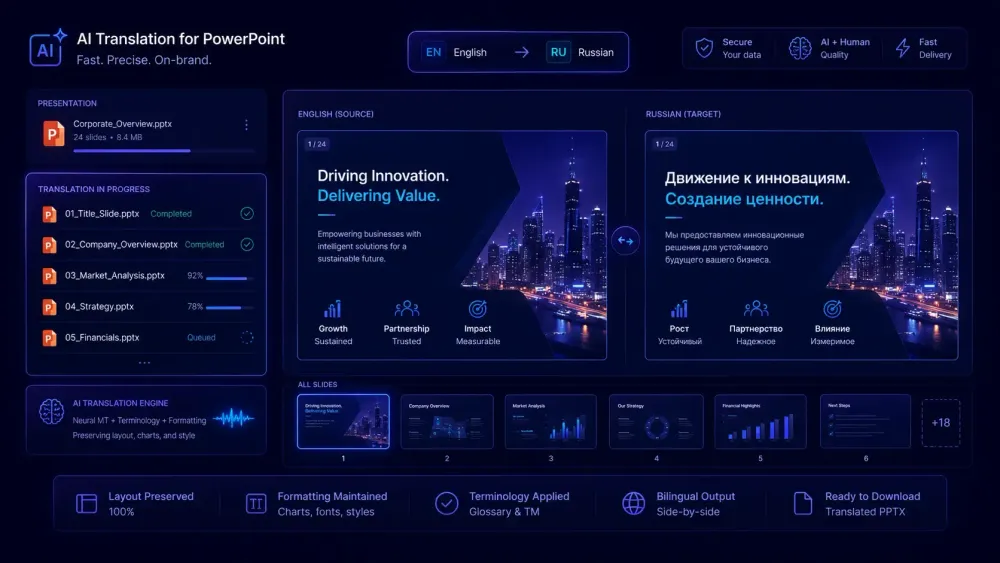
Translating a PowerPoint presentation sounds like a ten-minute task until you open the output and find text boxes overflowing, fonts swapped, and bullet levels collapsed. We've watched translation teams spend more time reformatting a 30-slide deck than the translation itself would have taken, because they picked a tool that wasn't built with slide structure in mind. If you're evaluating translate powerpoint presentation tools in 2026, this article covers what actually works, where each option falls short, and how to match the right tool to your specific workflow.
Why PPTX translation breaks where DOCX translation doesn't
A Word document is basically a long sequence of paragraphs. A PowerPoint file has an entirely different internal structure: each slide carries text at three distinct levels — master, layout, and individual slide — plus grouped shapes, table cells, speaker notes, and placeholder hierarchies. Tools that don't track these levels separately can duplicate, drop, or reassign content in ways that aren't visible until you open the finished file.
This structure is what breaks flat extraction approaches. If a tool pulls all visible text, translates in a single pass, and writes it back as raw strings, grouped shapes where text lives three levels deep cause real problems. Master-level copy gets duplicated across slides. Table cells overflow because the tool wrote back the full translated string without checking whether it fits the cell.
Text expansion compounds the issue. German typically runs 25–30% longer than English source text. Spanish runs 20–25% longer. A text box sized for a source-language bullet will overflow in the target language — and if the tool doesn't flag this, you open a completed file to find half a sentence cut off with no warning.
We've had agencies describe spending two to three hours reformatting a 25-slide deck after a translation run that produced technically correct text in structurally broken slides. The translation was accurate. The file was unusable. Discovering that on a client deadline is a different kind of problem.
Tools that handle PPTX reliably parse presentation structure before touching any text, track which content belongs to which container, and reinsert translated text at the container level rather than running string substitutions across the whole file.
What to look for in translate powerpoint presentation tools
Before testing anything, it helps to be specific about what your workflow actually needs. Not all tools fail in the same way, and the right trade-offs depend on your volume, language pairs, and delivery standards.
Structural fidelity is the first thing to check. Does the tool preserve text box dimensions, font sizes, and bullet indent levels? Does it handle slide master text separately from slide-level content? Does it move or drop table cells? These failures look fine until you hit the edge case the tool can't handle — and you often only find that edge case on a client file.
Speaker notes are often the most translation-intensive part of a deck, especially for training materials, annotated compliance presentations, or investor decks with detailed slide scripts. A lot of tools skip notes entirely or treat them as a separate export step. If your projects regularly include notes, check this before committing to a tool.
Terminology control before the run starts is what separates basic tools from professional ones. If you're translating a product launch deck, specific terms need to appear consistently on every slide. Tools that accept a glossary before translation runs produce consistent output. Tools that don't require manual terminology correction afterward, slide by slide.
A quality signal after the run matters too. Does the tool flag anything — untranslated segments, unusually short outputs, potential glossary misses? Or does it hand you the file back with no indication of whether anything went wrong?
Finally, batch support determines whether a tool can fit a real agency or localization workflow. Processing eight presentations in four language combinations one file at a time is not viable for any campaign launch or multi-market product release.
One-click tools: DeepL and Google Translate
DeepL supports PPTX upload directly. You upload the file, select a language, download. For common language pairs — English to French, German, Spanish, Japanese — translation quality is genuinely good for most presentation content, and formatting handling is better than most free tools for standard slide structures.
The professional limitations show up in specific situations. Glossary support for PPTX is limited, particularly at the free tier. There's no QA report and no quality signal after the run. For a 20-slide marketing deck going from English to French, DeepL is a reasonable fast option. For a 60-slide regulatory or technical presentation where certain terms must land consistently across the whole file, the absence of terminology enforcement becomes a real constraint. File size limits also become a problem with complex, image-heavy presentations.
Google Translate handles PPTX document upload. For high-resource language pairs the output can be a workable starting point for post-editing. For lower-resource pairs, quality drops considerably and the output requires more substantial revision.
The harder constraint for professional use is data policy. Google's terms allow submitted content to be used for model improvement, which rules it out for most client documents under NDA or confidentiality requirements. Formatting reliability is also inconsistent — slide master elements sometimes get duplicated or shifted, and notes behavior varies based on internal PPTX structure in ways that are difficult to predict before running the file.
Both tools work for low-volume, low-stakes use where data privacy isn't a concern. Neither provides the level of control that professional PPTX translation at any real volume requires.
Structured workflow tools: Smartcat and SnapIntel
Smartcat supports PPTX through its CAT editor and AI pre-translation workflow. The file gets segmented, AI-translated, then reviewed by a human translator in Smartcat's editor. According to Smartcat's documentation, the AI pipeline runs TM lookup, engine-selected translation, QA checks, and a glossary-term correction step before the file reaches the reviewer. That's a reasonably thorough pipeline for catching common errors before a human touches the file.
For agencies already running DOCX and other formats through Smartcat as their TMS, adding PPTX means no new tool to manage. TM reuse applies across file types, and glossary management stays centralized. The trade-off is entry cost. Smartcat is a full translation management platform, not a quick-translate tool. Using it for a single presentation means creating a project and working through the CAT editor. For an agency that operates in Smartcat daily, that's the normal workflow. For someone who needs to translate one deck occasionally, the setup overhead is real and probably not worth it.
SnapIntel added PPTX support in June 2026. The workflow mirrors its DOCX handling: upload the file, set the language pair, generate or paste a glossary and a translation prompt, approve them, and run the job. The tool covers slide text, notes, tables, grouped shapes, and master-level content. Output is a translated PPTX plus a neutral XLSX export and a QA report.
The preparation gate is what distinguishes this from one-click tools. Before the translation run starts, you define terminology in the glossary and set the register in the prompt. The system won't proceed without both fields populated — enforced both in the UI and on the server side. This catches the most common AI translation failure: fluent-sounding output that uses inconsistent or simply wrong terms throughout the file.
For teams already using SnapIntel for DOCX and XLSX translation, adding PPTX means all three document formats run through the same workflow without switching tools. There's a free plan for smaller projects, with Pro and Agency tiers for higher volume. The Agency tier supports BYOK — you bring your own OpenAI API key, which can reduce per-project cost significantly at scale. More at snapintel.io.
The LLM DIY approach: ChatGPT and Python pipelines
ChatGPT translates text well. The structural problem is fundamental: it doesn't output a PPTX. You get translated text and have to reinsert it into the correct frames, slide by slide.
For a five-slide pitch deck, that's manageable. For a 50-slide training module with tables, notes, and grouped shapes, manual reinsertion is not a translation workflow — it's a formatting job that happens to involve AI text.
Some developer teams build pipelines using the python-pptx library to extract presentation text, send it to the OpenAI API, and write the translations back. This gives full control and can produce solid results when the pipeline is set up well. The maintenance burden is the honest trade-off: handling grouped shapes where text lives three levels deep, preventing master-level copy from duplicating across slides, managing table cells where translated content overflows boundaries. A pipeline that works reliably on one PPTX structure tends to break on the next one with different internals.
This approach makes sense if you have development capacity and a narrow file type range. For any regular translation workload where client files vary in structure, the maintenance overhead typically outweighs what you'd spend on a purpose-built tool. And when something breaks on a client file at 11pm, you're debugging Python rather than opening a support ticket.
What "formatting preserved" actually means
Every tool claims to preserve formatting. The claim is vaguer than it sounds.
Text overflow is unavoidable when target text is longer than source text. No tool prevents it — it follows directly from language length ratios, not from how well the tool is engineered. What separates good tools from poor ones is where the overflow ends up: does translated text stay inside the correct text box so you can fix it in PowerPoint? Or does it appear in the wrong shape entirely, requiring you to rebuild the slide from scratch?
The failure modes that actually cost agencies time: translated text reinserted into the wrong shape because the tool extracted everything into a flat list without tracking container identity; slide master copy appearing in a changed font because the tool applied a substitution that wasn't in the source; table cells truncating content because the tool wrote back the full translated string without checking whether it fits; bullets collapsing to a flat list because the tool didn't track indent levels during extraction.
A practical test before committing to any tool: take an internal deck that has a table, a grouped shape with text, and slides with speaker notes. Run it through the tool and check all three. Most tools pass the basic slide test and fail on at least one of those cases.
Our article on how to translate a PowerPoint presentation with AI without breaking the slide layout covers specific remediation steps for when things do break — pre-compression techniques for languages that expand significantly, font choices that reduce substitution risk, and a workflow for catching overflow before delivery.
Matching the tool to your actual workflow
The right choice depends more on your workflow than on any tool's feature list. Here's the practical breakdown.
If you need to translate a single deck in a common language pair and there's no confidentiality requirement, DeepL is fast and often adequate as a first pass. Factor in review time for tables and notes — those are the parts most likely to need manual attention.
If your agency already runs projects in Smartcat, use Smartcat's PPTX workflow. Keeping everything in one TMS gives you TM reuse across DOCX and PPTX jobs in the same project, which produces real terminology consistency across both formats and reduces manual glossary maintenance.
If you work across mixed document formats — DOCX, XLSX, and PPTX — with terminology requirements, a tool that handles all three with a shared glossary workflow avoids maintaining separate glossary files per tool and switching vendors depending on what file type the client sends.
For confidential materials at any volume, free tools with broad data retention policies are a real risk. BYOK solutions, where translation runs against your own API key and client content doesn't pass through a third-party model's training pipeline, give the clearest data control story to clients.
For a one-off short deck on a tight budget, ChatGPT text extraction plus manual reinsertion works for decks under 15–20 slides where you can absorb the formatting time. Don't scale this.
Before running any client presentation through a new tool for the first time, test it on an internal file — one that has a table, at least one grouped shape with text, and speaker notes. That's where the real differences between tools become visible. Finding out a tool can't handle your file structure during a test is much better than finding out during delivery.