Best AI document translation tools in 2026: a comparison for agencies and professionals
Compare the best AI document translation tools in 2026: DeepL, Smartcat, Google Translate, and more. Find what actually works for DOCX and XLSX files.
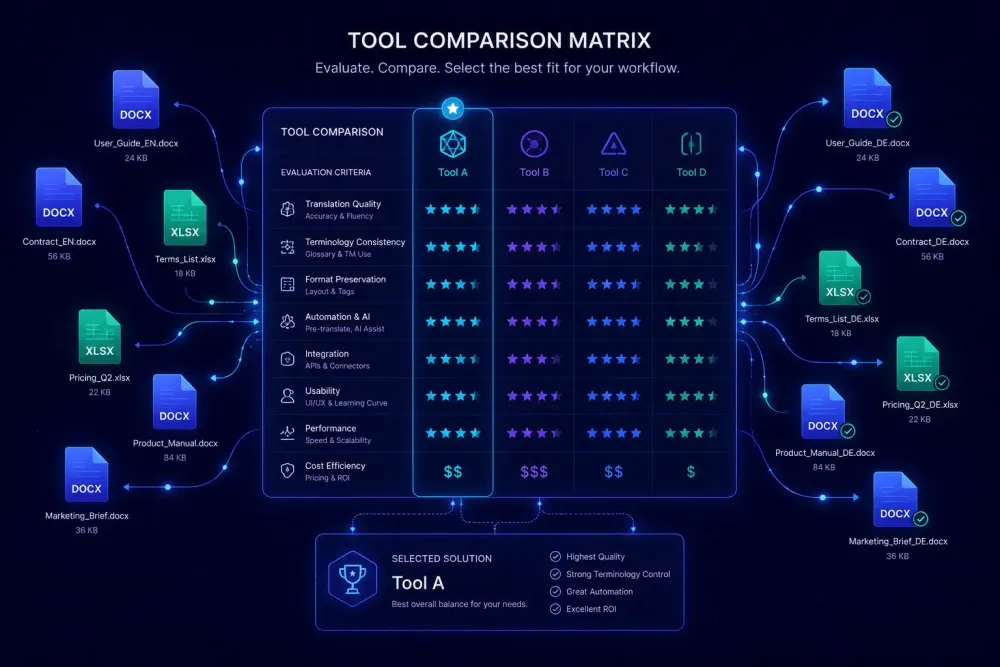
If you work with DOCX files or XLSX workbooks that need to go into another language, you've almost certainly run into the same problem: a tool that translates the text and returns a file that needs ninety minutes of formatting work before it's presentable. Finding the best AI document translation tools in 2026 comes down to one question — does the output match what you can actually deliver to a client? In this piece, we look at the tools that translation agencies and professionals are using in real workflows, not just what those tools promise in their demos.
What separates document translation from text translation
The phrase "AI translation" gets used to describe a range of things that work very differently in practice.
Text translation (pasting prose into a web interface and getting translated prose back) is largely a solved problem. Most major engines handle this competently for common language pairs. Document translation is a harder challenge. A document isn't just text; it's text embedded in structure. Headings, tables, numbered lists, tracked changes, text boxes, footnotes, merged cells in an XLSX workbook: all of it needs to survive the translation process without being destroyed or rearranged.
A practical example illustrates the gap. Take a 30-page DOCX report with a branded header, complex tables, and footnotes containing legal disclaimers. Run it through a tool that does text extraction and translation: you get the translated prose back as plain text, and you spend an hour recreating the structure manually. Run it through a tool that handles document-level translation with formatting preservation: you get a DOCX you can open and review immediately. The difference in downstream labor is not trivial at scale.
When we compare tools in this piece, we're working from a specific definition: an AI document translation tool takes a structured file, translates the text while preserving the file's internal structure and formatting, and returns something you don't have to rebuild manually. That's harder than text translation, and it's where the tools in this space diverge most.
DeepL document translation: strong output, formatting limits
DeepL is where most translators start when looking for AI document translation, and its reputation is largely earned. Translation quality for prose in common European language pairs is consistently strong: readable output, appropriate register, good handling of idiomatic phrases. The document translation feature on Pro plans accepts DOCX, PPTX, XLSX, and PDF, and for files with standard structure it produces clean results quickly.
The limitations become clearer once you move to complex documents. Consider a typical scenario from agency work: a 45-page technical installation manual with custom paragraph styles, multi-level numbered lists, and tables spanning multiple columns. DeepL will translate every sentence accurately. The formatting, however, often drifts. Custom styles revert to defaults, table column widths shift, and numbered list hierarchy can collapse. The output is usable as a draft but requires formatting review before delivery. For a project billed as machine translation post-editing (MTPE), this is expected. For one billed as formatted delivery, it creates scope issues.
The glossary feature is useful and simple: upload a CSV of source/target term pairs, attach it to a translation, and DeepL applies them. For direct one-to-one term substitutions, this works reliably. For context-sensitive terminology (the same source term that should be translated differently depending on section), you handle exceptions manually.
DeepL's API pricing operates on a per-character basis. For an agency doing consistent high volume, this needs to be modeled against subscription alternatives before committing. DeepL works best with moderate-length documents that have predictable structure. A 20-page business report is a better candidate than a 60-page technical manual with custom formatting.
Google Translate for documents: better than it used to be
Google Translate's document translation has improved over the last two years. For DOCX files with standard paragraph and table formatting, it now handles structure more reliably, and output quality has risen across most language pairs.
The terminology gap is the persistent limitation. The free web interface offers no glossary injection, which means agencies working with client-specific terminology get fluent output that may use the wrong product names or ignore established conventions. That creates QA overhead downstream.
The language coverage argument is real. Google Translate supports a wider range of language pairs than most specialized tools, including many where DeepL's coverage is thin. For occasional translation into less common language pairs, or for a first-pass draft where terminology control is less critical, that breadth matters.
Data handling is the professional concern. Google Translate's free tier doesn't make explicit commitments about how uploaded documents are processed or retained. For any document covered by an NDA or containing client-sensitive information, this should factor into your tool selection. Google's Cloud Translation API (a paid enterprise product, separate from the consumer interface) has clearer data processing terms, but it requires development setup and isn't a direct alternative to the file upload workflow most translators use.
Smartcat: pipeline-level translation for agencies with ongoing volume
Smartcat operates differently from the tools above. Rather than taking a file and returning a translation, it runs a sequenced pipeline: segmentation, Translation Memory (TM) lookup, AI translation, automated QA checks, and glossary enforcement. This pipeline structure is what makes it practical for agencies managing ongoing client relationships rather than individual documents.
According to Smartcat's documentation, the TM lookup step applies exact matches automatically at zero cost and confirms them without requiring human review. Fuzzy matches (segments similar but not identical to previously translated content) are suggested and priced at roughly 40% of full translation cost. For an agency with an established TM from a long-term client, this changes the economics considerably on repeat content.
The glossary enforcement works at the segment level: when a source term is detected, the system surfaces the approved target term. An OpenAI-based correction step can fix segments where the AI output didn't use the correct term. For clients with strict terminology requirements, this is a more systematic approach than attaching a glossary CSV after translation runs.
Smartcat supports a broad range of file types, including DOCX, PDF, PPTX, XLSX, HTML, video, images, and SCORM, through specialized AI agents. The platform also maintains a marketplace of over 500,000 vetted linguists that agencies can use for human review after AI pre-translation.
The tradeoff is real. Smartcat's Smartwords credit system meters usage at a granular level, and project setup overhead makes it less practical for one-off file requests. An agency with steady volume and established client TMs will extract more from it than a freelancer handling occasional documents.
ChatGPT for document translation: useful in a specific role
ChatGPT doesn't work as a document translation tool in the operational sense used above. It doesn't ingest DOCX files and return formatted DOCX output. You paste or upload text, receive translated text back, and manage formatting yourself.
Where it's genuinely useful is as a revision tool for the segments that automated engines handle badly. Legal passages with conditional phrasing, marketing copy where register matters, technical definitions where a wrong term will be noticed by any domain expert: these are cases where running a segment through ChatGPT with explicit context often fixes problems faster than manual post-editing.
A pattern we see in agency settings: an AI translation engine produces clean output for 90–95% of a document. The remaining 5–10% are segments where the tone is flat, terminology is off, or the logic of a complex sentence breaks down in the target language. Running those specific segments through ChatGPT with a prompt that includes domain context and relevant glossary terms resolves most of them.
What doesn't work is treating ChatGPT as the primary tool for a structured document with formatting requirements. A 50-page XLSX workbook needs cell-level delivery, progress tracking, and structured output — ChatGPT doesn't provide any of that. Managing document translation through a conversation interface creates more work than it saves.
One practical observation: ChatGPT performs better when the prompt includes domain context and at least a short glossary snippet. Without that framing, it defaults to general-purpose translation decisions that may not match your client's established terminology.
What to check before committing to any tool
Most tool evaluations fail because they test the easy case. A two-page press release with minimal formatting will produce acceptable output in almost any tool. The document that matters for your evaluation is the one you'd actually struggle with: your most common file type, at the length typical for your client base, in the language pair that causes the most issues.
Format fidelity is the first thing to examine, and it's where most tools misrepresent themselves. "Supports DOCX" can mean anything from full structure preservation to text extraction with basic paragraph formatting. Run a representative file from your actual work, not a clean test document, and inspect the output at the level of custom styles, table structure, headers and footers, and list hierarchy — not just whether the translation reads well.
Glossary injection before translation runs is the capability that separates tools that work in professional settings from those that don't. A tool that lets you define approved terminology and enforce it before the AI job runs will produce better output than one where you apply a glossary fix after the fact. For domain-specific work (medical, legal, technical), this difference shows up on every project.
QA visibility matters even when you plan to do your own review. Some tools return a translated file and nothing else. Others surface quality scores, flag segments that fell below a confidence threshold, or give you a structured source/target comparison. For client delivery workflows, QA happens regardless — the question is only whether the tool supports it or whether you're doing it manually with no structural aid.
SnapIntel: structured workflow for DOCX and XLSX translation
For translators and agencies working specifically with DOCX documents and XLSX workbooks who want preparation controls before AI translation runs, SnapIntel addresses a gap the other tools don't fill.
The workflow is sequential: upload a file, select the language pair, run optional domain analysis, generate a glossary and translation prompt, approve both, then start the translation job. The glossary and prompt approval gate is enforced both in the interface and server-side — translation can't begin without confirmed, non-empty content in both fields. In practice, this prevents the most common source of poor AI output: running translation without domain context and terminology guardrails in place.
Output includes a translated DOCX or XLSX, a neutral XLSX export that can be imported into any CAT tool as a translation memory starter, and a QA report with a quality rating for each job. For teams using Trados, memoQ, or another CAT tool, the neutral XLSX provides a bridge to keep TM current without manual segment extraction.
This works best when you're working with DOCX or XLSX files and want workflow controls at each stage. It doesn't apply if your primary file type is PDF or if you need a built-in CAT editor for segment-level editing.
Plans start with a free tier covering 2,000 words per month, a Pro plan at 60,000 words per month, and an Agency plan that uses BYOK (Bring Your Own OpenAI Key) for teams that want cost control through their own API key.
For more on how AI translation workflows are shifting for agencies, we covered the broader context in this piece on how AI translation tools are changing professional workflows.
Picking the right tool for your actual use case
No single tool is the right answer across all document translation situations.
DeepL gets you to clean, readable AI output fastest for documents with predictable structure in common language pairs. Smartcat is the practical choice for agencies with established TMs and clients who require glossary enforcement across ongoing projects. ChatGPT fills a supporting role for difficult segments in an otherwise tool-assisted workflow. SnapIntel addresses the case where you need structured DOCX and XLSX workflow controls: glossary approval, QA reporting, and TM-ready output, without rebuilding your existing CAT setup.
The decision becomes clearer once you test your actual files. Pick the two or three tools that seem closest to your workflow, translate the same representative document through each, and compare the output you'd be comfortable delivering to a client without additional cleanup. Feature lists won't settle this question; the files will.