How to translate training presentations for international teams
Translate training presentation decks for international teams: what to scope, why speaker notes get skipped, and who should review before rollout.
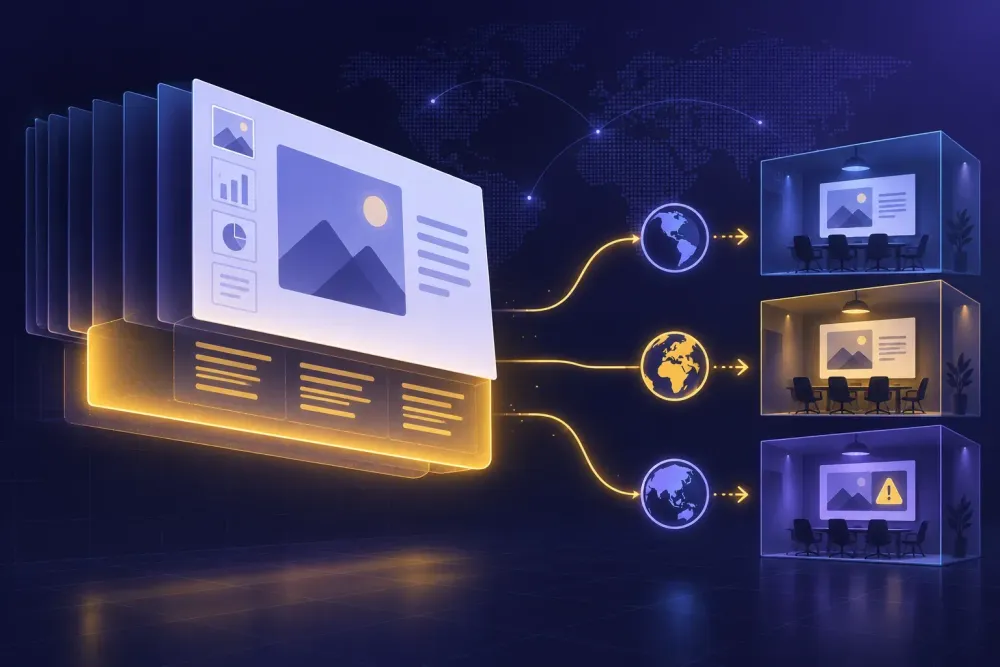
A training department sends over a 68-slide onboarding deck and asks for Spanish, Polish and Turkish by the end of the month. Nobody in the room has done this before. The reason it is harder than it looks is that a training deck is not really a document. It is a script, a set of exercises, and a tour of software your team actually uses, all packed into one PPTX file. When you translate a training presentation, the visible slide text is the easy part, and it is usually the only part a quick tool touches.
We see this from both sides: agencies that localize corporate training for a living, and companies that have documents and no translation department. The second group hits the same problems in the same order, and most of those problems are decided before the file goes anywhere.
Why a training deck is harder than a regular presentation
A client-facing deck gets read once and then it is over. A training deck gets performed, sometimes forty times, by a trainer who did not write it and was probably not in the room when it was approved. That changes what an error costs. A clumsy sentence in a sales deck is embarrassing. A clumsy sentence in a work instruction becomes the way thirty people do the job for the next two years.
Two layers sit inside the same file and behave differently. The slides carry labels and prompts. The notes pane carries the actual explanation. Then there is a third thing that is not really a layer: the exercises and the assessment, which hold the only text the learner gets tested on, and therefore the text that has to be right.
We worked with a manufacturer on machine-safety onboarding: 68 slides, English source, three plants in Spain, Poland and Turkey. The slides were mostly diagrams with four or five words of caption. Everything a new operator was supposed to learn sat in the notes pane, written by an EHS specialist in long, careful paragraphs. The first vendor quote came back cheap because it was priced on visible slide text, about 900 words. The deck held closer to 9,000.
The second difference is reference data. Training decks name internal systems, forms, roles, approval steps and sometimes individual people. A translator without access to any of that guesses, politely and consistently, and the guesses are wrong in a way nobody catches until a trainer asks what a form number refers to.
The third is lifespan. Training content gets revised, usually every quarter or whenever the process itself changes. Teams that translate training presentation decks on that cycle learn the lesson early: if you treat the first pass as a one-off project and leave no term list behind, the next revision starts from zero and comes back worded differently, and the trainer who has already taught the old version has to work out which wording is now correct.
What to scope before you translate a training presentation
Open the file and find out what is actually in it. In a PPTX, translatable text lives in slide placeholders, free-standing text boxes, tables, grouped shapes, chart and axis labels, SmartArt, and the notes pane. Simpler tools read the first two and skip the rest. A word count that only covers placeholders will understate a diagram-heavy deck by an order of magnitude, which is how the manufacturer above nearly committed to an impossible deadline.
Then work out which files travel together. A training module is rarely one deck. There is usually a facilitator guide in DOCX, a quiz or checklist in XLSX, sometimes a one-page handout. If those go to different people at different times, the same term comes back worded two or three ways, and the version a learner reads in the quiz will not match the slide they were taught from. Translate them as one batch against one term list, even if you deliver them separately.
Scoping also means deciding what does not get translated. System names, interface strings, legal entity names, form codes, document numbers and product names usually stay in the source language. That decision has to be written down before anything runs, not corrected afterwards. The same goes for anything in the deck quoted from a signed document, where the wording is the point.
Last, count the words honestly and quote the deadline against that number. For internal planning we assume a diagram-heavy training deck carries several times more words than its slide text suggests once notes are included, and that PPTX review runs slower per word than DOCX review, because the reviewer has to check where text sits as well as what it says.
Speaker notes are the training, and they get skipped
This is the most common failure we see in PPTX translation for corporate training localization, and it is almost always silent. The translated deck looks finished. Slides are in Spanish, the layout holds, nothing is obviously broken. Then someone opens the notes pane and it is still English.
Check this first, on every file, before looking at anything else. Open the output in PowerPoint, switch to notes view, page through. It takes two minutes, and it decides whether you have a deck a trainer can use or a deck that will quietly fall apart in the room.
What happens when notes get left behind is predictable. In the Polish plant, the trainer read the English notes, translated them on the fly, and did a reasonable job of it. The trainer in Turkey did the same thing and made different choices. Six months later the two sites were teaching different sequences for the same lockout procedure, and both believed they were following the approved deck. Nobody had mistranslated anything. The deck simply stopped being the source of truth the moment two people had to improvise from it.
There is a legitimate alternative. If your local trainers are fully bilingual and the notes are scaffolding rather than content, you can leave the notes in the source language on purpose. That works when notes are timing cues and reminders. It does not work when the notes carry the explanation, the answers to the exercises, or phrasing a regulator would expect to see used. Either way, make it a decision somebody signed, and record it in the handoff so the next revision does not quietly reverse it.
Screenshots and embedded images give away a half-finished job
Text inside a PNG or a JPG is not text. It is pixels, and no translation workflow will touch it. For training decks this matters more than almost anything else on this list, because a deck that teaches an internal tool is mostly screenshots with arrows and callouts on top.
A software company we worked with had a 40-slide CRM training deck for a new sales team in Brazil. Roughly half the slides were screenshots of an English-only interface. The translation itself was accurate. The instruction said, in Portuguese, to click the button called Salvar. The screenshot showed Save. The live system showed Save. The first exercise stalled on slide six while eleven people looked for a button that did not exist.
Decide this per system, and ask IT rather than the translator: is the interface localized for that market or not? If it is not, keep every interface string in the source language and translate the words around it. The convention that works is the source string first with a short local gloss after it, used consistently, so a learner can scan the screen and the slide at the same time. If the interface is localized, retake the screenshots in the target language before translating, or you will translate captions describing the wrong screen.
Charts, SmartArt and grouped shapes are the inverse problem. They do hold real text, they are easy for a tool to miss, and a deck where the body is translated while every chart label is still English looks worse than one that was obviously never started.
Build the term list from the exercises, not the slide titles
A glossary for a training deck should be short, and it should come from the parts of the deck that carry consequences. We pull candidate terms from the assessment first, then from the numbered procedures, then from anything naming a system, a form, a role or a safety state. Slide titles are usually the least useful source, because they are written to read well in a header rather than to be precise.
Length matters less than approval. Thirty terms the local trainer signed off on will do more for consistency than three hundred terms nobody read. Each entry needs the source term, the approved target term, and one line of context saying where it appears, because "permit" means different things on the safety slide and in the procurement slide, and a translator working without context will pick one reading and apply it everywhere.
Two categories do most of the work in training content. Do-not-translate items: system names, form codes, product names, job titles that exist as a formal grade. And fixed renderings for anything that will be tested, so the quiz and the slide agree word for word rather than approximately.
Register is the separate decision, and it is not a stylistic preference. Whether the deck addresses the learner formally or informally has real consequences in Spanish, German, French and Japanese, and a deck that switches halfway reads as careless to every native speaker in the room. Pick one, state it in the translation prompt or the brief, and check it on the first module.
For the machine-safety project the final list ran to 41 terms. Most of the argument was about two of them: the local word for a safety state that the Spanish plant had been calling something else for fifteen years, and whether a specific form number should be spoken aloud at all. Both were settled by the plant EHS leads rather than by us, which is the right answer for that kind of term. We went deeper on selection criteria in how to choose which terms go in your AI translation glossary.
Some content needs rewriting, not translating
Not every slide in a training deck is translatable content. Some of it is local by nature, and a faithful translation of it is a correct translation and a wrong deck.
The usual candidates are statutory leave and notice periods, references to local safety regulation, escalation contacts and on-call numbers, examples built on local currency or date conventions, and role-play scenarios whose humour or hierarchy does not survive the move. We have also seen a whole expense-policy module that was accurate in translation and simply did not describe what the subsidiary did.
Mark those slides before translation and route them to the owner in that market, usually HR, EHS or the country lead. They are writing, not reviewing, and the time for it has to be budgeted separately, because that is the step that slips. Translation is a vendor task with a deadline. Local rewriting is an internal task competing with somebody's day job, and it tends to arrive last. One practical fix: ask for the local content in writing before the translation batch goes out, so the rewritten slides travel with everything else instead of being patched in afterwards by whoever still has the file open.
This does not apply uniformly. If the deck covers product mechanics, software steps or technical procedure with no legal or employment content, you can skip the step entirely, and most product-training projects do. If it touches employment terms, safety obligations, data handling or anything with a regulator attached, do not skip it, and do not let the translation vendor decide. They cannot. They do not know what is true in that country, and a translator who stops to flag the question is doing the job correctly even when it costs you a day.
Review with the person who will deliver the session
The reviewer should be the trainer who will run the session, or a senior person in that market who will use the deck. Not whoever in the company speaks the language a bit. Those are different skills, and the second kind of reviewer sends back notes on word choice while missing that the procedure described is not how the site actually works.
Give them two questions and a deadline. Does this match how we do it here, and would you say these sentences out loud to a room. The second one catches more than people expect: a translation that is technically fine can be unsayable, especially in notes a trainer reads while watching a group. Ask for comments inside the deck, and set a date, because an open-ended review of a 68-slide deck comes back in six weeks or never.
Say which kind of text they are getting. Post-editing machine output is not the same job as reviewing a human translation: MTPE produces fluent sentences carrying the wrong term, not awkward sentences carrying the right one, and a reviewer braced for the second reads straight past the first. If nobody on your team reads the target language, the work is still checkable, and we wrote that up in how to check translation quality when nobody on your team speaks the language.
If the translation step is the part you are missing, SnapIntel runs a DOCX, XLSX or PPTX file through domain analysis, a glossary and a translation prompt you approve before translation starts, then returns the translated file with a quality rating and a QA report. It also produces a neutral source and target XLSX export, which is what you hand a reviewer who will not open PowerPoint, or a translator working in a CAT tool with their own TM. See snapintel.io.
Then start small. Pick the shortest complete module, translate it fully including the notes pane, have the local trainer deliver one real session from it, and log every change they made while speaking. That log is your glossary correction and your register decision for the other sixty slides, and it costs one session to get. The alternative is translating all 68, finding out on slide four that the register was wrong, and paying to redo the lot.