How to keep your translation memory in sync when you translate outside your CAT tool
How to keep your translation memory in sync when AI handles the translation step outside your CAT tool, and what to do when segment counts don't match.
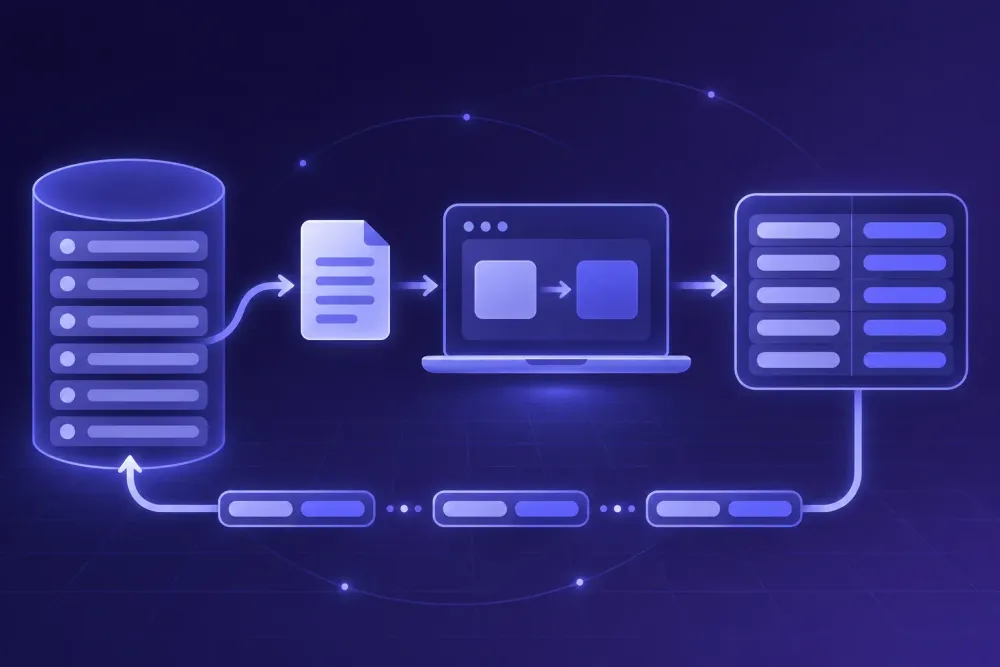
A translator we work with finished a 40,000-word equipment manual last spring. She ran the first pass with AI outside her CAT tool, post-edited in a spreadsheet, delivered on time, and got the updated version of the same manual eight months later. Roughly 70% of the text was unchanged. Her CAT tool found almost nothing. The translation existed, the client had approved it, and it was in no place her software could reach. That is the whole problem in one story. If you want to keep translation memory in sync while the actual translating happens somewhere else, the sync has to be part of the job, not something you deal with afterwards.
Why a translation memory goes stale the moment you work outside the CAT tool
A TM only knows what the editor confirmed. That is its entire input mechanism. If the translating happened in a browser tab, a desktop AI app, or a standalone document translator, nothing was confirmed, so nothing was written. The delivered file is fine. The memory behind it is empty.
The first cost shows up on the next version of the same document. Manuals, contracts, tender packs and product catalogues get updated, not rewritten. When the update lands and the match rate is near zero, you quote and schedule it as new work. That is either money left on the table or hours spent retyping text you already approved once.
The second cost is consistency across a client rather than inside a file. The same product name, the same warranty clause, the same safety warning should come back identical in March and in November. With no TM entry, the only thing holding that line is somebody's recollection, and for a client who sends five different document types a year that is not a system.
The third one catches people off guard. More clients now ask for the TM along with the files, especially corporate buyers building their own language assets. Handing over a memory that is missing your last three projects is an awkward conversation, mostly because the honest explanation is that the work happened elsewhere.
Worth saying plainly: if your work genuinely does not repeat, literary translation or one-off campaign copy, this matters much less and the effort is hard to justify. Round trips pay off on documents that come back.
How to keep translation memory in sync when the translating happens elsewhere
The shape of the fix is boring, which is the point. Fix the segmentation and export a bilingual file. Translate the target column outside. Import the pairs back.
The file that travels should be a bilingual table with one segment per row: source in one column, target in the next, and an ID column nobody touches. A neutral source and target XLSX is the most portable version of that. Every CAT tool can produce something close to it, and anything on the outside, a spreadsheet, a script, an AI translation workflow, can fill a column. TMX matters at the other end of the trip, because it is the one format essentially every CAT tool will accept into a TM, and it carries segment-level metadata that a spreadsheet cannot.
What we would avoid: translating the finished DOCX as a document, delivering it, and then reconstructing the pairs by aligning source and target files afterwards. Alignment works, and sometimes it is all you have. It is also the slowest and least predictable step in the whole process, and it is avoidable when the bilingual table is the master copy from the start.
Order matters more than people expect. Create the project in the CAT tool first, even when no translating will happen there. The CAT tool's segmentation then defines the units, the import lands on those same boundaries, and pretranslation on the next version actually hits. Do it the other way round and you get a TM full of segments that no future project will ever match, which looks like a sync and behaves like a landfill. We walked through the broader version of this question in what happens to your translation memory when you add AI to your workflow.
Segmentation is where the round trip breaks
Two tools almost never split text the same way. CAT tools use segmentation rules, usually SRX, with exception lists for abbreviations. An outside tool does whatever its own parser does. The mismatches are predictable once you have seen a few.
Abbreviations are the classic. A sentence starting "Fig. 3 shows the assembly sequence" is one segment in a CAT tool that knows "Fig." and two segments in a tool that treats every full stop as a boundary. Bulleted lists without terminal punctuation go the other way: some parsers glue consecutive items into one block, some keep them separate. Headings, table cells, numbered clauses in contracts and soft line breaks inside a DOCX paragraph all behave differently depending on who read the file.
The practical rule we settled on: segmentation belongs to the CAT tool, once, before anything leaves. Export the segments it produced and let the outside step work row by row on that table. Do not let the external tool re-segment, and do not let it see the original document if you can help it, because then it will.
Two small things that cause outsized pain. Keep the ID column as text, not as numbers, or Excel will reformat it, drop leading zeros, and turn anything that looks like a date into one. And do not sort or filter the file in a way that gets saved. Row order is not the identifier, but it is what most people reach for when they check alignment, and a quietly re-sorted file will pass a visual check and fail at import.
If your CAT tool lets you export the active segmentation rules, send them with the job when a colleague or a vendor is doing the outside step. It takes a minute and removes an entire category of argument later.
What to do when the segment counts don't match
It will happen anyway. An agency we worked with sent out 1,240 source rows for a bilingual export and got 1,198 back. Nobody noticed until the TM import threw a row-count warning. The external step had merged consecutive list items in the spare-parts tables, so 42 rows had quietly become 21 longer ones.
The procedure is unglamorous. Never import a pair file you have not reconciled. Diff the returned file against the sent file on the ID column, not on row position, and look at every row where an ID is missing, duplicated, or has an empty target. Merged rows get split back by hand to match the source boundaries. Dropped rows get re-translated. Rows where the target is suspiciously shorter than the source usually mean truncation, which is worth checking before it reaches a reviewer.
The reason to be this strict is that a wrong 100% match costs more than no match at all. A missing match makes somebody translate a sentence. A misaligned match puts confident, pre-approved text in front of a post-editor who has been trained to trust green rows, and it will be confirmed without being read. We have seen a misaligned import survive two rounds of review and reach the client, because at no point did anyone go back to question the memory.
If reconciliation takes more than a few minutes on a typical job, the round trip itself is wrong. Fix the export, the parser, or the instructions you send out. Reconciliation is a safety net, not a workflow step you should be doing at volume.
Decide what actually belongs in the translation memory
Not everything that comes back deserves to be in there. Raw AI output that nobody read is not a translation, it is a draft, and a TM full of unreviewed drafts will hand those drafts back to you for years with a 100% label on them.
What we do, and what we would recommend, is to write origin into the metadata rather than keep it in your head. Most TM formats let you set a creation user or a custom field, so post-edited AI segments can go in as something like AI_PE while fully human segments stay separate. That one field is what makes it possible to filter, re-review, or discount later. Without it, two years from now every segment in the memory looks equally trustworthy.
There is real disagreement here and we will not pretend otherwise. Some agencies keep a second TM for machine-origin content and apply a match penalty so those hits never appear as perfect. Others keep one memory and rely on metadata plus QA checks. The two-TM approach is cleaner on paper and gets messy in practice, because somebody has to remember to attach both to every project, and eventually somebody does not. Our preference is one memory with honest metadata, mostly because it fails more visibly.
One rule we would not bend: if a segment was never read by a human, it does not go into the memory you sell, deliver, or build on. Keep it in a staging TM if you want the speed on the current project, and promote segments once they have been reviewed. That boundary is easier to hold than it sounds, and it is the difference between a memory that gets more useful each year and one that slowly poisons itself. The mechanics of moving entries between tools are covered in how to reuse translation memory across any CAT tool.
Keeping the glossary in step with the memory
Terminology decisions get made during post-editing, in the target column, at speed. Someone changes "service interval" to the client's preferred wording in 60 places, delivers, and nothing records why. The TM now holds the right wording. The glossary still holds the old one, or nothing at all. On the next project the AI pass follows the glossary, reproduces the old term, and a reviewer fixes it again.
The division of labour is simple enough to remember. The TM is the record of what you wrote. The glossary is the instruction for what to write next time. A round trip that updates only the record is half a round trip.
So the last step of reconciliation is a terminology pass: scan the returned file for terms you changed consistently, and add them to the glossary before you close the project. Ten minutes on a mid-sized job. We have never regretted it, and we have regularly regretted skipping it.
If the outside step is where you want AI to do the first pass, this is the part of the workflow SnapIntel was built around. You import a DOCX, XLSX or PPTX, review and approve the glossary and the translation prompt before translation starts, and get back the translated document, a neutral source and target XLSX export, and a QA report. That XLSX export is the piece that matters for this article: it is a bilingual file in a format that makes no assumption about which CAT tool you use, which is what you need to feed your own memory.
A round trip you can repeat next week
Pick one client whose documents come back in versions, and set the round trip up on their next job rather than on all of them at once.
- Create the project in your CAT tool before anything is translated, and let it segment the file.
- Export source and target as a bilingual table with an ID column, kept as text.
- Send only that table to the outside step, with your segmentation rules if someone else is running it.
- On return, diff on IDs, reconcile merged and missing rows, and reject nothing silently.
- Import to the TM with an origin field set, then update the glossary with every term you changed more than once.
Then do the thing that proves it worked. When the next version of that document arrives, run pretranslation before you quote, and write down the match rate. That number is the only honest test of whether your memory is in sync, and it is the one you can show a client when they ask what they are paying for.