How to automate translation QA without sacrificing accuracy
How to automate translation QA without losing accuracy: which checks a machine can be trusted to gate, which need a human, and how to measure the gap.
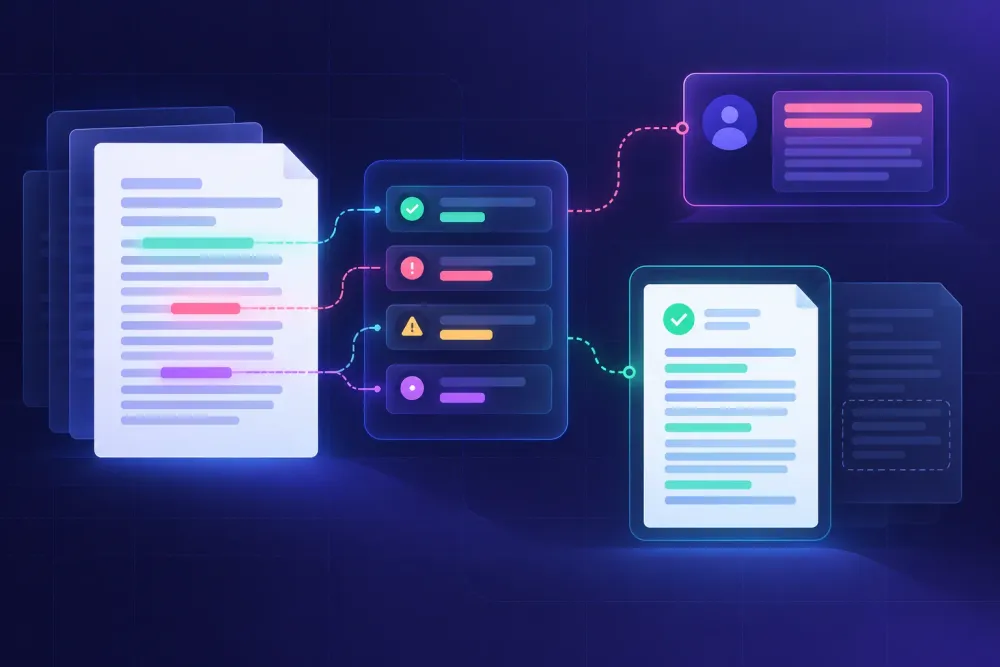
Most teams that set out to automate translation QA get the first half right and the second half wrong. The checks get installed, the reports come back in seconds, and then a client finds an error nothing in the pipeline was looking for. We have heard this from enough agency QA leads and solo translators that it reads as a structural problem rather than bad luck. The automation moved the work without reducing the risk, because nobody drew a line between what a tool can verify and what still needs a person to judge.
Drawing that line is most of the job. Automated QA is strong at verification: comparing two things and reporting a mismatch. It is bad at evaluation, which is deciding whether a sentence carries what the source carried. Keep those two apart and you get faster without losing accuracy. Treat a clean QA report as a quality verdict and accuracy starts dropping within weeks, usually without anyone noticing for months.
What it means to automate translation QA
The phrase covers a narrower band of work than most vendor pages suggest. QA automation tools take a bilingual pair, apply rules to it, and report where the target does not behave the way the rules expect. A number appears in the source and not in the target. A segment is identical to its source. A glossary term was approved and the target uses something else. A placeholder opened and never closed. Each is a mechanical comparison with a correct answer that exists independently of anyone's opinion.
What the same tools cannot do is tell you that a correctly formatted, terminologically compliant sentence says the wrong thing. A German clause that reverses which party bears a cost will pass every automated check ever written. Nothing about it is mechanically inconsistent with the source. It is simply wrong.
The two kinds of problem fail in opposite directions, which is the useful part. Mechanical errors are cheap for a human to find and tedious to hunt for, so they belong to a machine. Meaning errors are expensive for a human to find and impossible for a rule to look for, so they belong to the reviewer. Automation that works does not reduce the amount of human judgment in a project. It moves that judgment off counting decimal separators and onto the paragraphs where a misreading would cost the client something real.
Teams that get into trouble usually did the first part and stopped. The checks run, the report is clean, and the review step gets quietly shortened because the report looked reassuring. That is the moment accuracy starts sliding, and it leaves no trace in any dashboard.
Sort every check by how deterministic it is
Before choosing tools, sort the checks you care about by how much context a correct answer requires. The sort decides what each check is allowed to do in the workflow, and that permission matters more than the rule itself.
Some checks have one correct answer derivable from the source alone: altered or missing numbers, dates that changed value rather than format, untranslated segments, dropped and duplicated segments, placeholder and inline tag integrity, do-not-translate terms that got translated anyway, repeated source segments that came back with different targets. A machine is close to perfect here. A human reading for meaning is close to useless, because the eye slides over a digit. Automate this group without reservation and let it block delivery.
Then there are pattern checks that are usually right and sometimes wrong. Target length ratios that suggest an omission or a padded sentence. Terminology checks where the approved term legitimately inflects or compounds in the target language. Locale punctuation and spacing conventions. Consistency flags on segments that are similar but not identical. These earn their place, but they cannot be gates. A length-ratio flag means look here, not fix this. Wiring them to a pass or fail decision is how teams end up with reviewers mechanically dismissing warnings, which trains them to dismiss the reliable checks too.
Everything else is judgment. Does the sentence mean what the source meant, is the register right for the audience, does this translated warning still create the same obligation it created in English. No current tooling resolves those, and the products claiming to are producing a probabilistic opinion, not a verification. Use them to direct attention. Do not let them sign off.
Most failed QA automation projects we have looked at collapsed for the same reason: a judgment check or a pattern check was installed as a hard gate. The flags were noisy, people learned to ignore the report, and within a quarter the automated layer had negative value. It cost time and it had taught the team that its output was not worth reading.
The checks worth automating first
Starting from manual review, a small set of deterministic checks recovers most of the available time.
Numbers and dates are the place to begin, because they produce the most common serious error and the one least likely to be caught by reading. A Spanish to English financial statement we looked at had been reviewed twice by competent linguists. The body text was clean. In a chart label, 1.250.000 had been rendered as 1,250,000 in one place and 1250000 in another, and the inconsistency survived both reads because neither reviewer was reading chart labels as numbers. An automated numeric check finds that in under a second and does not get bored on page forty.
Untranslated segment detection is worth more than it sounds. The common case is not a translator skipping a paragraph. It is content the pipeline never reached: a hidden worksheet, a text box, a header, a chart data label, speaker notes behind a slide. We saw a sixty-sheet Excel workbook go out with two hidden sheets fully in the source language, because the extraction step had not touched them and the QA step only compared what had been extracted.
After that, tag and placeholder integrity for anything that came out of a CAT tool or any file with inline formatting. A broken tag pair is invisible in a bilingual view and obvious in the rendered document, so it tends to be found by the client rather than by you. Glossary adherence and a do-not-translate list round out the set: brand names, product names, legally fixed terms, interface strings that must match a shipped UI.
Translation errors detection across those five categories can be set up in an afternoon with tooling most teams already own. The checks built into Trados, memoQ and Phrase cover a good share of them, and a dedicated checker such as Xbench or Verifika covers more and runs across files rather than inside one project. Our advice is unglamorous: start with what is already in the tool you use daily, measure what escapes, and buy a dedicated checker once you can name the errors it needs to catch.
Where automated QA quietly loses accuracy
The dangerous failure is not a check that flags the wrong thing. It is a check that reports clean on text it never examined.
A QA report showing zero issues on eighty percent of a document looks identical to one showing zero issues on all of it. Nothing in the output distinguishes them. That gap is where most post-delivery complaints live: headers and footers, footnotes, text boxes and shapes, chart labels and axis titles, hidden rows and sheets, speaker notes, alt text, document properties. If you automate one thing beyond the checks themselves, automate a coverage count. Compare the translatable segments your extraction step found against a count taken from the file directly, and chase any gap before reading a single flag.
Terminology false negatives are the next thing to distrust. A glossary check matching exact strings will pass a German target that used a different compound, or a Russian target that declined the approved term into a form the rule does not recognise. The report says terminology is compliant. It is not. Checkers with morphological matching handle this better, and even then it is worth sampling terminology by hand on the first project in any new language pair.
AI-translated output has also moved the ground under the old heuristics. Statistical machine translation produced text that read wrong, so fluency problems and accuracy problems arrived together, and a reviewer skimming for awkwardness would land on the real errors by accident. Current models produce fluent, confident, grammatically clean sentences. Fluency is no longer a signal for anything. An omitted conditional clause reads perfectly. An invented specification reads perfectly. Any QA setup built on the assumption that bad translations look bad is calibrated for a problem that no longer presents itself that way.
Then there is noise. A suite returning four hundred flags on a fifty-page document, eleven of them real, does not make the document safer. Reviewers triage by dismissing, and the habit transfers. Tuning the rule set down to a flag count a person will actually read through is part of the setup, not an optimisation for later.
Keep a human gate, and size it like a sample
The goal is not to remove human review. It is to make it small enough to run every time and targeted enough to be worth running.
Full bilingual reading does not scale, and past a certain length it does not work either, because attention degrades long before the page count does. Sampling works better, provided the sample is chosen rather than random. Read where an error costs the most: the executive summary a board will read, the clauses that create obligations, the specifications an engineer will build to, dosage and safety text, the first and last pages of anything a client will skim. Read a fixed proportion of the remainder, and pick those passages before you see the QA report, so the report does not steer you into places it has already covered.
Two rules make sampling defensible. A sample that fails expands rather than gets patched: if the three paragraphs you read contain two accuracy errors, you have learned something about the whole file, and the correct response is a full review. And the sample size has to be set per risk tier before the project starts, not negotiated against the delivery deadline. ISO 17100 requires a review step for certified work without prescribing how much of the text it covers, so that decision is yours to document and defend. A written tier definition is what stops it from quietly becoming zero on busy weeks.
How to tell whether automation is costing you accuracy
Most teams cannot answer this, which is why the slide goes unnoticed. Two habits answer it cheaply.
Keep an escaped-defect log. Every error found after delivery gets one line: what it was, which error category it belongs to, and which check should have caught it. Within a few months the log tells you whether your escapes are mechanical, meaning a coverage or rule problem you can fix, or whether they are meaning errors, meaning your human sampling is pointed at the wrong sections. Sorting them by category rather than counting them is what makes the log useful, and the standard translation error categories are good enough to borrow. The MQM framework gives you a more formal version if you report quality to clients.
Run periodic calibration. Take a file a reviewer read in full and corrected, then run your automated suite against the uncorrected version. Anything the reviewer caught that the suite missed is either a judgment error, which is fine and expected, or a mechanical error your rules should have found, which is a gap you can close this week. We have yet to see this exercise produce nothing. It usually turns up two or three missing rules and one coverage hole nobody suspected.
Both habits measure the same thing from opposite ends, and both beat a dashboard of flag counts. A falling flag count can mean the translations got better or that the checks stopped looking, and the dashboard will not tell you which.
Automating QA on AI-translated documents
The error profile shift changes which checks matter, so it is worth treating separately. On post-edited AI output, the errors we see most are omission, where a clause or a bullet silently disappears; unrequested addition, where the model fills a gap with plausible content that was not in the source; and terminology drift across a long document, where one source term comes back three ways because the model lost the earlier context. None of these produce awkward prose. The first two produce no mechanical inconsistency at all unless you are checking segment presence and entity sets explicitly.
For AI-translated files, then, add segment-count parity and an entity check on named items, figures and units to your deterministic set, and move terminology consistency up the priority list. Then accept that omission needs a human sample, because deciding something is missing requires reading the source.
If the translation step itself is where you want more control, some of this can be front-loaded instead of caught afterward. SnapIntel runs DOCX, XLSX and PPTX files through a structured workflow with domain analysis, a glossary and a translation prompt you approve before the job starts, and returns a translated file, a QA report and a quality rating alongside a neutral source and target spreadsheet you can load into any CAT tool. The approval step is the part that affects QA most directly: terminology agreed before translation produces fewer terminology flags afterward than terminology enforced after the fact.
Where to start
Pick one recently delivered project and spend an hour on it. Count the translatable segments your pipeline extracted against a count taken from the source file, and find out whether anything was skipped. Run numeric, date, untranslated-segment, tag and glossary checks over the final deliverable and see what they find in work you already signed off. Then write down, for each check, whether it blocks delivery or only raises a flag, and which parts of a document a person reads regardless of what the report says.
That written page is the automation. The tooling is the easy part and it will change anyway. What holds accuracy intact while the process gets faster is the decision about which checks are allowed to declare a file fine, and that decision deserves to be made explicitly rather than by default. For the human half of it, our walkthrough of running a pre-delivery QA check without slowing your team down covers how to keep the review step short enough to survive contact with a deadline.
One caveat. This approach works best when your documents are reasonably consistent in type and risk. If every project is a different format for a different industry with a different client standard, the tiering and rule tuning cost more than they return, and you are better off with a short universal checklist and a bigger human sample until the mix settles.