How SnapIntel's QA report helps translation teams catch errors before delivery
The SnapIntel QA report gives you a structured last look before delivery: what it shows, how to read the quality rating, and what it will not catch.
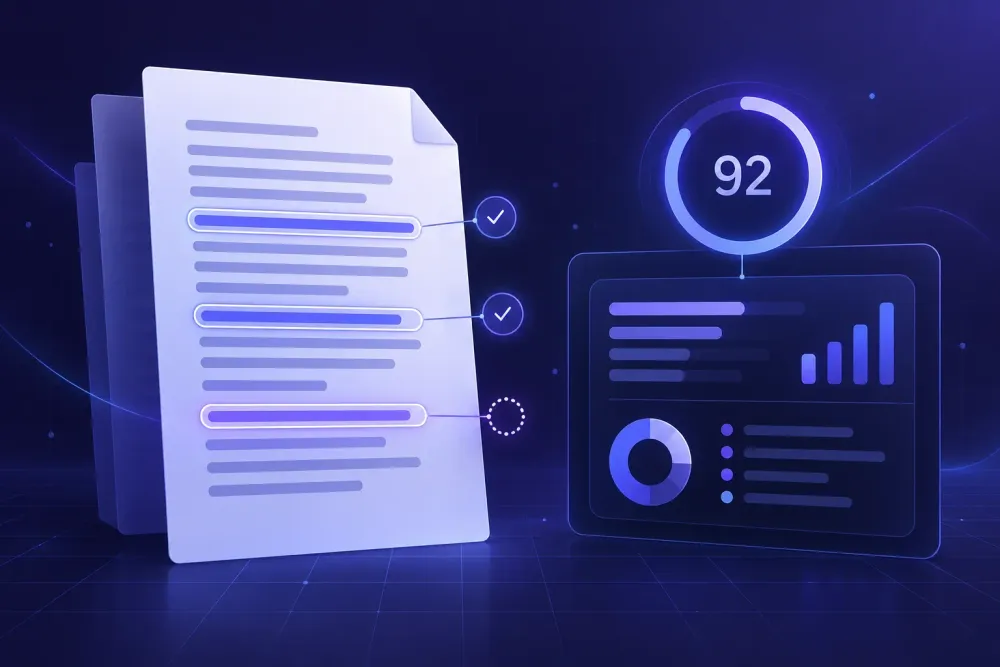
Most of the delivery problems we hear about are not translation problems. The translation was fine. The review was five minutes long, the file got zipped, and one wrong term went out eleven times in a 60-page manual. The SnapIntel QA report is built for that last half hour, when the text is done and the only remaining question is whether the file is safe to send. It is not a verdict handed down by a machine, and it does not replace a reviewer. It is a structured look at what the job produced, sitting next to the file itself, so that somebody with twenty minutes knows where to look first. We added it because we kept watching the opposite happen: open the translated DOCX, read the first two pages, trust the other fifty-eight.
What the SnapIntel QA report actually contains
When a job finishes, you do not get one file. You get the translated DOCX, XLSX workbook or PPTX presentation; a neutral source/target XLSX export; a QA report you can read in the app; a quality rating; and an optional QA PDF you can download. That is the full set of review artifacts for a completed project, and it is the same set whether you uploaded one file or fourteen. In a batch, results are shown per file, each with its own status and its own downloadable artifacts.
Two practical details matter more than they sound. The report and the QA PDF are rendered in the app UI language that was active when the translation job started. If your coordinator works in Russian and your reviewer works in English, decide who starts the job, because the report language follows that moment rather than the reviewer's preference afterwards. The second detail is filenames: results keep the basename of what you uploaded. A file that went in as Operating_manual_v3.docx comes back as Operating_manual_v3(target-locale).docx, with the QA PDF as Operating_manual_v3(target-locale).pdf. When you are attaching four files to a client email at 7pm, not having to rename anything is worth more than it looks.
SnapIntel is a web product for AI translation of DOCX, XLSX and PPTX files: you create a project, prepare the translation context with domain analysis, glossary and prompt controls, run the job, and download reviewable deliverables instead of raw generated text. The QA report is part of result review, not something bolted on afterwards. You can see the current workflow at snapintel.io.
Why errors escape in the last hour before delivery
Reviewer attention is not flat. We have watched enough pre-delivery checks to say that the first three pages get read properly, the middle gets skimmed, and the last pages get a scroll. That is not laziness, it is what a deadline does to a person. The result is predictable: the errors that survive to the client are rarely in paragraph one.
They cluster in specific places. Table cells, because the eye reads prose and slides past grids. Headers and footers, because they repeat and the brain files them as already read. Short strings that recur, like a product name or a unit of measure. Numbers next to text, where a thousands separator quietly changes convention. And anything that appeared only once, late, in a section nobody expected to be different.
A concrete case from a 60-page equipment manual: the source used "housing" for a mechanical enclosure throughout, except in three figure captions where it meant the building. The translation treated all of them as the enclosure. A reviewer reading linearly would have reached the first caption on page 41, by which point they had been reading for an hour and the term already felt settled.
This is why we think a report that points at something beats a report that summarizes everything. The reason to open the QA report before opening the translated file, rather than after, is that it changes the order in which you read. You stop going front to back and start going by risk. Our write-up on how to run a pre-delivery QA check without slowing down your team goes further into the sequencing.
This logic is weaker if you have a full second-linguist review budgeted. With a real reviewer doing a real pass, the report becomes a cross-check rather than a substitute for attention.
How to read a quality rating without over-trusting it
SnapIntel surfaces a quality rating as part of result review. It is useful, and it is a compressed number, and both of those things are true at the same time.
Any single score flattens different kinds of problems into one value. A file with one mistranslated contract clause and a file with forty harmless stylistic wobbles can land in the same neighborhood. Error-typology frameworks like MQM exist because professional quality assessment normally needs dimensions rather than a scalar: accuracy is not fluency, and terminology is not style. A score cannot tell you which dimension moved.
So we use ratings comparatively, not absolutely. Within one batch, translated under the same glossary and prompt, a rating that sits below its siblings is a real signal that something about that file is different. Across unrelated projects, in different language pairs and domains, comparing numbers tells you very little. The same caution applies to the automated quality estimation metrics the wider industry uses, which we covered in what quality estimation can and cannot tell you.
The rule we give our own users: the rating decides where you spend review minutes, never whether you skip review. If one file in a batch of twelve rates lower, that file gets the long read and the other eleven get the standard check. If every file rates the same, you have learned nothing about prioritization and you fall back to the risk clusters above.
One more limit. A rating describes the output of this job, under this glossary and this prompt. It is not an assessment of whether your glossary was right. If the glossary says the wrong thing confidently, the output can be internally consistent, decently rated, and wrong in exactly the way the client will notice.
Pairing the report with the neutral XLSX export
The QA report tells you where to look. The neutral XLSX export is what makes looking fast.
Every completed job also gives you a source/target XLSX with the content in rows. Its main job is moving AI-translated content into a CAT tool or a TM without a vendor-specific import path, but it is also the most efficient review surface we have found for consistency questions. Reading a 60-page DOCX to check how one term was handled is slow. Filtering a spreadsheet column for that term takes ten seconds, and you see every rendering of it stacked vertically, which is the view that makes an inconsistency obvious.
A worked example. An agency we talk to regularly translates product catalogs as XLSX workbooks, usually 2,000 to 4,000 cells of short strings. Their check is two filters. First, filter the source column for the client's five controlled terms and confirm the target column has one rendering each, not two. Second, sort by target length and read the top twenty rows, because in a catalog the longest targets are where the model has explained something instead of translating it. The whole thing takes under ten minutes on a file that would take an hour to read properly.
That second filter is worth stealing for PPTX presentation translation too. Length growth is what breaks presentations: German or Russian targets commonly run 20 to 30 percent longer than English, which pushes text past the placeholder, and you will not see that in a spreadsheet at all. Sort the export by length growth to find the candidates, then open those specific slides in the translated PPTX. Checking eight slides beats checking sixty.
This pairing matters less for short DOCX files. Under about five pages, just read the document.
Batch jobs: where per-file reporting earns its keep
Single files are easy to review because there is nowhere to hide. Batches are where review discipline quietly collapses, and where per-file results change the economics.
Batch results are shown per file, with status and downloadable artifacts for each. In practice that means a batch is never one pass/fail event. You can see that eleven files completed and one is partial, and you can act on the one.
Here is the pattern we see most often in agency work. A client sends a set of HR policy documents for several markets: an employee handbook, a code of conduct, four country annexes, a benefits summary. Twelve DOCX files, same glossary, same prompt, same language pair. Eleven behave identically because they share a template and the same boilerplate paragraphs. The twelfth was written by a different person in a different year, has three tables the others do not have, and a two-column layout in one section. That file is where the review time belongs, and the per-file view is how you know it before you start reading.
The failure mode without per-file visibility is distributing attention evenly: twenty minutes a file across twelve files, four hours gone, and the one odd file still got twenty minutes. Uneven attention, informed by status and rating, consistently finds more in less time.
A caution here as well. Per-file status tells you that a file processed differently. It does not tell you that a file is wrong, and a file that completed cleanly can still contain the one term error your client cares about. Status and rating are triage inputs. They narrow the search; they do not end it.
What the QA report will not catch
We would rather say this plainly than have someone find out on a Friday afternoon. Automated error detection has a shape: it finds the kinds of things it was built to look for, and the report has the limits of the method behind it.
No human review is included. Nobody at SnapIntel reads your file. The QA report is an automated artifact produced from the job.
It does not know your client's unwritten preferences. If the client dislikes a particular formulation, keeps a house style that contradicts standard usage, or expects specific legal phrasing that nobody ever wrote down, no automated report will flag it. That knowledge lives in your project notes or in the glossary you approved, which is the real reason the approval gate sits before translation starts rather than after it.
It cannot tell you the source was wrong. Source documents contain errors: a wrong figure in a table, a sentence that lost its verb in the last round of edits, a cross-reference to a section somebody deleted. A translation can be a faithful rendering of a broken sentence. Catching that takes a person reading with the subject in mind.
And it is not a certification of anything. A QA artifact is evidence that a structured check happened and a record you can keep with the project. It is not a compliance document, and we would not present it to a client as one.
What it does do, reliably, is remove the "where do I even start" problem from the last half hour of a project. In our experience that is the difference between a review that happens and a review that gets skipped because there was no obvious entry point and the deadline was in forty minutes.
A pre-delivery routine that takes ten minutes
Here is the sequence we would run on a finished job, in order.
- Open the QA report before you open the translated file, so it decides your reading order.
- Compare the quality rating against the other files in the same batch, not against a number you remember from last month.
- Open the neutral XLSX export and filter the source column for your controlled terms. Confirm one target rendering for each.
- Sort the export by target length growth, inspect the top twenty rows for over-explanation, then open the corresponding pages or slides in the delivered file.
- In the delivered DOCX, XLSX or PPTX, check the places the eye skips: tables, headers, footers, footnotes, slide notes.
- Download the QA PDF and keep it with the project. When a client asks in March what was checked in October, it is the only record you will have.
Steps 1 to 4 take about ten minutes on a mid-sized file. Step 5 is as long as the document deserves. Step 6 takes twenty seconds and is the one people skip.
If you take one thing from this: stop reading translated files front to back. Let the report and the export set your reading order, spend the minutes you save on the tables, and keep the QA PDF. The terminology error that reaches a client is almost never on page one, and front-to-back review is the method most likely to miss it.