How SnapIntel preserves DOCX formatting during AI translation
How SnapIntel DOCX formatting preservation works: text is separated from structure at import, so your Word layout gets reused instead of regenerated.
A translator sent us a file last spring with a note that read: the translation is fine, the document is ruined. Sixty pages of a maintenance manual, the wording accurate, and every numbered warning flattened into an ordinary paragraph. She spent longer rebuilding the structure than she would have spent translating the thing by hand. That failure is what SnapIntel DOCX formatting preservation exists to prevent, and the way it prevents it has almost nothing to do with the translation model being clever about Word. It comes down to which component is allowed to touch the file.
Why formatting breaks when AI translates a Word file
A DOCX is a zip archive of XML. Your text does not sit in it as text. It sits in runs, which are nested inside paragraphs, which carry style references pointing somewhere else again. A single sentence is frequently split across three or four runs for reasons that have nothing to do with meaning: one bold word, a leftover tracked revision, a language tag applied to half the line, a spell-check boundary from an edit someone made in 2019.
Hand that whole document to a general-purpose model and ask for a translated document back, and the model has to regenerate the markup along with the words. It will produce something plausible. Plausible is not identical. Numbering restarts, a style collapses into the one above it, a merged table cell quietly unmerges.
The copy-paste route fails for a simpler reason. Text pasted from a chat window into Word takes on the destination formatting, and anything that lived in the markup rather than in the visible text, such as a field code in a header or a cross-reference to a section number, never makes the trip at all. We covered the general version of this problem in how to translate a DOCX without breaking the layout.
Almost every file-translation tool advertises that layout is preserved. Smartcat's documented file-translation flow, for one, lists layout preservation as part of the upload-and-download path. The claim is close to universal, which makes it useless for choosing between tools. What differs is the mechanism, and the mechanism decides what survives the round trip.
How SnapIntel DOCX formatting preservation actually works
The design choice is to separate text from structure at the moment of import, then keep them apart until the very last step.
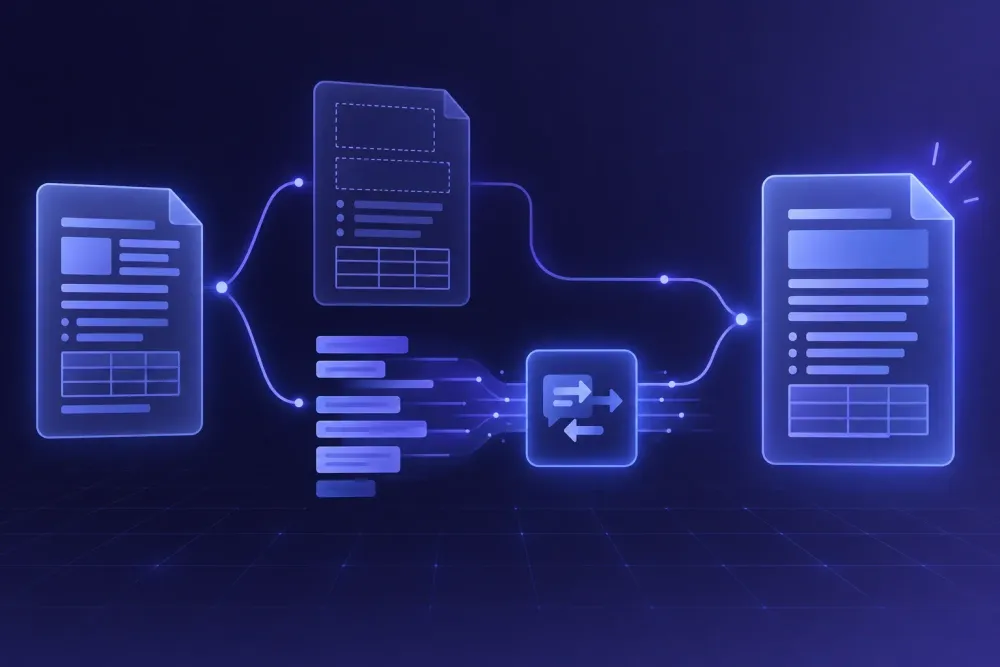
When you create a project from a .docx file, DOCX import normalizes the supported visible blocks into an internal bilingual template. Alongside that, import records assembly metadata, a manifest that remembers which segment came out of which container in the original file. Translation then works only on the bilingual template. The model receives segments and returns segments. It never sees the XML, and it has no way to write to it.
Assembly is a separate operation. It takes the translated segments, writes them back into the containers the manifest points at, and rebuilds the delivery DOCX. The output keeps the original uploaded basename, delivered as basename(target-locale).docx, so it files next to the source instead of arriving as document_final_translated_v2.
The same logic holds across a batch. A project can take more than one file, and each file carries its own manifest, so a twenty-document delivery is twenty independent assemblies rather than one shared template every document has to squeeze into. Progress is tracked per file while the job runs, and results come back per file with their own status and downloads. That matters less for formatting than for diagnosis: when one document in a batch comes back wrong, you know it is that document's problem, and you are not re-running the nineteen that were fine.
That is the whole argument, so here it is without hedging: your formatting never gets rebuilt. It gets reused. The paragraph styles, numbering definitions, table grids, headers, footers and field codes in the delivered file are the ones from your source document, because nothing in the pipeline was ever asked to produce them again. And when a segment comes back badly, which segments sometimes do, the damage stays inside that segment's text. It cannot spread into the document's skeleton, because nothing on the translation path has write access to the skeleton.
What counts as supported content, and what passes through untouched
High-fidelity delivery applies to supported content in supported containers. Material outside that slice, along with hidden content, is preserved unchanged.
Preserved unchanged is not a polite way of saying dropped. The content arrives in the delivered file exactly as it was, which for a text element means it arrives in the source language. So the review you need to run has a known shape. You are hunting for source-language leftovers, not for structural wreckage, and those two reviews cost wildly different amounts of time. Spotting a line of English inside a Russian document takes seconds. Rebuilding a numbering scheme takes an afternoon.
In practice the leftovers cluster in predictable places. Text baked into an embedded image is the most common one: a diagram exported as a PNG from CAD software, with its callouts rendered as pixels. Chart labels that live in an embedded worksheet rather than in the document body come second. Neither is a defect in the delivered file. Both are things a client will notice before you do.
So the advice we give before quoting on an unfamiliar document is to run it rather than inspect it. The trial covers 5,000 words over seven days with no card, which is enough to put the real file through and look at the real output. A visual scan of a source document predicts coverage poorly; the delivered file settles it. The same reasoning holds for XLSX workbook translation and PPTX presentation translation, where the supported slice is drawn differently again.
Text expansion is a layout problem, not a structure problem
These two get conflated constantly, and conflating them means blaming the wrong tool.
Structure loss is what we have been discussing: numbering that resets, styles that collapse, tables that lose their grid. Expansion is a different animal. The structure survives perfectly and the document still looks wrong, because the target language needs more room than the source did. Across the English-to-Russian and English-to-German files we handle, target text commonly runs 15 to 30 percent longer, though the spread is wide and depends heavily on text type. Dense technical prose expands less than short label-style text.
What that does to a Word file is specific and visible. A table cell at a fixed width wraps to two lines, which makes the row taller, which pulls a page break earlier, which shifts every page number in the table of contents. A heading that fit on one line now takes two and the spacing under it looks off. A one-page cover letter becomes a page and a third, which for a cover letter is a genuine failure even though every byte of formatting is correct.
No assembly architecture fixes that, and a vendor claiming otherwise is describing something else. It is a property of how the source document was built. Files that use real paragraph styles and autofit table columns, with no manual spacing, absorb expansion quietly. Files built on fixed column widths, hard line breaks and tabs used as a layout tool do not, and they will not whatever translates them. If you control the source template, that is where the work pays off once and keeps paying on every later language pair.
What this looked like on two real files
A 61-page equipment manual, English to Russian, is the case we point to most often. Fourteen tables, nested numbered lists running four levels deep, warning callouts built as a custom paragraph style, and a header carrying the document number as a field code. The delivered DOCX came back with the numbering continuous, the custom style intact and the field code still live. None of that required cleverness. None of it was ever regenerated. Two items did need attention: a text box inside a grouped drawing object arrived in English, and the table of contents showed the original page numbers until someone pressed F9 in Word to refresh fields. Both took under two minutes, and neither was a surprise. One detail from that file matters for quoting: of the 61 pages, roughly nine were tables of part numbers with almost no translatable text, and the word count reflected that. Formatting-heavy does not mean expensive. It means the structure has to hold.
The second case is a counterexample, which makes it more useful. An HR policy document came in for translation with tracked changes still in it from the client's internal review. Insertions and deletions both sit in the XML as real content, so what came back was a translated document still carrying translated revision marks. Nobody wanted that. The fix is upstream, and it is now a line in our own intake notes: accept or reject revisions and resolve comments before upload. A pipeline that faithfully preserves everything in your file will faithfully preserve the mess in your file too. Fidelity is not judgment.
Where this approach falls short
It does not repair a bad source document. A file where headings are manually bolded 14-point body text instead of real heading styles comes back exactly that way, because that is what it was.
It says nothing about whether the translation is right. Preserving a table grid is a mechanical guarantee; getting the terminology correct inside that grid is not, and the two are handled by completely different parts of the product. The preparation steps carry that load: domain analysis first, a glossary, a translation prompt built on top of it, and an approval gate that stops translation from starting until the glossary and the prompt are both in place. Results come back with a QA report and a quality rating, so whether the wording holds up is answered by something other than the file opening without errors. SnapIntel runs the DOCX, XLSX and PPTX path end to end this way.
We also make no claim that it imports into your TMS, and it is no replacement for a CAT tool. What ships alongside the translated document is a neutral source/target XLSX export, a plain two-column file that stays usable if the content later needs to reach a translation memory or a reviewer. That is a bridge rather than an integration, and the difference is one agencies should price in.
One more caveat, because it catches people: rendering is not the same thing as structure. A file that is byte-correct can still paginate differently in LibreOffice than in Word 2019, and differently again in whatever version your client opens. If pagination is contractual, agree on the viewer first.
A five-minute check before you deliver
Structural preservation makes the review short. Short is not zero. We time-box it on purpose, because a full re-read of a translated document is a different job at a different price, and most deliveries do not need one. What they need is evidence that nothing structural moved. The sequence we run on a delivered DOCX, in order:
- Open both files side by side and compare page counts. One or two pages of difference on a long document is ordinary expansion. Ten means go looking.
- Open the navigation pane and read the heading tree. It should match the source heading for heading. This catches style collapse much faster than scrolling.
- Select all, press F9 to refresh fields, then check the table of contents, the headers and footers, and any cross-references.
- Search the document for characters from the source language. In a Cyrillic target, searching for a common Latin string surfaces passed-through content in seconds.
- Look at the widest table and the longest heading. Expansion shows up there first.
- If the file has a cover page or lives under a one-page constraint, check that page on its own. It is the one place where a third of a page of expansion is a failure rather than a cosmetic detail.
Run that on your next translated document and write down which step actually found something. If it was step two or three, the problem is in the pipeline you used and that is worth changing. If it was step four or five, the pipeline did its job and what is left is editorial work. Those are different problems with different fixes, and treating them as one is how an afternoon disappears.