Can ChatGPT translate a Word document? What works, what breaks, and what to use instead
Can ChatGPT translate a Word document? What works, where DOCX formatting breaks, and when to switch to a structured translation workflow instead.
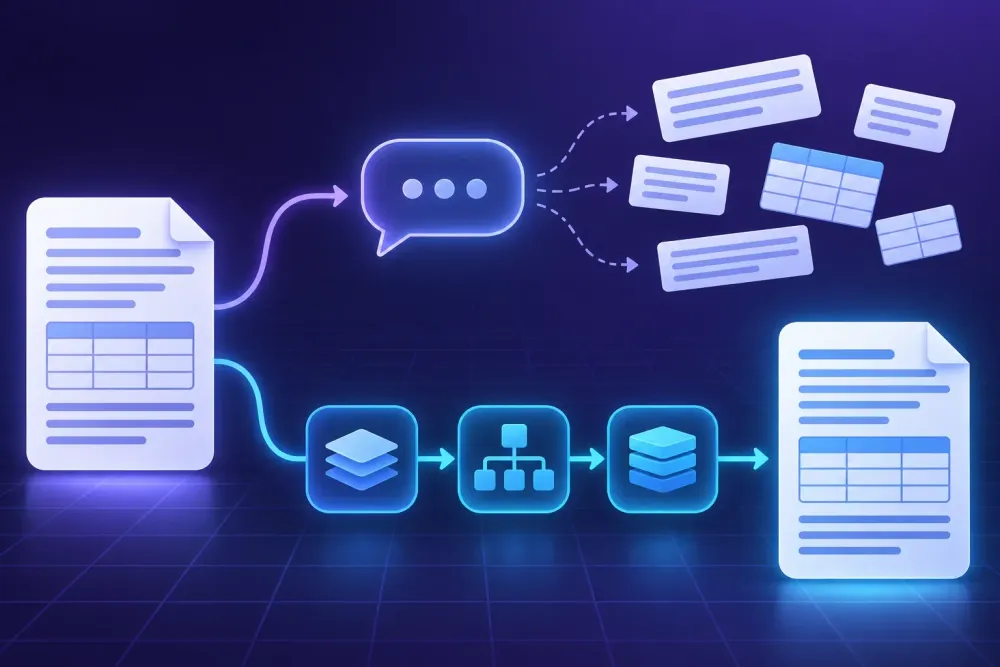
We get asked this almost every week, usually by someone who has already tried it: can ChatGPT translate a Word document, and is the result good enough to send a client? You can, and sometimes it is. But the ways it fails are specific and repeatable, and most of them never show up in the chat window. Someone pastes a contract in, reads fluent German coming back, and assumes the job is done. The problems appear later, in the file.
What actually happens when you ask ChatGPT to translate a Word document
There are three routes, and they fail differently.
Copy-paste. You open the DOCX, select all, paste into the chat, get translated text back, paste it into a new Word file. Everything about the document's structure is now your problem: styles, numbering, table geometry, footnote anchors. Gone, or approximated in markdown.
File upload. You attach the .docx and the file gets parsed into plain text before the model sees it. This is the part people miss. The model is not reading your document, it is reading an extraction of it. Whatever the extractor skipped, the model cannot translate, because as far as it knows that text does not exist. And if you ask for a Word file back, the code interpreter builds a new document out of the translated text. That is not your file with different words in it. It is a different file that looks roughly similar.
API. You control the chunking, the prompt, the retries. You also own every bit of the DOCX surgery: unpacking the XML, finding the translatable runs, writing translated strings back without breaking the formatting relationships. Perfectly doable, and also about a week of work before you translate anything.
The distinction that matters across all three is round-trip versus regeneration. A CAT tool or a document translation tool pulls translatable strings out of the file, translates them, and writes them back into the same structure. ChatGPT regenerates. Anything that was not in the extracted text is lost in the regeneration, and nothing tells you what was lost.
What it gets right
Worth saying plainly, because the cynical version of this article would be wrong: for the right document, the output is good.
GPT-class models handle register and tone better than most dedicated MT engines. Ask for a formal Spanish rendering of an HR announcement, specify usted, and you get it consistently across the whole text. Ask why a phrase was translated a certain way and you get a reasoning you can argue with. Paste ten glossary terms into the prompt and, inside a single context window, they hold.
A case from this spring: a 1,400-word internal announcement, English to Spanish, plain paragraphs and two bullet lists, no tables. Copy-paste into the chat, one pass for the translation, one pass to put back two product names we wanted left in English, twenty minutes from start to finished DOCX. Setting that job up in a CAT tool would have taken longer than the job itself.
It also reads context, which segment-based MT does not. An engine translating a heading in isolation has no idea the section underneath is about shipping rather than freight forwarding in general. A model with the whole paragraph in front of it usually gets that right. For documents short enough that the entire text fits in one prompt, that is a real quality advantage rather than a marketing line.
So: prose, short, flat formatting, one language pair, no downstream reviewer who needs a bilingual file. That is the zone where this works. Outside it the quality does not degrade gracefully. It falls off a cliff at roughly the point where the document stops being text and starts being a document.
Where the DOCX formatting breaks
The failures are boring and predictable, which is the good news, because you can check for all of them.
Numbered lists restart at 1 in every chunk. Heading styles come back as bold paragraphs, so the generated table of contents is dead and so is every cross-reference pointing at those headings. Tables arrive as markdown pipes, and rebuilding a nine-column table with merged header cells from pipes is twenty minutes per table. Footnotes either flatten into the body text or vanish. Headers, footers, page numbering, section breaks: not in the extraction, not in the output.
Then there is the content that lives outside the main text flow. Text boxes, shapes, SmartArt labels, chart axis titles, the caption inside a grouped drawing. These sit in different parts of the DOCX XML, and whether the extractor picks them up depends entirely on the extractor. When it does not, you get English text sitting in the middle of a German document, or the text quietly does not come back at all.
We watched an agency run this on a 38-page equipment manual: around 60 tables, a dozen figures with callout labels, a generated TOC, cross-references throughout. The translation took forty minutes of prompting. Putting the document back together took two days of DTP work, and the first delivery still went out with the figure callouts in English, because nobody thought to look inside the grouped shapes. The translation was fine. The delivery was not.
This works best when the document is genuinely flat. One-page letter, no tables, no TOC? None of this applies to you. A file with a table of contents in it? All of it applies to you. We covered the formatting side at more length in how to translate a DOCX without breaking the layout, and the same shape of problem turns up with PowerPoint files.
The text the model never sees
Silent omission is the failure that actually costs money, because the output looks complete.
Tracked changes and comments are the common case. A client sends a contract carrying eighteen tracked edits and six margin comments from their legal team and asks for a translated version. Depending on how the file gets parsed you receive the original text, the final text, or an unholy merge of both, and the comments are usually just absent. Nothing in the chat window warns you. Same story for hidden text, content control placeholders, field codes, index entries, and image alt text.
The example we keep going back to: an English to German tender response where the compliance statement sat in two text boxes on the cover page, because that was how the client's template was built. The extraction missed both. The translated file read perfectly, passed a read-through, went out. The buyer's procurement team found the English. A lost bid, traced back to two text boxes.
The defense is mechanical and takes two minutes. Count the words in the source file, count the words in the output, and compare. Word's own word count is fine for this. A 5% delta between languages is normal; a 15% drop means something was not translated and you go looking for it. Then open the source and click into every text box, table, footnote, and header to confirm each one has a counterpart in the target. Do that once per document type and you learn where a given client's template hides things.
None of this matters if you only need to understand the document. Reading an inbound supplier manual to find out what it says? An omission in a text box is irrelevant. Delivering a file to someone? It is the entire risk.
Why the second run gives you a different translation
Run the same document through twice and you get two different translations. Not wildly different. Different enough that a reviewer comparing versions will notice, and different enough that terminology drifts.
That is how sampling works, not a bug you can configure away from inside a chat window. It bites hardest on long documents, because long documents get chunked. Chunk one renders a term one way, chunk seven renders it another way, and neither chunk knows what the other did. On a 60-page framework agreement we saw a single German term appear in three different renderings across eleven chunks. The glossary was in the prompt the whole time. By chunk seven the model was weighting the surrounding text more heavily than an instruction several thousand tokens back.
There is also no translation memory behind the chat window. Nothing accumulates. Translate the same client's quarterly report in January and again in April and the April version will differ from January's in a hundred small ways, which is exactly what a client notices when they put two reports side by side. A CAT tool with a TM solves that by construction. ChatGPT cannot, because it does not remember January.
For short documents that fit in one context window, consistency is usually fine and this whole section is theoretical. In our experience it stops being theoretical somewhere around 8,000 to 10,000 words, and sooner if the text is dense with terminology. Long file, terms that matter: you need something that enforces terminology rather than suggesting it.
When ChatGPT is still the right tool
One question has sorted this reliably for us. Does the deliverable have to be the same file with different words in it?
If no, ChatGPT is often the fastest thing on your desk. Reading an inbound document to work out whether you need to act on it. Drafting a translation you were going to rewrite anyway. Checking whether your rendering of a difficult clause has a better alternative. Pulling candidate terms out of a source text to start a glossary. Back-translating a paragraph to see whether the meaning survived the trip. One-page letters, short emails, internal memos nobody will print.
If yes, a chat window is the wrong shape of tool and no amount of prompting fixes that. Not because the translation is bad, but because translation is only part of the job. The job is translation plus extraction plus reassembly plus a check that nothing got dropped, and three of those four are not things a chat interface does.
There is a middle case worth naming. Plenty of translators run GPT models inside their CAT tool, segment by segment, through a plugin or an API connector. That works, and it keeps the round trip intact, because the CAT tool owns the file and the model only ever sees strings. If you already have Trados, memoQ, or Phrase, it is usually the shortest route to AI output without the formatting tax. It is also a different workflow from the one people mean when they ask about ChatGPT and Word files.
What to use when the file has to be delivered
Set against a chat window, a structured workflow adds four specific things. Format-aware extraction that knows about tables, footnotes, headers, text boxes, and notes, so the inventory of translatable text is complete before anything gets translated. Round-trip assembly back into the original structure, so styles and numbering survive. A glossary applied across the whole document rather than for as long as the prompt stays in context. A QA pass that compares source and target and flags what is missing, untranslated, or numerically wrong.
That is the part SnapIntel handles. You upload a DOCX, XLSX, or PPTX, pick the language pair, review and approve the glossary and the translation prompt before the run starts, and get the translated file back in the same format along with a QA report and a quality rating. There is also a neutral source/target XLSX export you can import into a CAT tool for review or to update a TM. The approval gate is deliberate: glossary and prompt both have to be filled in before translation can begin, because terminology decisions are the part you actually want to control rather than discover afterwards.
Before your next client job, run this test on a document you have already delivered, so you know what correct looks like. Translate it through ChatGPT. Compare the source word count with the output word count. Search the output for three glossary terms and check whether all three are rendered the same way throughout. Then time yourself rebuilding the formatting. Whatever number you land on is your actual cost, and it will differ sharply by document type: flat prose, ChatGPT probably wins; anything with a table of contents, it probably loses by an hour or more. Decide per document type, not in general.