AI translation for memoQ users: automating the hard parts of your workflow
How memoQ translators and agencies can add AI to their workflow: pre-translation setup, glossary enforcement, tag safety, and MTPE tracking.
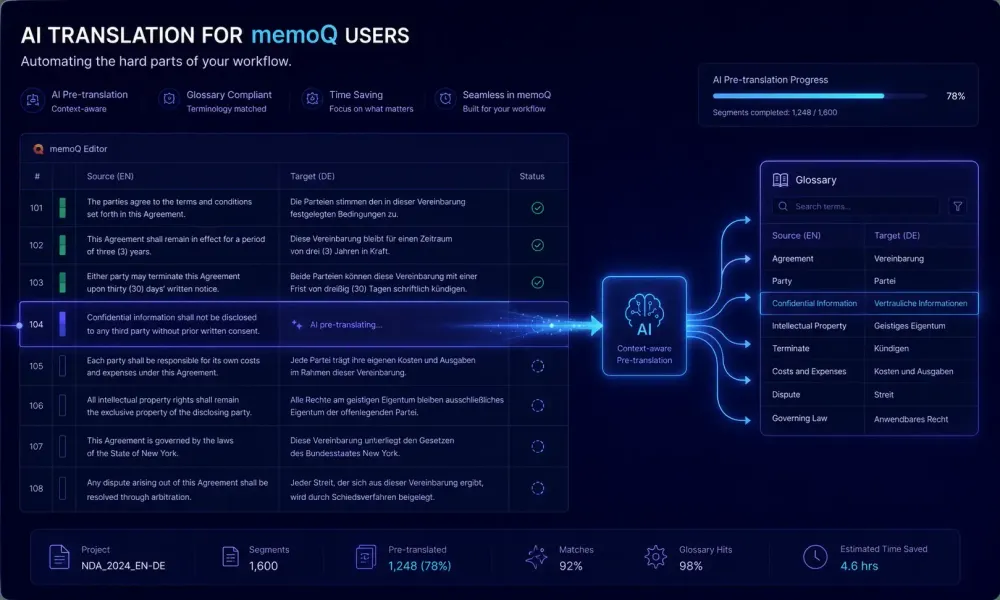
Most memoQ users we work with try AI pre-translation on a real project and land in the same place: the output quality surprises them, and the workflow messiness does too. Nobody warned them how AI translation for memoQ users actually fits into a setup built around translation memory coverage, glossary checks, and careful segment review. The AI doesn't replace those things. It fills the gaps the TM can't cover. This article is about understanding where those gaps are and building a workflow that holds up under real project conditions, not just a test file.
How your translation memory and AI translation work together
memoQ's value comes from repetition. You build translation memories across real projects, configure client glossaries, and the TM starts paying back when enough segment history exists to cover significant portions of new source text. That model doesn't break when you add AI translation. The split of work changes.
The original split: TM covers exact and high-fuzzy matches; a human translator handles everything the TM can't touch. The new split: TM covers what it always covered; AI covers the residual, generating a first draft that the translator reviews and corrects rather than writes from scratch. On those untouched segments, the translator's job shifts from production to evaluation.
For agencies running large technical projects, this reshaping matters in practice. A 50,000-word technical manual with 35% TM match rate leaves 32,500 words the TM doesn't cover. Pre-AI, those words require full human production. With AI pre-translation, they arrive pre-filled. Whether post-editing is genuinely faster than blank-page translation depends on the content type and engine, but for structured technical content in major European language pairs, post-editing consistently outpaces blank-page work in our experience.
memoQ's analysis report shows TM match distribution before any work begins. Run it first. If TM coverage is above 75%, the AI pass has limited territory and the added workflow complexity may not be worth the setup cost. Below 40% TM coverage, AI pre-translation has the most room to contribute. That analysis takes 30 seconds and removes most of the guesswork about where the workflow will actually help.
One thing worth naming: high TM coverage and strong AI benefit rarely live in the same project. Projects where TM pays well are often the ones where AI pre-translation adds least. New content with limited TM history is where AI matters most. Factor that in when deciding which projects to apply the workflow to and which to leave with the standard process.
Pre-translation, file automation, and delivery: three separate problems
"Automating a memoQ workflow with AI" can mean three different things, and mixing them up leads to building the wrong thing entirely.
Pre-translation automation means running an AI or MT engine on source segments before any human opens the file. In memoQ, you configure this through Machine Translation settings: connect an engine, select a language pair, and optionally set a confidence threshold for auto-confirming high-quality output. Translators open the project and see pre-filled segments. This is available in both the desktop client and memoQ Server.
File handling automation is a memoQ Server feature. It means configuring incoming files to arrive, get segmented, get pre-translated, and appear in a translator's inbox without a project manager clicking anything. Server automation rules handle the routing and triggers. Freelancers using a standalone desktop license don't have access to this level of automation without upgrading to a server license. Worth knowing upfront before designing a setup that depends on it.
Delivery automation means QA running on schedule before export, workflow states updating automatically on completion, and delivery packages generating without manual intervention. memoQ handles this natively through its workflow configuration and always has, no AI integration required.
The common mistake: agencies invest time setting up server automation for file intake, which works well, then assume glossary enforcement at the AI translation step is also handled. It isn't, not without building something separately. The glossary problem cuts across all three levels of automation and isn't solved by any of them. That's the problem that deserves the most attention before you scale anything.
The glossary enforcement problem
memoQ's glossary enforcement is reliable within the CAT environment. Associate a termbase with a project and QA flags every confirmed segment where an approved term appears translated differently. That runs consistently and catches real errors.
The problem sits earlier in the pipeline. Standard MT engines — DeepL, Google Translate, and most MT plugins available through memoQ's Machine Translation settings — don't accept your glossary as input. They translate from training data. Your client's requirement to use a specific term pair is invisible to them. memoQ's QA step catches the violations after the fact. Fixing them is still manual work, segment by segment.
LLM-based translation systems handle this differently. They accept instruction prompts, which means you can include your glossary as context: "Use these approved term pairs. Do not substitute synonyms." Adherence isn't guaranteed — LLMs can drift on low-frequency terms — but it's substantially better than glossary-blind MT output.
To use this in a memoQ workflow, you need a step outside memoQ's native MT plugin framework. Export the segments you want AI-translated, run them through an LLM-based system with the glossary embedded in the prompt, and import the results back into your project. This adds a step. Whether it's worth adding depends on how terminology-sensitive the content is.
On one EU regulatory document project — a client glossary of about 110 legal terms — switching from a standard MT engine to a glossary-prompted LLM setup cut post-editing time on terminology corrections by roughly half. The glossary fit cleanly in the prompt context. For a different client with 600+ terms and significant overlap between entries, prompt injection created confusion rather than solving it. Both outcomes are worth knowing about.
This works best when your glossary has under 200 terms, the terms are unambiguous, and the content is in a language pair where LLM quality is strong. It works poorly when glossary entries contradict each other, when the language pair is low-resource, or when your terms are context-dependent phrases rather than fixed terminology.
Tags and formatting: run a test before you commit to a large project
memoQ tracks inline tags — the formatting markers inside segments like bold runs, hyperlinks, cross-references, and variable placeholders — through strict accounting. Every source tag must appear in the translation. In the memoQ editor, the interface helps: you insert tags via keyboard shortcuts, the system tracks them, and missing one takes deliberate inattention. AI pre-translation has no equivalent guidance.
Whether an AI engine preserves tags reliably depends entirely on the engine and the content type. Standard MT engines handle simple single-tag segments reasonably well. Segments with multiple adjacent tags, nested formatting, or variable strings where tag order differs between source and target cause more problems. LLM-based systems that strip tags before the API call and reinsert them afterward can outperform inline-tag-passing engines, but only when the reinsertion logic handles edge cases correctly. That logic varies significantly between systems.
memoQ's QA step catches tag errors reliably. The issue is volume. On a technical manual with 4,000 segments, a 4% tag error rate means 160 violations requiring manual correction. At that scale, time saved through AI pre-translation can vanish into tag cleanup. We've seen this happen on projects that weren't tested before the full run — it's not a rare edge case on heavily formatted content, it's a predictable outcome.
The fix is straightforward: before committing AI pre-translation to a full project with complex formatting, test on 50–100 real segments from that content type. Run the QA check. Under 2% tag violations is workable. Above 5%, reconsider whether AI pre-translation is net positive for that document type.
For plain-text content — business correspondence, internal reports, policy documents without tables or heavy cross-references — tag preservation is rarely an issue. The risk concentrates in technical documentation, legal contracts with dense cross-referencing, and financial reports with structured tables. Those are also often the highest-value projects, which is exactly why testing before committing matters.
Measuring post-editing effort: what edit distance actually tells you
memoQ's edit distance metric records, per segment, how much the translator changed the pre-translated output. Zero means accepted without change; 100 means rewritten from scratch. Most teams use this data for billing MTPE projects at a discounted rate, and that's a legitimate use. But there's more in it than billing.
For quality calibration: average edit distances consistently above 65% on a content type tell you that post-editing isn't actually faster than translating from scratch. Translators are reading AI output, deciding it's wrong, and rewriting it. That process — read, evaluate, discard, retype — is measurably slower than starting from a blank field for experienced translators working in their domain. If that pattern appears consistently on a language pair, AI pre-translation for that pair is adding friction, not removing it.
For pricing accuracy: MTPE rates are conventionally set at 40–60% of full translation rates, but that convention isn't grounded in measured data for most agencies. It's inherited from general market practice. The right MTPE rate for your work reflects actual post-editing productivity: words completed per hour in post-editing mode, compared to words produced per hour in full translation. Setting rates before measuring is how you end up quoting MTPE pricing and absorbing full translation effort at a discount.
One useful data point from the industry: research published by the European Language Industry Association has consistently found that MTPE productivity gains vary significantly by language pair and content type, with gains concentrated in high-resource language pairs and structured content, and minimal or negative gains in literary, creative, or legally precise content where style and accuracy must both be preserved. Knowing which category your work falls into before applying discount pricing matters.
The data also stabilizes over volume. A single 4,000-word project isn't enough to draw conclusions about a language pair or engine. Across five or six projects of similar content in the same direction, patterns become clear. You'll see which combinations benefit and which don't, and you can stop applying the same workflow everywhere by default.
What to document before the workflow breaks
The memoQ AI setups we've seen fail tend to fail after months of running well. One person built the workflow, it ran without issues, then that person became unavailable — travelling, moved to a different project, left the team. Nobody else knew the details. The MT engine configuration, the QA threshold choices, the glossary handoff process: all of it existed in one person's head. Recreating the setup from scratch takes hours. Debugging it without understanding the original configuration can take longer.
What needs documenting is narrower than it sounds.
The engine configuration: which MT or AI system is connected, which language pairs it was tested on, the observed tag error rate on your typical content type, and whether the system accepts custom prompts. If you use a glossary-prompted LLM system, save the prompt template with the client glossary slot clearly marked and a note on the maximum glossary size that works reliably.
The glossary workflow: where client glossaries are stored, how they get formatted for the AI system, who is responsible for updating them, and what happens when the AI output conflicts with a memoQ QA glossary flag — specifically, who corrects it and how that correction gets tracked.
The QA configuration: which checks are active, what thresholds are set, and which checks were suppressed — including the reason for each suppression. If you disabled a rule because it generates too many false positives from AI pre-translation output, write that down explicitly. Suppressed rules without documented context look like configuration errors to anyone inheriting the setup.
The MTPE scope: what edit distance threshold defines post-editing versus full translation for billing purposes, and what post-editing speed target you've set for that content type and language pair.
A single reference page per client covering these four areas is enough for most setups. The goal isn't comprehensive documentation of every edge case. It's to let any qualified translator pick up the workflow without a briefing call.
For translators who process DOCX files outside of memoQ as part of this workflow — running a standalone AI translation step before bringing results back into the CAT tool — SnapIntel accepts direct DOCX imports, applies user-configured glossary and prompt context before translation starts, and exports both a translated DOCX and a neutral XLSX you can import into memoQ as a TM. More on how AI document translation fits with existing CAT tool workflows is on the SnapIntel blog.
Before you invest time building a full memoQ AI setup, run one honest test. Pick a real project — 100–200 segments in your most common language pair and content type — run AI pre-translation, do the QA check, post-edit, and measure three things: tag violation rate, average edit distance, and post-editing speed in words per hour compared to your normal production rate. Those three numbers tell you whether the workflow saves time or just redistributes effort. All the general claims about AI productivity in translation are useful context. Your own data from one real test is more useful than any of them.